25
Empty the current or all bins
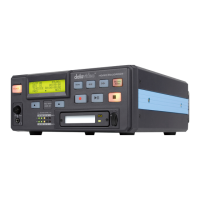
The DN-60 is primarily a capture device, as opposed to an archiving
device, and it is best to start out with a fresh CF card. Emptying (erasing)
ALL bins will not only clear the CF card at once but it will also
conveniently reset the file system.
Updating the Firmware
To update the DN-60’s firmware, take a CF card that has undergone the
MAKE MEDIA FILES process with FAT-32 file system option selected,
and then connect it to your computer. Copy the firmware update file to the
root directory, level where all bin folders appear, and rename it flash.bin.
Next, insert the CF card in the DN-60 and select the UPDATE
FIRMWARE option and follow the instructions.
WARNING: Once the ERASE FLASH option has been selected, DO NOT
turn power off until the firmware has been updated. If the update is
prematurely ended the recorder will be made inoperable.
Recording
Normal Record Checklist
A few parameters must be set properly for a standard recording and they
are mostly grouped in the menu level RECORD SETUP:
Select the DV or HDV video source
Use system setup to select the target recording signal type. And
FORMAT MEDIA to make sure the CF card is formatted to DN-60 file
system format.
Set the file type:
A choice must be made for the eventual file type of choice should you
want to connect the DN-60 CF card in your computer and drag and drop
your video content as files. The choices for DV are Microsoft .avi type II,
Canopus .avi type II, both commonly used in PCs, .mov, the QuickTime
format used in Macs and .mxf a new universal file format supported by a
growing number of applications, Avid being the most well known. In HDV
mode, the file type is fixed at .m2t.


 To Next Page