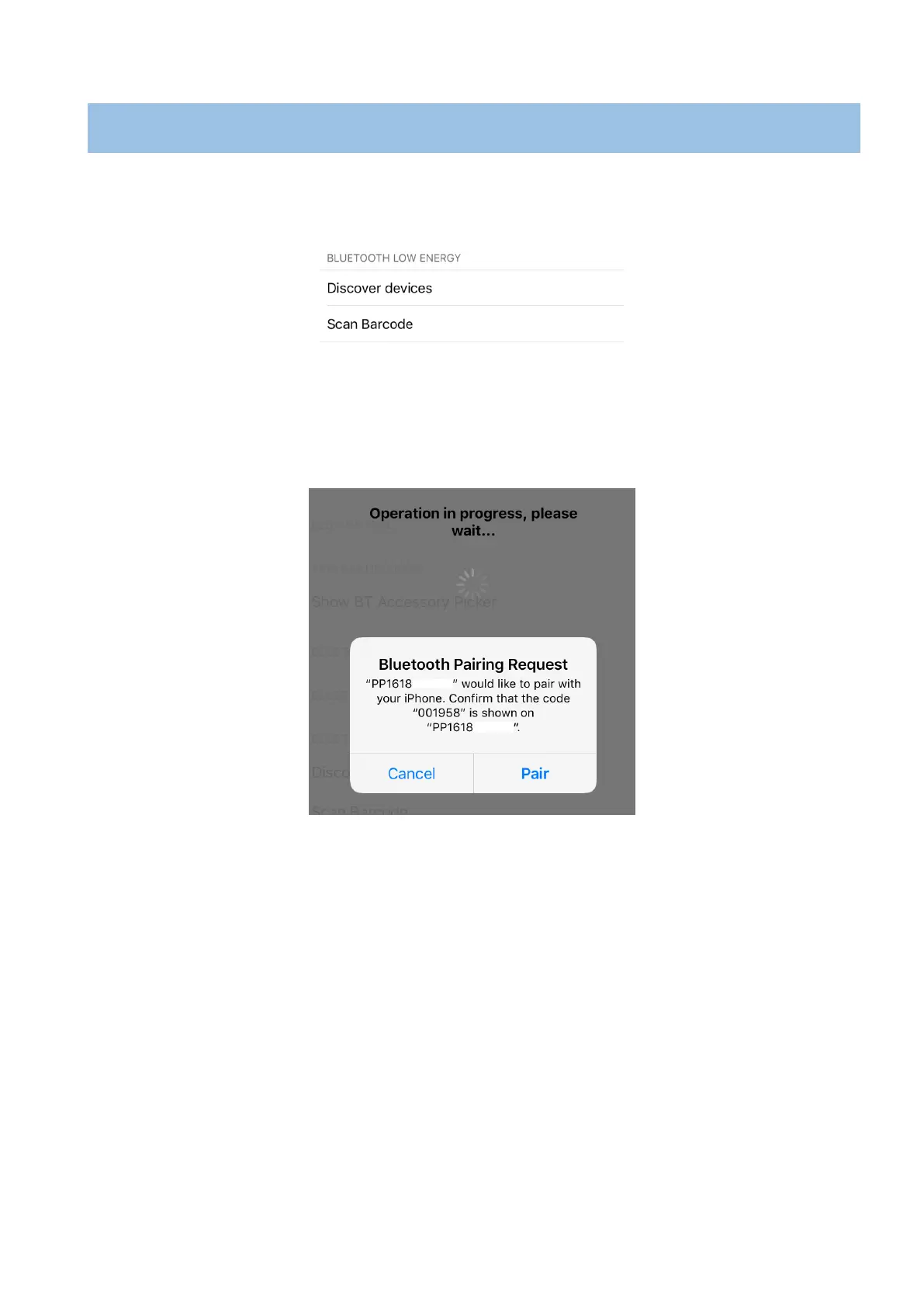
1. Turn on BlueLite v2 (hold On/Off button, around ~2sec).
2. Run the iOS application, go to the settings “Scan barcode”:
Figure 8
Then the camera of the phone will be activate
3. Scan the serial number on the label of BlueLite v2 with back camera.
4. Then of the screens on both devices will be showed the “Pairing Request”.
Figure 9
5. Please confirm if the passkey is same on both devices
* This function is depends of the BlueLite v2 Application.


 To Next Page