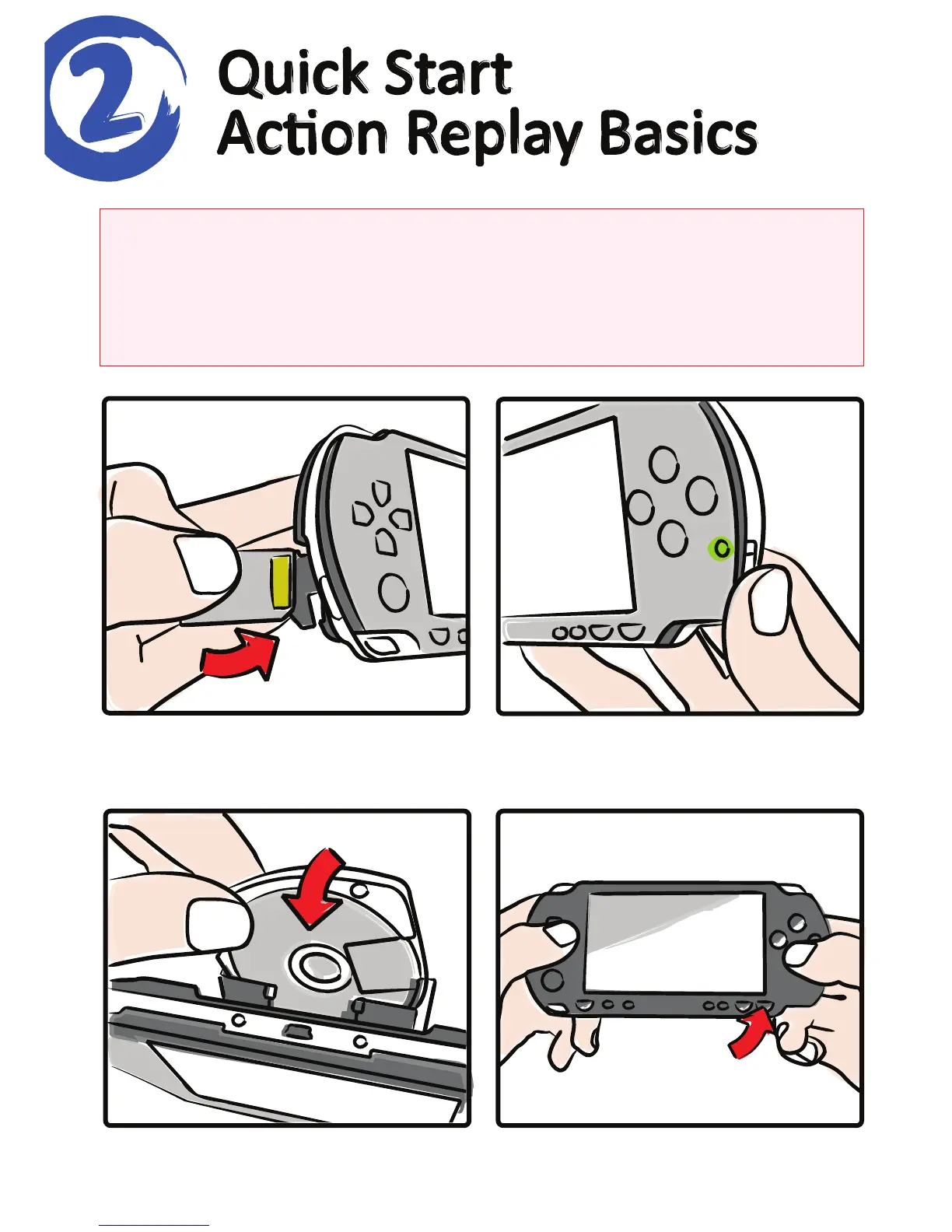
Insert the special Acon Replay
memory card into your PSP.
Insert the UMD with your game
on and close the door.
Switch on your PSP and wait for
Acon Replay to boot.
Choose the right game, pick the
codes you want then press ‘Start’.
Never format your Acon Replay memory card
The Acon Replay memory card contains special hidden files that it needs to run.
If you access the memory card using your computer (to add codes, for example)
DO NOT FORMAT the memory card or Acon Replay will stop working.



 To Next Page