Charging Your Go-tcha Generation
Using Your Go-tcha Generation- Auto Catch
To turn the ‘Auto-catch’ function on, press the Go-tcha Generation button until ‘
Auto-catch ON’ is
selected.
If you have Auto Catch on:
Go-tcha Generation will vibrate and animate the screen to show a successful/unsuccessful catch
Go-tcha Generation will vibrate and animate the screen to show it has successfully/unsuccessfully
collected the items and how many items it has collected at a Pokéstop
To turn ‘Auto-catch’ off, press and hold the Go-tcha button until ‘
Auto-catch OFF’ is selected.
Go-tcha Generation Screens
Auto-catch
new Pokémon
OFF
Auto-catch
new Pokémon
ON
Auto-catch
OFF
Mystery
Item
Auto-catch
ON
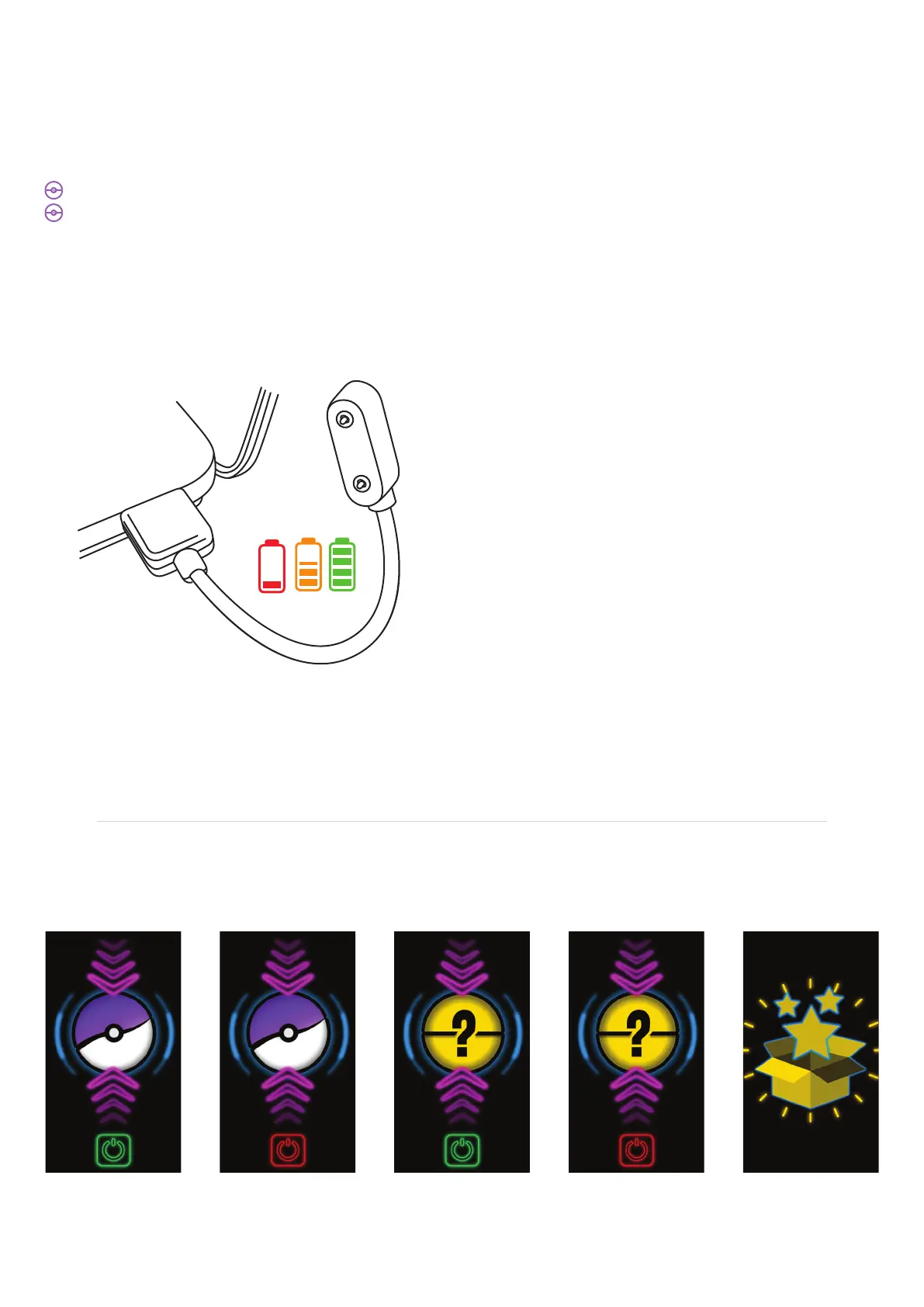
Once connected you can check that your Go-tcha is charging by pressing the screen button. The
charging animation will appear to confirm that the Go-tcha is charging. If there is another Go-tcha
animation running, then wait for the animation to stop and the screen is blank - now press the screen
button to confirm the charging animation is displayed.
The Go-tcha Generation charges via a magnetic
USB cable. Simply attach the magnetic cable to
the charging port on the back of the Generation
watch and connect the other end to a USB power
source. The cable will only connect one way
around - you will feel the magnets indicating the
correct orientation as you position the connector.
Duration of battery life depends on intensity of
game-play.



 To Next Page