14 Connecting the BCS52N(E) DATEQ BCS50 user manual EN
Connecting the BCS52N(E)
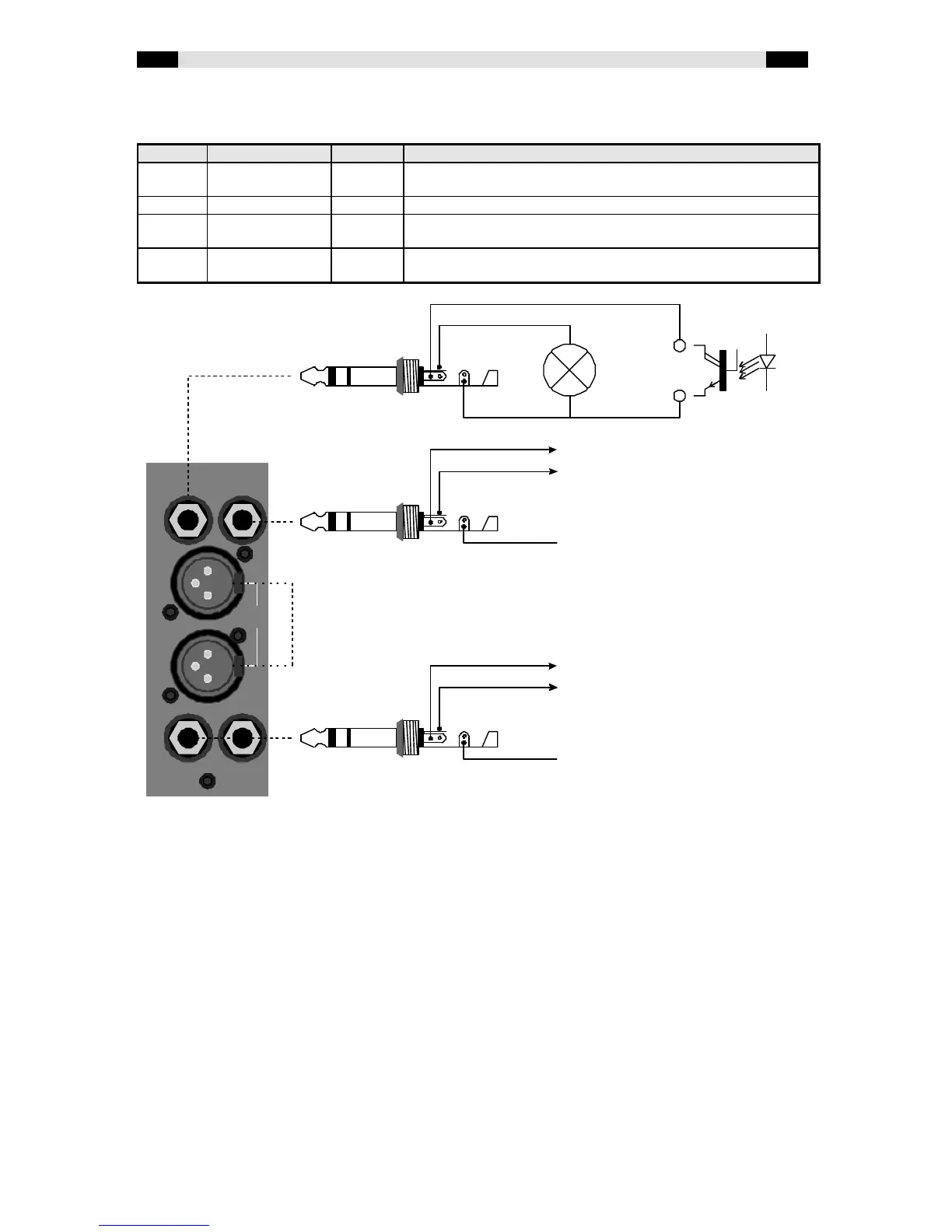
At the BCS52N(E) connectorboard six connectors can be found:
Name Type In/ Out Description
CTRL 6.3mm stereo
jack
In & Out Channel on indicator and PFL input
LINE 1 XLR-F In Balanced line 1 inputs
LINE 2 6.3mm stereo
jack
In Balanced line 2 inputs
CUE 6.3mm stereo
jack
Out Start/ stop output
Technical description
CTRL Ext. PFL logical input: 15V, 100kOhm; pulldown. Lamp power: 12Vdc, 1W max
This connector has two functions: connecting an external module-on indicator and a
logical input for an external PFL switch. When this input is pulled low (with an opto-
coupler for example) the channel will switch the PFL on. This connector is only active
when line 1 is selected.
LINE 1 Input level: -14 ... +20 dBm, Impedance: 10 kOhm
Connections for a balanced stereo line input on XLR connectors.
LINE 2 Input level: -14 ... +20 dBm, Impedance: 10 kOhm
Connections for a balanced stereo line inputs on 6.3mm stereo jack connectors.
CUE Maximum ratings: 24Vdc, 10mA
Opto-coupler outputs to start and stop the connected equipment. As a maximum
24Vdc, or 10mA current may be switched. The outputs are switchable between
continue and pulse. This function is only available when line 1 is selected.
CTRL
LINE 1
LINE 2
BCS50
CUE


 To Next Page
 Loading...