EN DATEQ BCS50 user manual BCS52 general 15
Tone control
Tone control is only available on BCS52(S)(N)E modules. The crossover frequencies are:
HIGH: +/-12dB shelving @ 12 kHz
MID: +/- 12dB bell @ 1.3 kHz
LOW: +/- 16dB shelving @ 30 Hz
Jumper settings
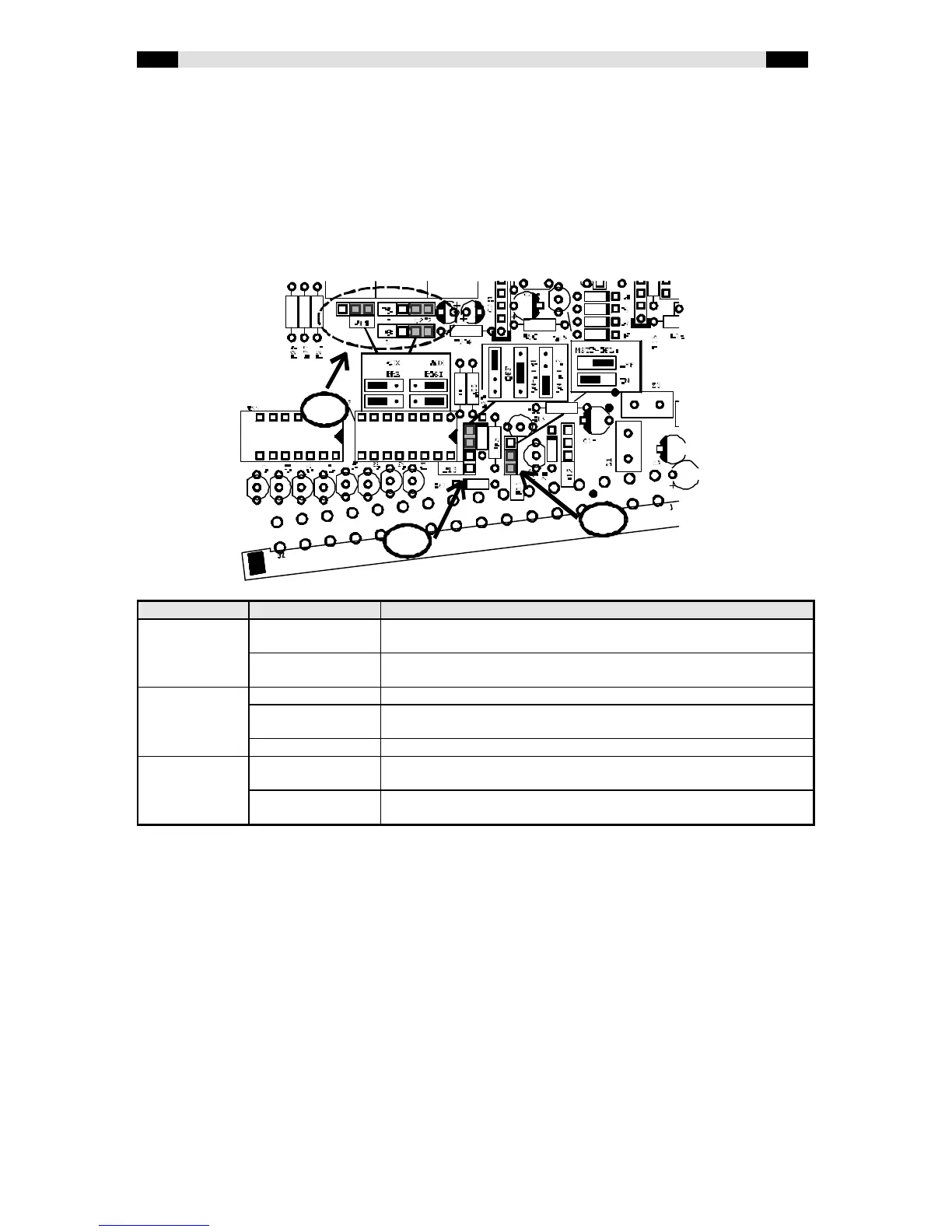
With the internal jumpers various settings/ automations can be enabled or disabled. The
drawing below shows a BCS52 PCB with the jumpers marked grey that appear in all
BCS52(S)(N) modules. The module-type specific jumpers are showed on the next pages.
Jumper name Possibilities Description
AUX (1) POST (D) The after-fader signal is routed to the AUX-buss. All three jumpers
(P8, P9 and P14) have to be in the same position!
PRE The pre-fader signal is routed to the AUX-buss. All three jumpers (P8,
P9 and P14) have to be in the same position!
ON-AIR (2) OFF (D) No ON-AIR outputs will be activated when the channel is switched on.
ON-AIR1 When the channel is switched on ON-AIR1 will be activated. The
studio output will be muted to prevent an acoustical feedback.
ON-AIR2 When the channel is switched on ON-AIR2 will be activated.
MSTR (3) ON (D) When the PFL-switch is pressed the CR will switch automatically to
PFL. This makes the signal directly audible for the technician.
OFF The signal is mixed to the PFL-buss, but the CR-selector will not
automatically switch to PFL.
(D) indicates the default setting
1
2


 To Next Page
 Loading...