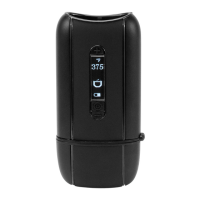
The Ascent features 4 OLED programmable modes. These
modes can be accessed by pushing the Settings button.
Push 1 time to turn heat chamber on (+) or off (-).
Push 2 times to adjust the auto-sleep timer up (+) or down
(-) to the desired time.
Push 3 times to set the personal vape cycles. Push the
settings button again to activate the first temperature cycle.
Push settings button again to activate the timer.
Repeat for the 2nd and 3rd cycles.
* To end the personal vape cycle, push the settings button
once and push the (-) button.
Push 4 times and hold the settings button for 5 seconds to
toggle between Celcius and Farenheit.
Ascent Vaporizer Settings
Find detailed how to videos on
youtube:
YouTube.com/DavinciVaporizer


 To Next Page