Need help?
Do you have a question about the DaVinci IQ and is the answer not in the manual?
Open bottom lid & fully load ground material, packing tightly before closing.
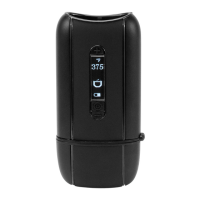
Click Control Button 5x to power up in Smart Path Mode. Click once to switch modes, or 5x to power off.
Heats material to a specific temperature. Use up/down buttons to adjust. Device vibrates when temp is reached.
Press and hold control button to activate boost mode, holding to stay at max temp.
Charge via micro USB cable (use while charging) or external charger for removable battery.
Handle hot components with care. Remove battery for long non-use. Use approved batteries.
10 Year Ltd. Warranty against defects in materials and workmanship under normal use.
 General
| Heating Method | Conduction |
|---|---|
| Temperature Range | 250°F - 430°F (121°C - 221°C) |
| Battery Life | Up to 1.5 hours |
| Material Compatibility | Dry Herb |
| Device Category | Portable Vaporizer |
| Manufacturer | DaVinci |
| Model | IQ |
| Vaporizer Type | Portable |
| Heat-up Time | 16 seconds |
| Chamber Material | Ceramic Zirconia |
| Battery Type | Removable 18650 |
| Charging Time | 3 hours |
| Temperature Control | Precision |
| Chamber Capacity | 0.5 grams |
| Warranty | 10 year |
| Weight | 145 grams |

 To Next Page