72
Issued: 24.02.2005
STRIDER MD
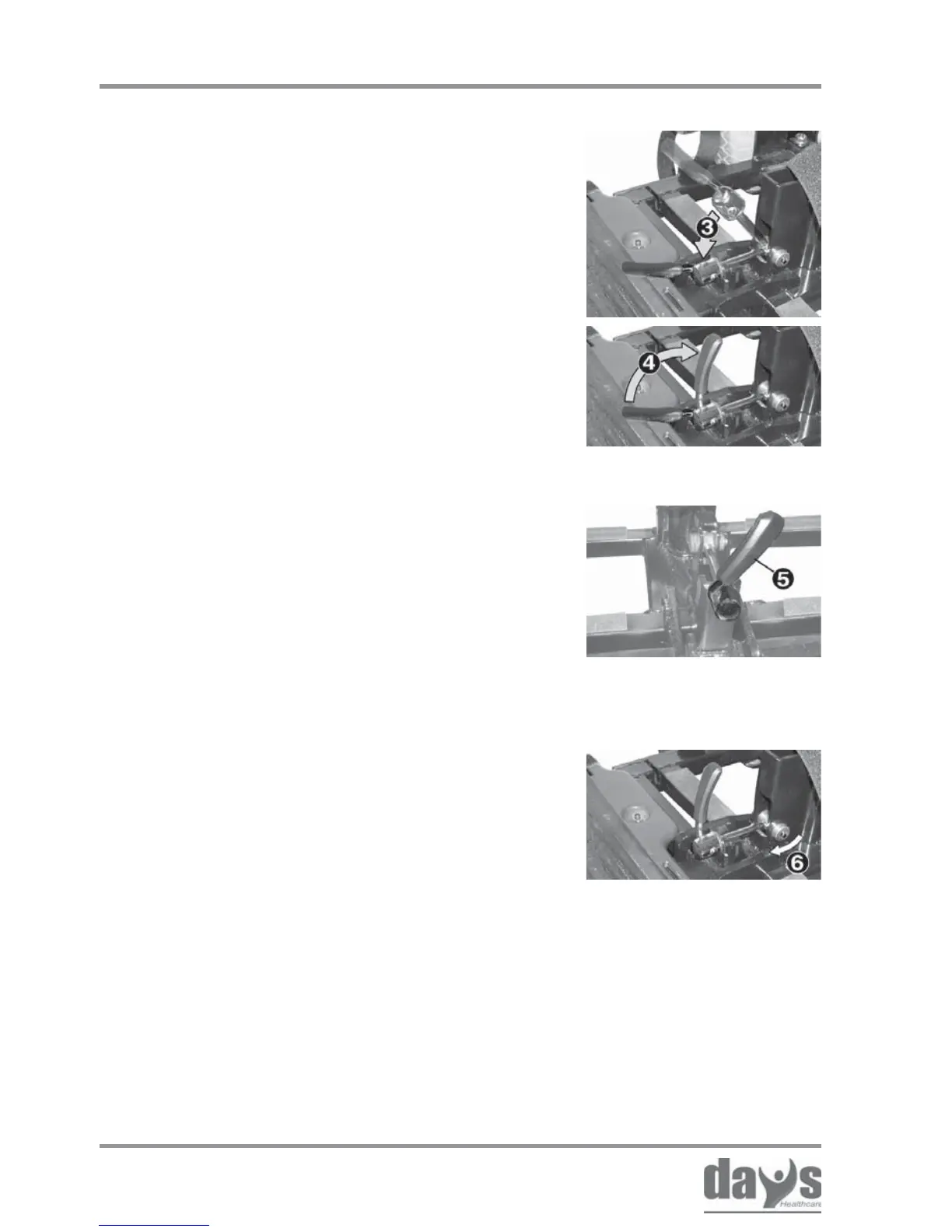
Checking the clamping lever alignment.
The clamping lever (5) must be inclined
slightly to the right (around 1 o’clock)
when locked.
➨
Tighten the locking screw (6).➨
Checking alignment
Tightening the locking
screw
Repairs - mechanics
Checking the clamping bolt setting.➨ Checking the setting
It must:
• automatically fall into the chassis
receptacle (3).
• be able to be locked by hand without
use of great force (4).


 To Next Page