Instruction BookletST-1
Issue 1 02/04/2010
Always ensure that the scooter is switched
off before getting on or off the scooter and
before removing any items of the scooter.
The ON/OFF key switch must only operated,
w
hen in motion, in an emergency. Turning
t
he scooter OFF whilst driving will bring the
scooter to an abrupt stop.
6
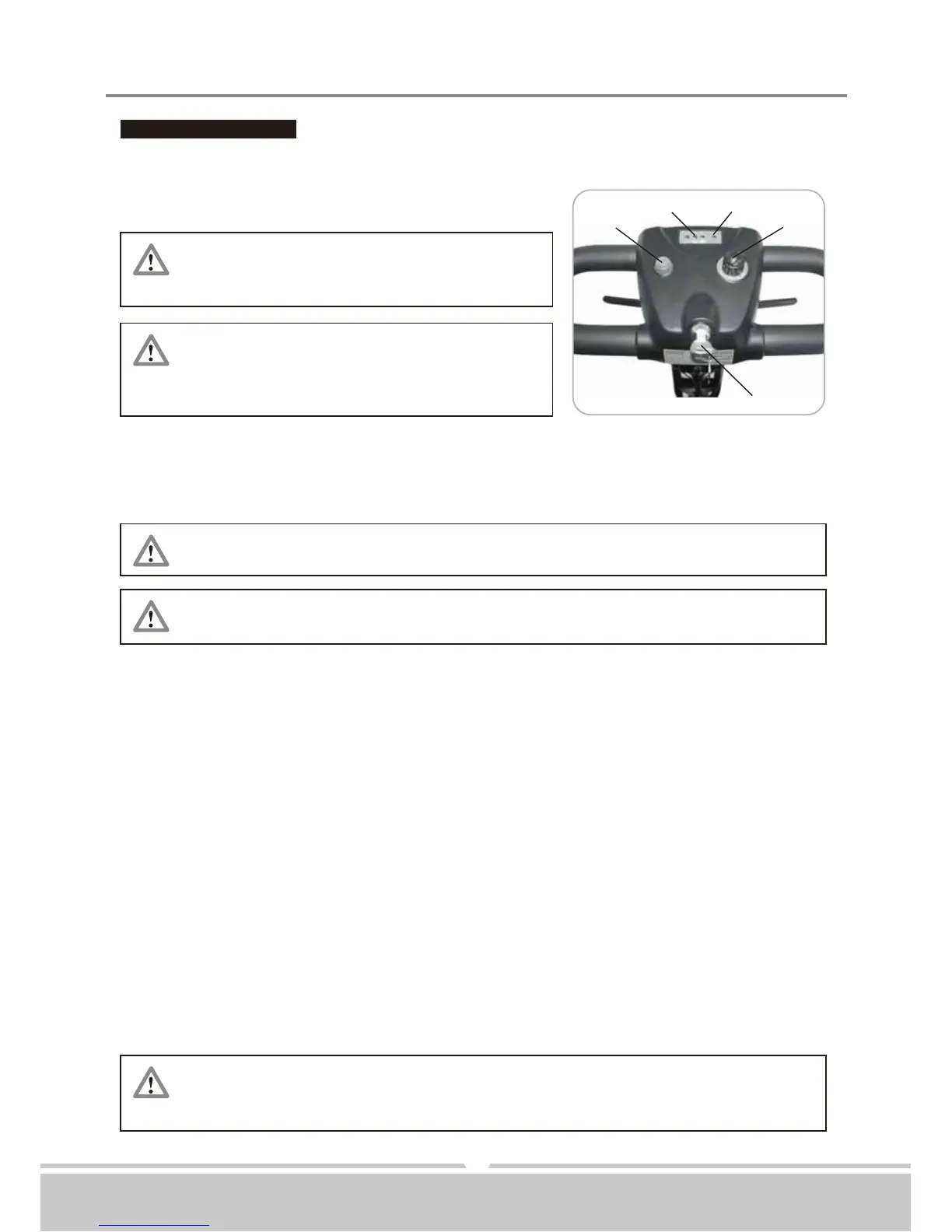
FUNCTION OF PARTS:
Main Key Switch (A)
1.Turn the key to the right - Turn the scooter on
2.Turn the key to the left - Turn the scooter off
Before start driving the scooter, set the speed to low speed by turning
the knob towards turtle image,
Driving in high speed when encounter an up slope, and driving in slow
speed when encounter a down slope.
Releasing the thumb lever engages the automatic brake, but will taxi for
a short buffering distance, please keep safe distance when stop driving
to prevent any danger.
Speed Dial Knob (B)
The image of rabbit means fast or high speed. The image of turtle means slow or low speed.
By turning this knob towards chosen image you can control overall speed of the scooter.
Horn Button (C)
Press horn button once to sound warning tone when necessary.
Battery Gauge (D)
The meter gives an approximation of battery strength. Green indicates a fully charged
b
attery. Without any Green light means no power required to charge batteries immediately.
Self Diagnostic Warning Light (E)
Flashing light indicates there is a problem within scooter. See page 12 for more information.
Thumb Lever (F) (F1)
Pushing right thumb lever forward moves scooter forward. Pushing left thumb lever forward
w
ill move scooter backward. (This configuration can be reversed if required by local
authorized dealer.) While in use this lever is also your accelerator. The further you depress
t
he thumb lever, the faster you will go. (NOTE: subject to the position of the speed control.)
Releasing the thumb lever engages the automatic brake.



 To Next Page