55
INGENIA IG2T Cod. 420120238 REV. 1.1
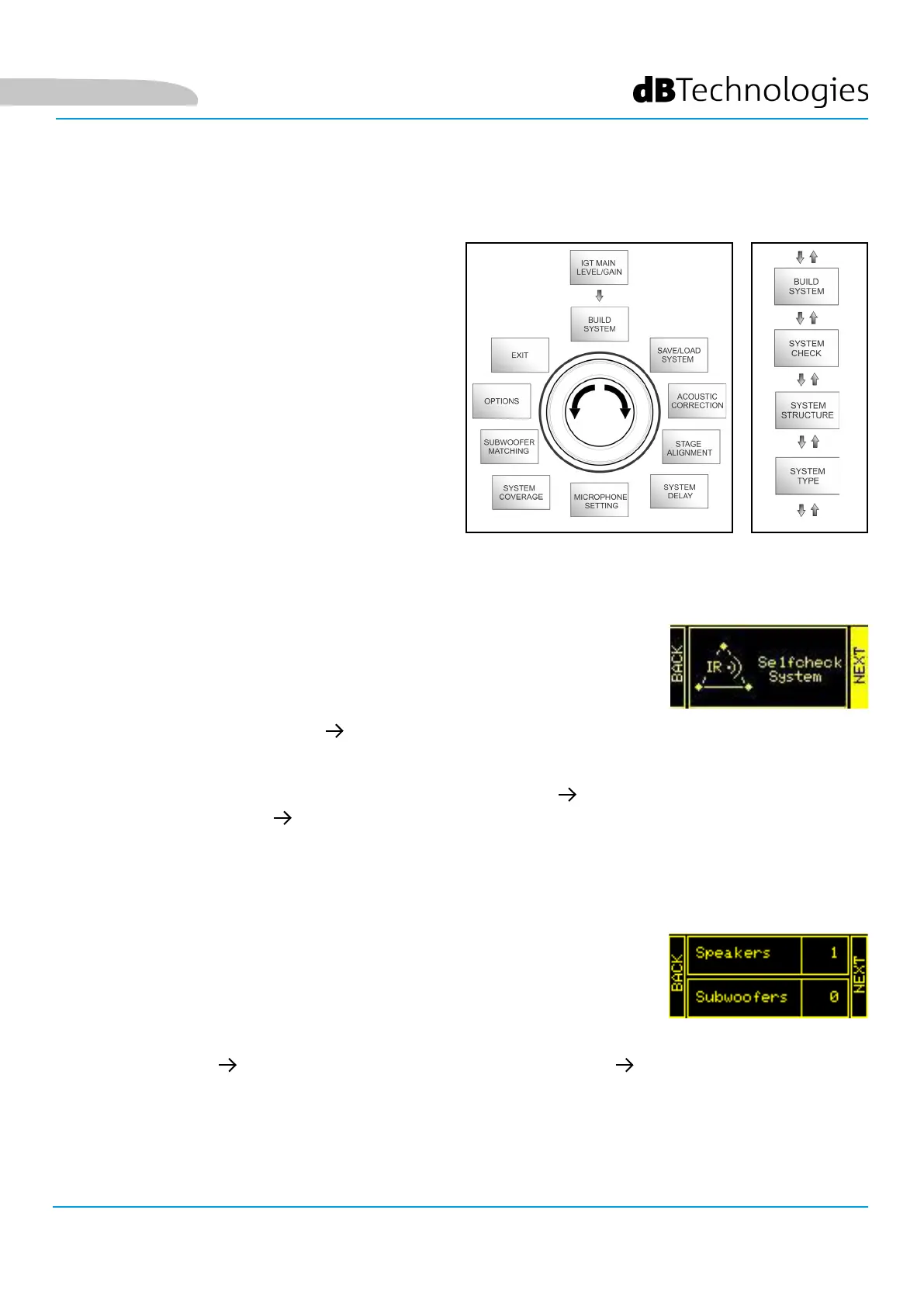
This menu automatically congures the system
according to the number of speakers, to the presence
or absence of a subwoofer, as well as to the location
and inclination of the speakers. It consists of 3 sub-
menus:
The system can detect, through infra-red communication (the communication ports
are installed on the speaker handles and detection is automatic) whether the user is
using one or two IG2T speakers. After accessing this screen:
The menu allows to manually update the conguration of the system in use,
adding or removing one or more subwoofers. If you need to update the number of
connected subwoofers:
1. Turn the rotary encoder selecting Selfcheck System, then conrm the choice by pressing the push rotary
encoder.
2. After a short animation, the system automatically switches to the next menu (SYSTEM STRUCTURE).
3. If this operation doesn’t need to be performed, select and conrm NEXT; if you need to return to the main
screen, select and conrm BACK
1. turn the rotary encoder, select the “subwoofer” item and conrm it
2. select and conrm the number of subwoofers you want to use
3. select and conrm NEXT to switch to the next menu; select and conrm BACK to return to the SYSTEM
CHECK sub-menu
• SYSTEM CHECK
• SYSTEM STRUCTURE
• SYSTEM TYPE
BUILD SYSTEM MENU
SYSTEM CHECK
SYSTEM STRUCTURE
Build System Menu
Sub-menus
English



 To Next Page