dBR-D1 Voice Recorder
5
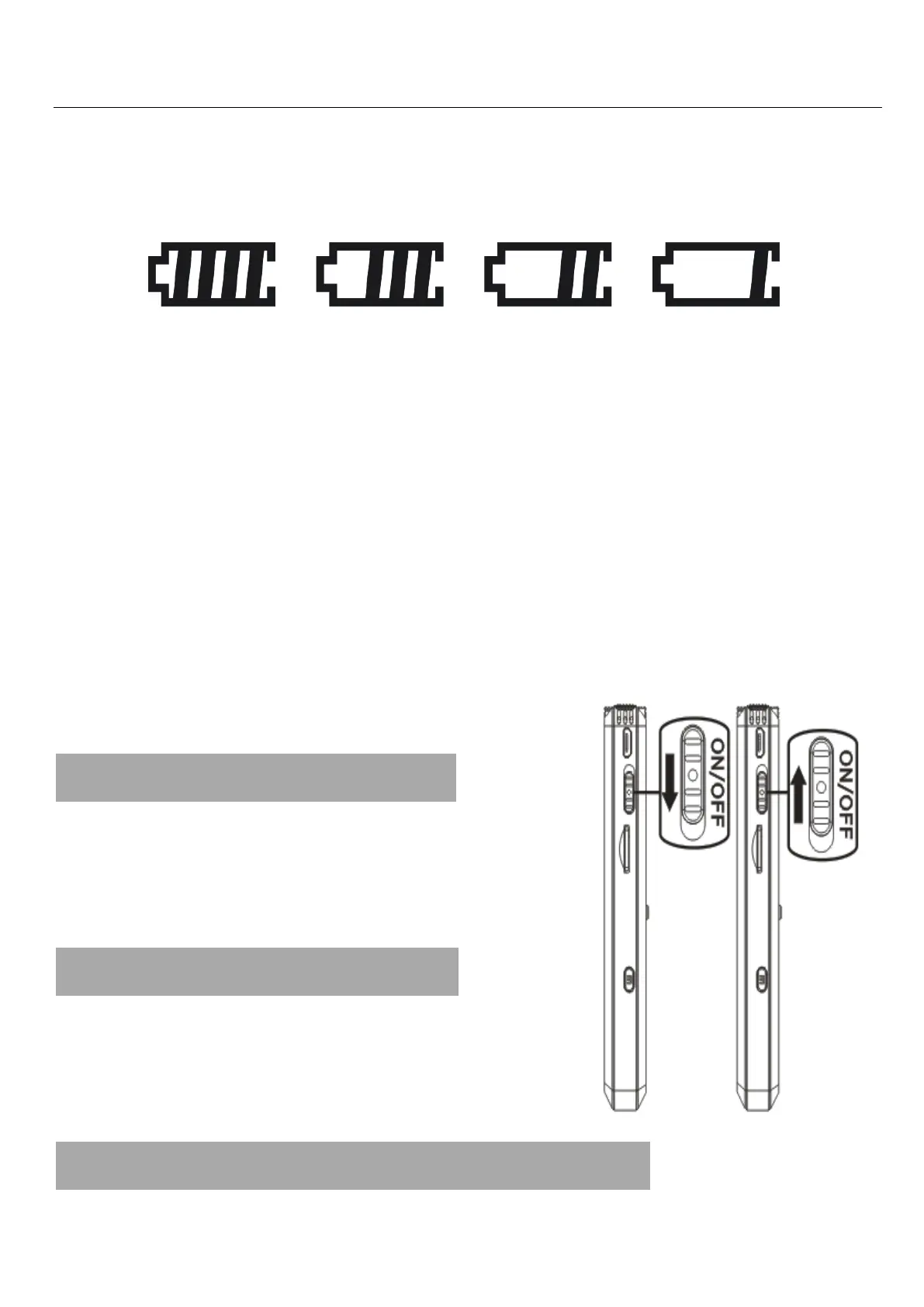
When the recorder is charging, the screen will
show the battery charge indicator at the top right.
Do not yank out the USB cable from the recorder
(nor leave it in a location accessible to children
during the charging process).
Please always safely eject the device first and
then remove it. This will prevent damage to the file
structure on the device.
4.Turning Power On
Slide the power switch up to
turn on the recorder.
5.Turning Power Off
Slide the power switch down to
switch OFF your recorder.
6. Recording and Saving Files


 To Next Page