EasyManua.ls Logo

dbx 3BX - Power Supply & DC Tests; RMS Adjustments

dbx 3BX
19 pages
Print Icon
To Next Page IconTo Next Page
To Previous Page IconTo Previous Page
Loading...
\
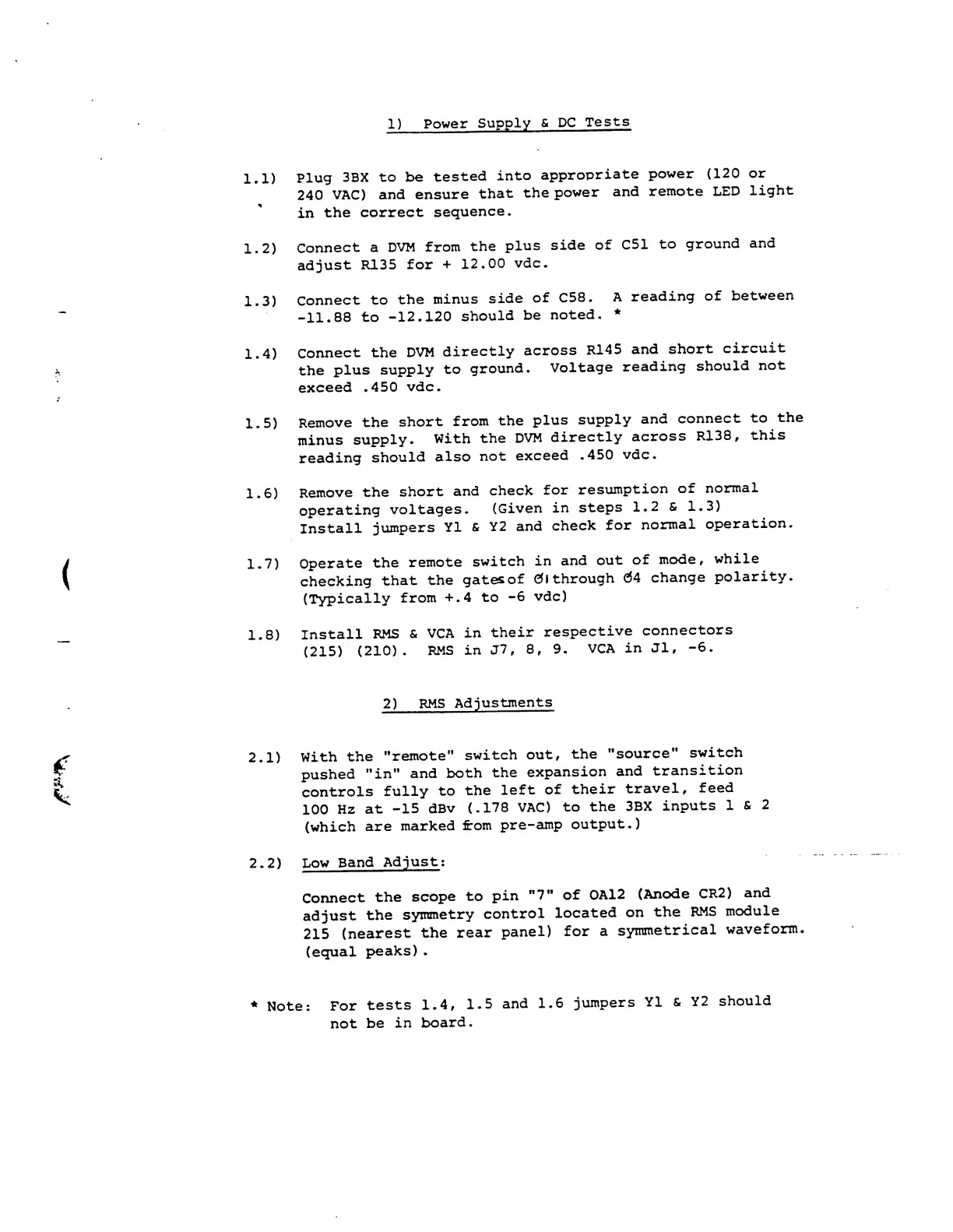
1)
Power
Supply
&
DC
Tests
1.1)
*
Plug
3BX
to
be
tested
into
appropriate
power (120
or
240
VAC)
and ensure
that
the
power
and
remote LED
light
in
the
correct
sequence.
1.2)
Connect
a
DVM
from
the
plus
side
of C51
to
ground
and
adjust
R135
for
+
12.00
vdc.
-
1.3)
Connect
to
the
minus
side
of C58.
A
reading
of
between
-11.88
to
-12.120
should
be
noted.
*
X
1.4)
Connect
the
DVM
directly
across
R145
and
short
circuit
the
plus
supply
to
ground.
Voltage
reading
should
not
exceed
.450
vdc.
1.5)
Remove
the
short
from
the
plus
supply
and
connect
to
the
minus
supply.
With
the
DVM
directly
across
R138,
this
reading
should
also
not
exceed
.450
vdc.
1.6)
Remove
the
short
and
check
for
resumption
of
normal
operating
voltages.
(Given
in
steps
1.2
&
1.3)
Install
jumpers
Y1
&
Y2
and
check
for
normal
operation.
(
1.7)
Operate
the
remote
switch
in
and
out
of
mode,
while
checking
that
the
gatesof
01
through
04
change
polarity.
(Typically
from
+.4
to
-6
vdc)
1.8)
Install
RMS
&
VCA
in
their
respective
connectors
(215)
(210).
RMS
in
J7
,
8,
9.
VCA
in
Jl,
-6.
2)
RMS
Adjustments
2.1)
With
the
"remote"
switch
out,
the
"source"
switch
pushed
"in"
and
both
the
expansion
and
transition
controls
fully
to
the
left
of
their
travel,
feed
100
Hz
at
-15
dBv
(.178
VAC)
to
the
3BX
inputs
1
&
2
(which
are
marked
from
pre-amp
output.)
2.2)
Low
Band
Adjust ;
Connect
the
scope
to
pin
"7"
of 0A12
(Anode
CR2)
and
adjust
the
symmetry
control
located
on
the
RMS
module
215
(nearest
the
rear
panel)
for
a
symmetrical
waveform,
(equal
peaks)
.
*
Note:
For
tests
1.4,
1.5
and
1.6
jumpers
Y1 &
Y2
should
not
be
in
board.

Other manuals for dbx 3BX

Related product manuals