EasyManua.ls Logo

dbx 3BX - VCA Level Adjustments; VCA Distortion

dbx 3BX
19 pages
Print Icon
To Next Page IconTo Next Page
To Previous Page IconTo Previous Page
Loading...
'v?*,
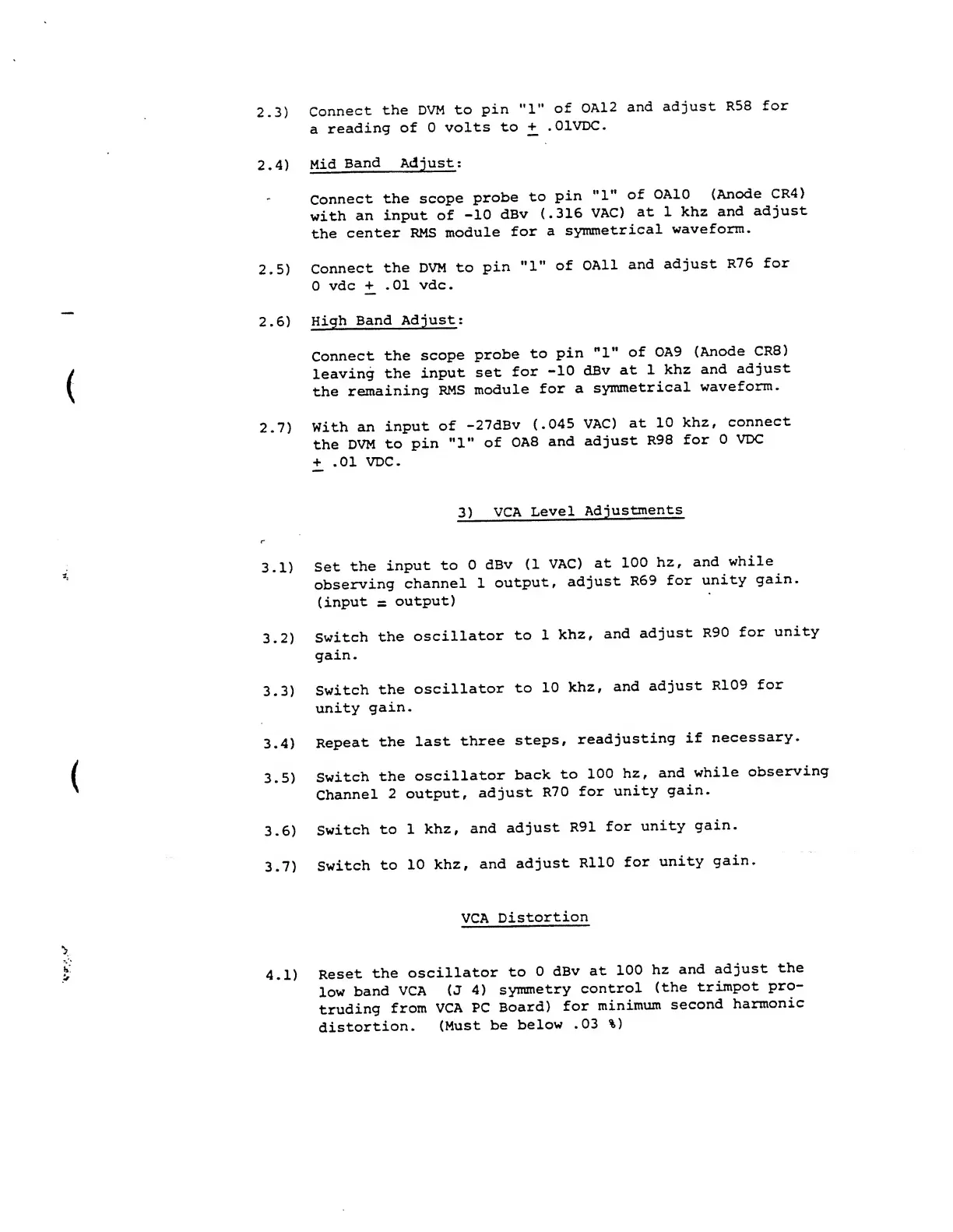
2.3)
Connect
the DVM
to
pin
"l"
of
0A12
and
adjust
R58
for
a
reading
of
0
volts
to
+.
-01VDC.
2.4)
Mid
Band Adjust :
Connect
the scope
probe
to
pin
M
l"
of
OAIO
(Anode
CR4)
with
an
input of
-10
dBv
(.316
VAC)
at 1
khz
and
adjust
the
center
RMS
module
for
a
symmetrical
waveform.
2.5)
Connect
the
DVM
to
pin
"l"
of
0A11
and
adjust
R76
for
0
vdc
.01
vdc.
2.6)
High
Band
Adjust
:
Connect
the
scope
probe
to
pin
"1”
of
OA9
(Anode
CRB)
leaving
the
input
set
for
-10
dBv
at
lkhz
and
adjust
the
remaining
RMS
module
for
a
symmetrical
waveform.
2.7)
With
an
input
of
-27dBv
(.045
VAC)
at
10
khz,
connect
the
DVM
to
pin
"1”
of
0A8
and
adjust
R98
for
0
VDC
+
.01
VDC.
3)
VCA
Level
Adjustments
3.1)
Set
the
input
to
0
dBv
(1
VAC)
at
100
hz,
and
while
observing
channel
1
output,
adjust
R69
for
unity
gain,
(input
s
output)
3.2)
Switch
the
oscillator
to 1
khz,
and
adjust
R90
for
unity
gain.
3.3)
Switch
the
oscillator
to
10
khz,
and
adjust
R109
for
unity
gain.
3.4)
Repeat
the
last
three
steps,
readjusting
if
necessary.
3.5)
Switch
the
oscillator
back
to
100
hz
,
and
while
observing
Channel
2
output,
adjust
R70
for
unity
gain.
3.6)
Switch
to
1
khz,
and
adjust
R91
for
unity
gain.
3.7)
Switch
to
10
khz,
and
adjust
R110
for
unity
gain.
VCA
Distortion
>
Reset
the
oscillator
to
0
dBv
at
100
hz
and
adjust
the
low
band
VCA
(J 4)
symmetry
control
(the
trimpot
pro-
truding
from
VCA
PC
Board)
for
minimum
second
harmonic
distortion.
(Must
be
below
.03
%)
4.1)

Other manuals for dbx 3BX

Related product manuals