EasyManua.ls Logo

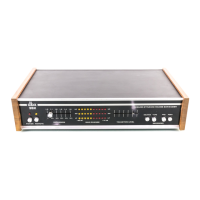
dbx 3BX - Relative Level Set; Relative Level Response; Frequency Response; Remote Simulator

dbx 3BX
19 pages
Print Icon
To Next Page IconTo Next Page
To Previous Page IconTo Previous Page
Loading...
8)
Relative
Level
Set
8 . 1
)
With
an
input
level
of
-15
dBv
at
100
Hz
and
expansion
control
at 1.5,
adjust
the
transition
level
control
so
that
a
level
match
is
obtained.
At
this
point,
the
control
should
be
at
approximately
mid-travel
.
8.2)
Repeat
for
-10 dBv
at
1
khz
and
-27 dBv:at
10
khz
9)
Relative
Level
Response
9.1)
Set
expansion
to
1.5
with
input
to
-10
dBv
at 1
khz,
and
adjust
transition
control
for
level
match.
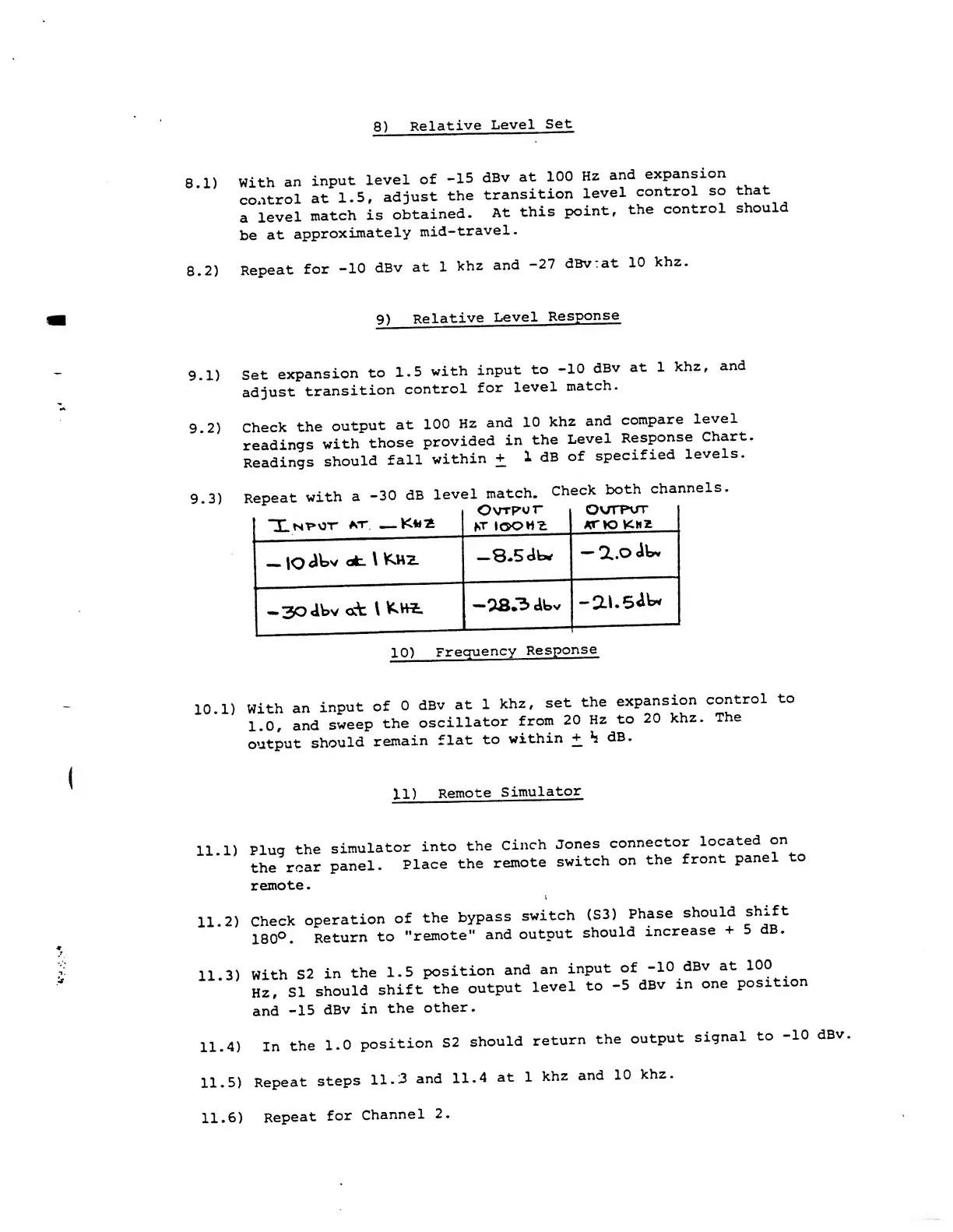
9.2)
Check
the
output
at
100
Hz
and
10
khz
and
compare
level
readings
with
those
provided
in
the
Level
Response
Chart
Readings
should
fall
within
+
1
dB
of
specified
levels.
9.3)
Repeat
with
a
-30
dB
level
match.
Check
both
channels.
Xni»ot
*t\
OvTp'vr
*t
iooh^
qv/tput
KT
K3
KHZ
lO
dtv
at
\
K.H2.
—8.5
db*
Q..O
dU
-
30
«itv
<xfc \
K.H4.
-2S3
dbv
-ai.sdw*
1
10)
Frequency
Response
10
. 1
)
With
an
input
of
0
dBv
at
1
khz,
set
the
expansion
control
to
1.0,
and
sweep
the
oscillator
from
20
Hz
to
20
khz.
The
output
should
remain
flat
to
within
+_
h
dB.
11)
Remote
Simulator
11
. 1
)
11
. 2
)
Plug
the
simulator
into
the
Cinch
Jones
connector
located
on
the
rear
panel.
Place
the
remote
switch
on
the
front
panel
to
remote.
i
Check
operation
of
the
bypass
switch
(S3)
Phase
should
shift
180°.
Return
to
"remote"
and
output
should
increase
+
5
11.3)
With
S2
in
the 1.5
position
and
an
input
of
Hz,
SI
should
shift
the
output
level
to
-5
and
-15
dBv
in
the
other.
-10
dBv
at
100
dBv
in
one
position
11.4)
In
the
1.0
position
S2
should
return
the
output
signal
to
10
dBv
11.5)
Repeat
steps
11.3
and
11.4
at 1
khz
and
10
khz
11.6)
Repeat
for
Channel
2.

Other manuals for dbx 3BX

Related product manuals