EN
16
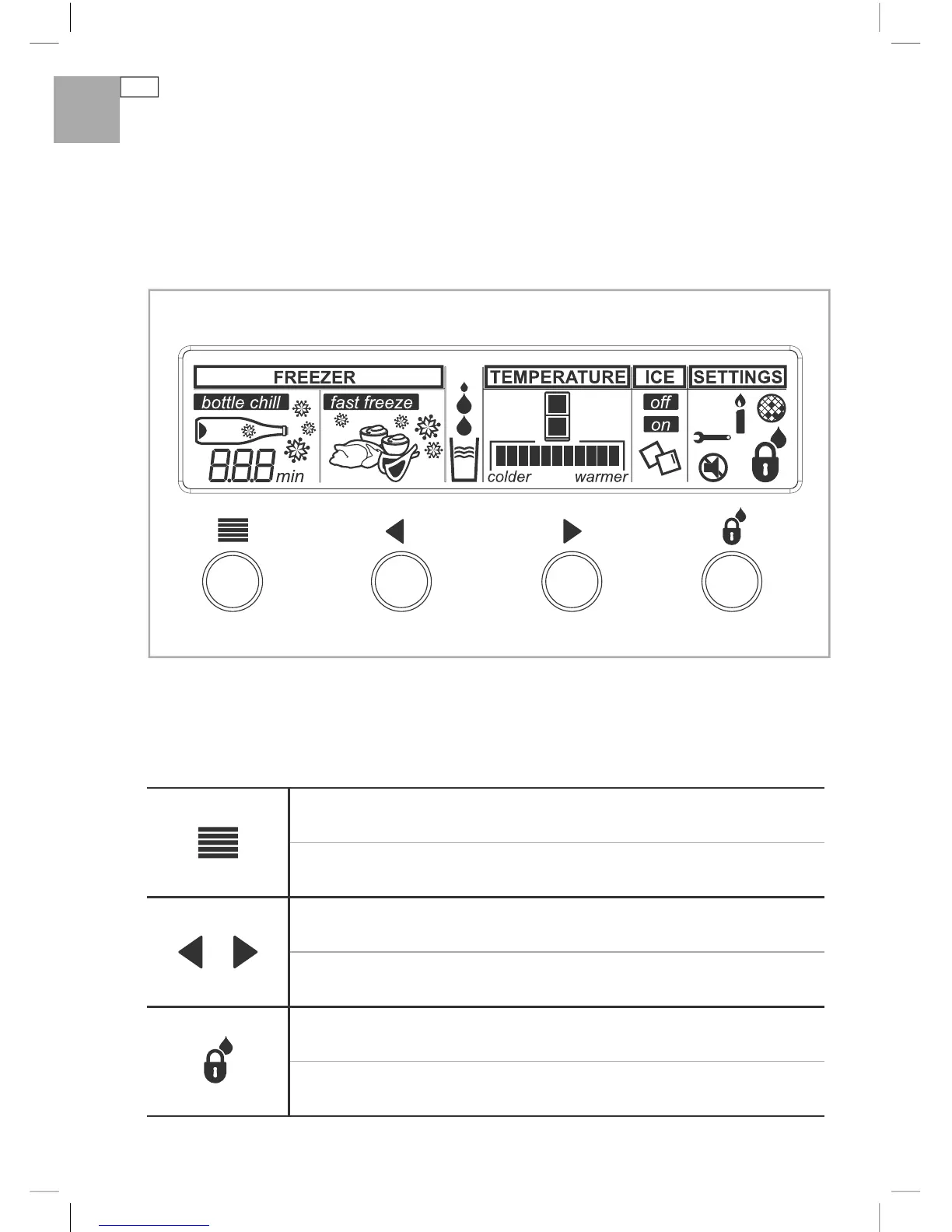
All about the display
The display screen lets you view and modify all the features and options on your refrigerator.
For example, you can change the temperature in your fresh food and freezer compartment, or
select the Fast Freeze function when you want to quickly freeze meat. You may want to also
quickly chill a bottle of wine using Bottle Chill when friends arrive unexpectedly.
Keys
For more detailed information on these functions please refer to pages 17 – 25.
Main menu
Scrolls through the main menu. (Freezer, Temperature, Ice, and Settings).
Arrow keys
Scrolls through the settings of each function.
Key and Dispenser Lock
Locks buttons and water dispenser.
Fig.10 Electronic control panel


 To Next Page