6
LED Indicator Instruction
Light blinking slowly indicates the camera is in a normal
working mode.
Light blinking quickly indicates there is a storage error.
Solid light indicates a camera failure.
Pressing the button will turn off the microphone, the indicator
stays on and the camera stops recording audio.
Press the button again to turn on the microphone, the
indicator turns off and the camera starts recording audio.
Blinking slowly indicates the camera is in parking mode.
The indicator turns off when the camera is in exit parking
mode.
Rear camera
connection indicator
Staying on indicates the front and rear camera are connected.
Staying on indicates the camera is in a normal working mode.
Installation
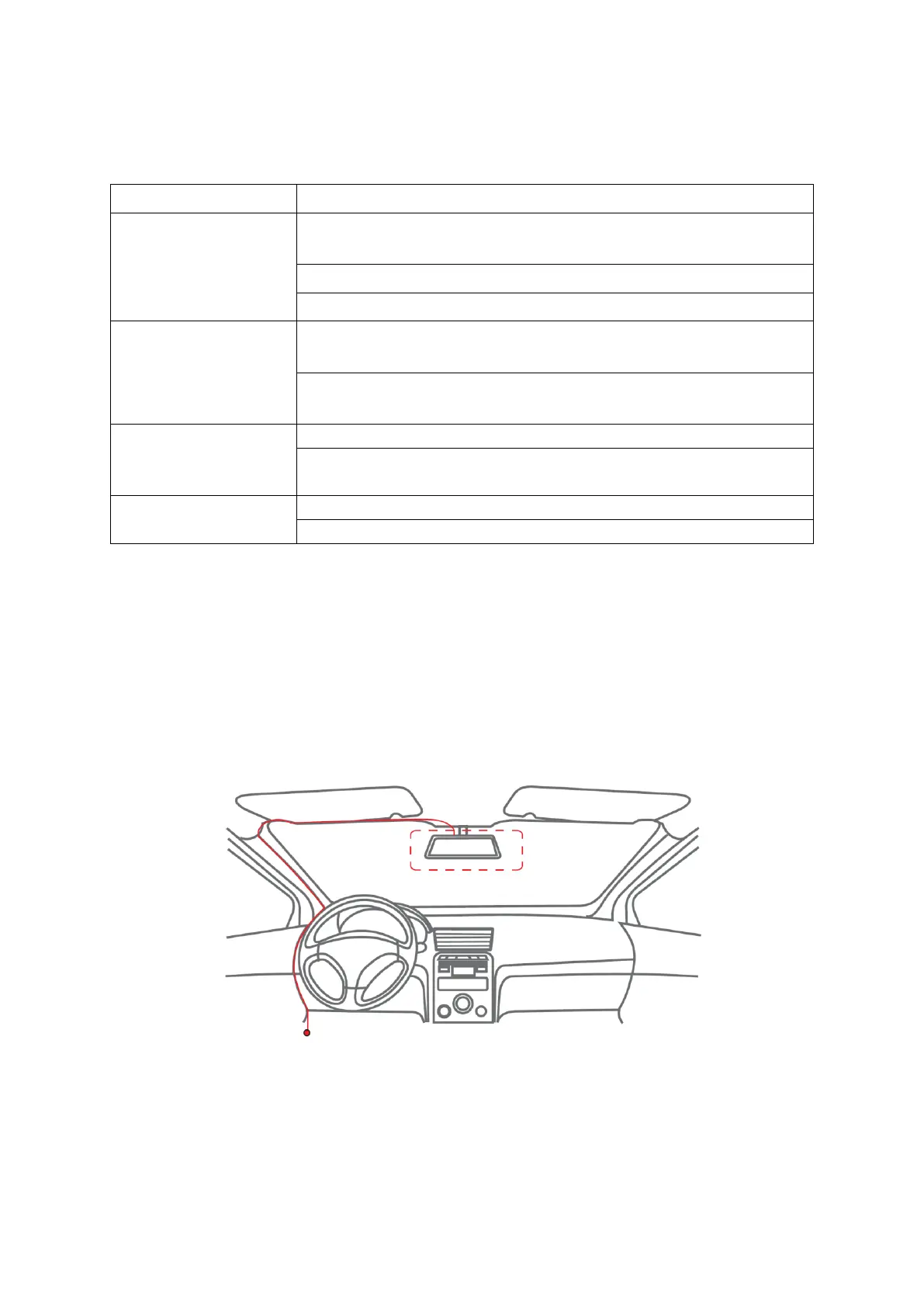
• Connect the power cable to the fuse box, then install the front camera to the
windshield behind the rear-view mirror, as shown in the figure below.
Note: Most vehicles have a fuse box underneath the dashboard on the driver’s or
passenger’s side.


 To Next Page