11
1 INSTALLATION (pag. 57)
1.1 Installing the internal monitor
Use the bracket and the supplied screws and anchors to secure the monitor to the wall.
Prior to applying the mounting bracket, make sure that the wall’s surface is at, and fasten it securely
at about 1.45 m from the oor.
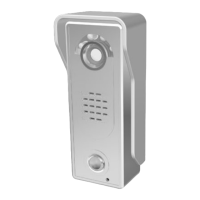
1.2 Installing the intercom
First, fasten the video camera’s protective cover to the wall’s surface using the supplied screws and
anchors. Make sure that the video camera is pointing at a height of approximately 1.45 metres from
the oor. Mount the intercom unit and secure it using the special screw on the bottom. In order to pro-
vide a better seal, it is recommended to apply a rubber seal around the protective cover between
the two parts (using silicone, for example).
2 FUNCTIONALITY
Warning: Enter the 4-digit access code to unlock the gate’s electric lock. If the access code is valid,
the indicator light will turn on, the lock will disengage, and the unit will emit 5 beeps.
Warning: After an incorrect access code has been entered 3 times, the electric lock will remain blo-
cked for 1 minute and the intercom will emit a prolonged acoustic signal. The Digicode device will only
be able to be used again once this waiting period has expired.
Attention: The default master code is set at the factory: 1234.
2.1 Changing the Master Code
• Shut off the device;
• Hold down the
button and power the intercom back on. The device will emit a prolonged acou-
stic signal;
• Once the prolonged acoustic signal has stopped, release the
button and enter the new 4 digit
code.
2.2 Accessing programming mode
• Press the button (the device will emit 2 beeps), followed by the 4 digit master code (the default
master code is 1234);
• After emitting 3 beeps, the indicator light will begin ashing and the device will switch to program-
ming mode;
• Press the button again to exit from programming mode (the device will emit 5 beeps).
2.3 Adding user codes
• Access the device’s programming mode. The indicator light will begin ashing;
• Enter the number of the position to be programmed from 01 to 40 (the device will emit 2 beeps),
followed by the desired 4 digit access code. The intercom will then emit 3 beeps to indicate that
the new access code has been properly saved.
Warning: Positions 31 to 40 are reserved for the unlock codes. These codes must only be used to
keep the electric lock open. In order to lock it again, re-enter the same code that was used unlock
it, or else enter another previously saved unlock code (stored in positions 31 to 40).
• If the selected position has already been programmed, the newly entered access code will auto-
matically overwrite the previously saved code. If the code is correct, the device will emit 3 beeps
to conrm the operation;
• Go back to point 2 to add additional user codes, or else press the button to exit from program-
ming mode (the device will emit 5 beeps).


 To Next Page