4 SOFTWARE & CONFIGURATION Em50 Series
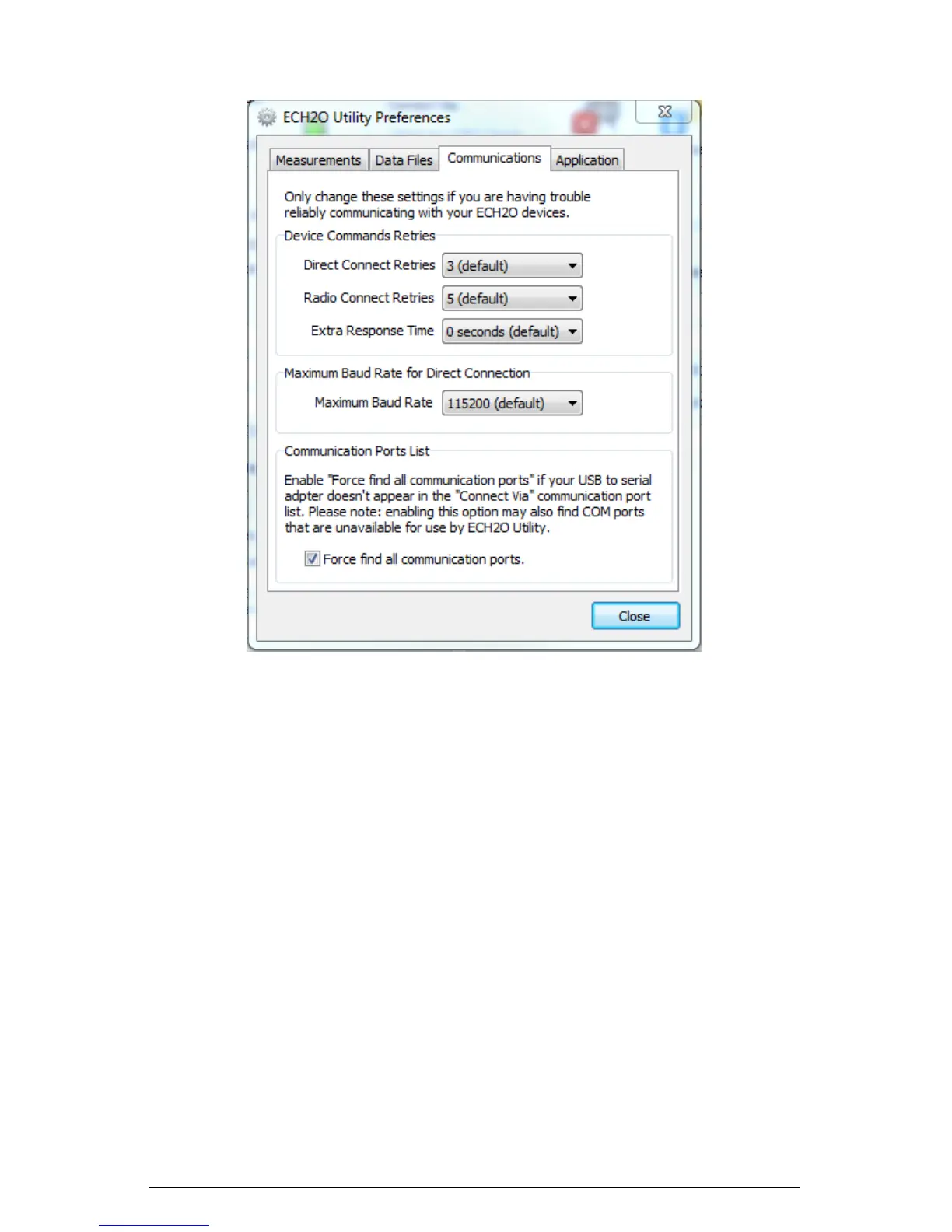
Figure 7: ECH2O Utility Preferences: Communications Tab
The Command Retries feature sets the number of automatic retry
commands the ECH20 Utility automatically sends to your Em50
when there are errors. For most circumstances, the default retries
work well. If you experience unreliable communication with your
Em50, you can try increasing the Direct Connect Retries.
The Maximum Baud Rate feature allows you to set the Baud
Rate for Direct Connection. Set a baud rate lower than the default
115,200 baud if you consistently experience serial connection prob-
lems.
The Communications Port List enables the “Force find all comm
ports” feature. Use this feature when the USB to serial adapter does
not appear in the Connect Via communication port list. ECH20 Util-
ity is compatible with most USB to Serial adapters. Some models of
28


 To Next Page