Em50 Series 4 SOFTWARE & CONFIGURATION
USB to Serial adapters are not found by the serial port enumeration
feature of ECH20 Utility. If your model of USB to Serial adapter
is not recognized, enable Force find all Communication Ports in the
Preferences Menu by going to the Communication tab, and enabling
the check box at the bottom of the screen. Enabling this option may
find other serial ports that are not available for use by the ECH20
Utility (for example, modems installed in your computer).
Note: Enabling the Force find all Communication Ports option may
result in ECH20 Utility finding communication ports that are un-
available for its use.
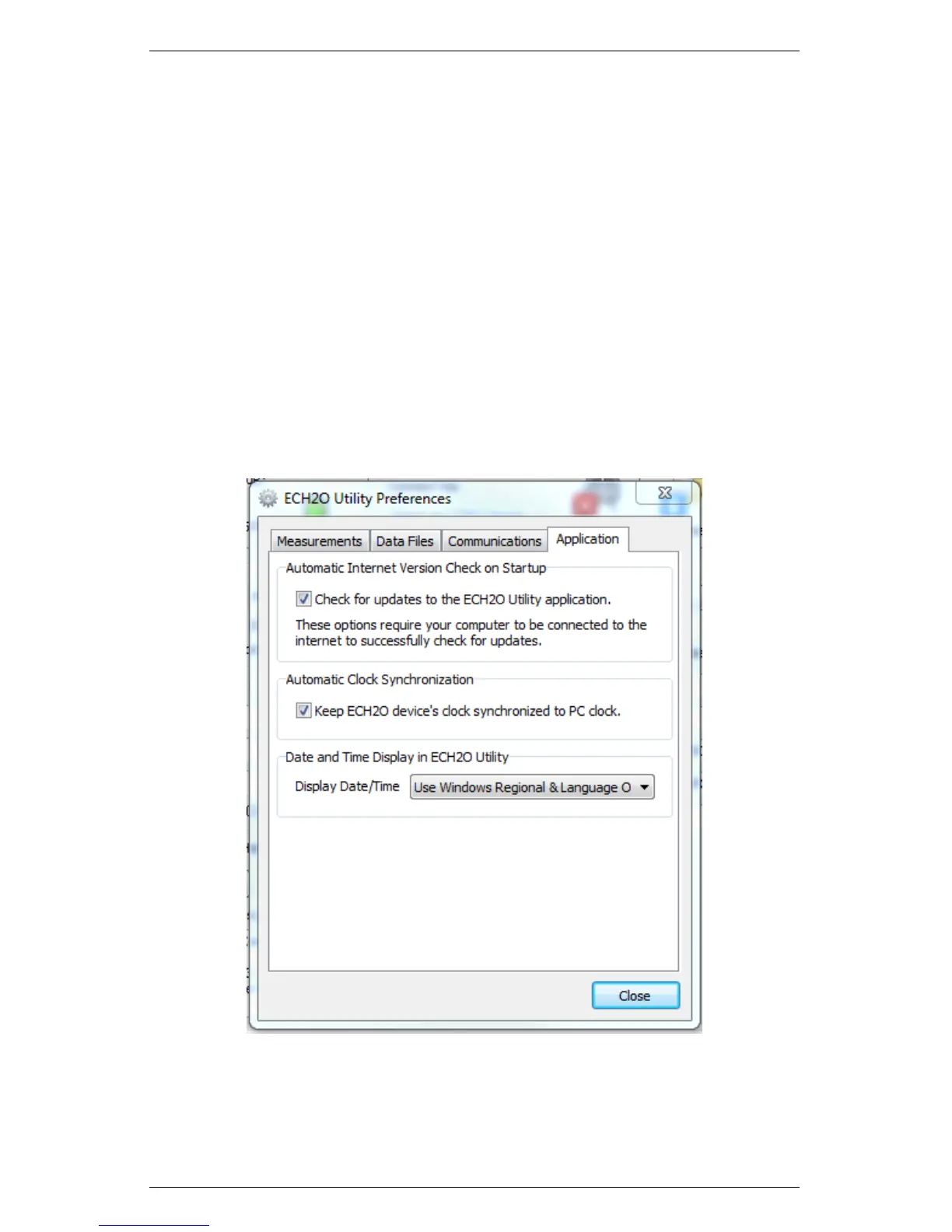
4. Application Tab
Figure 8: ECH2O Utility Preferences: Applications Tab
The Automatic Internet Version Check instructs ECH20 Utility
29


 To Next Page