+
-
MUTE
hold 3 sec
KEEP WARM
START
CANCEL
ON/OFF
press/hold 3 sec
+
-
MUTE
hold 3 sec
KEEP WARM
START
CANCEL
ON/OFF
press/hold 3 sec
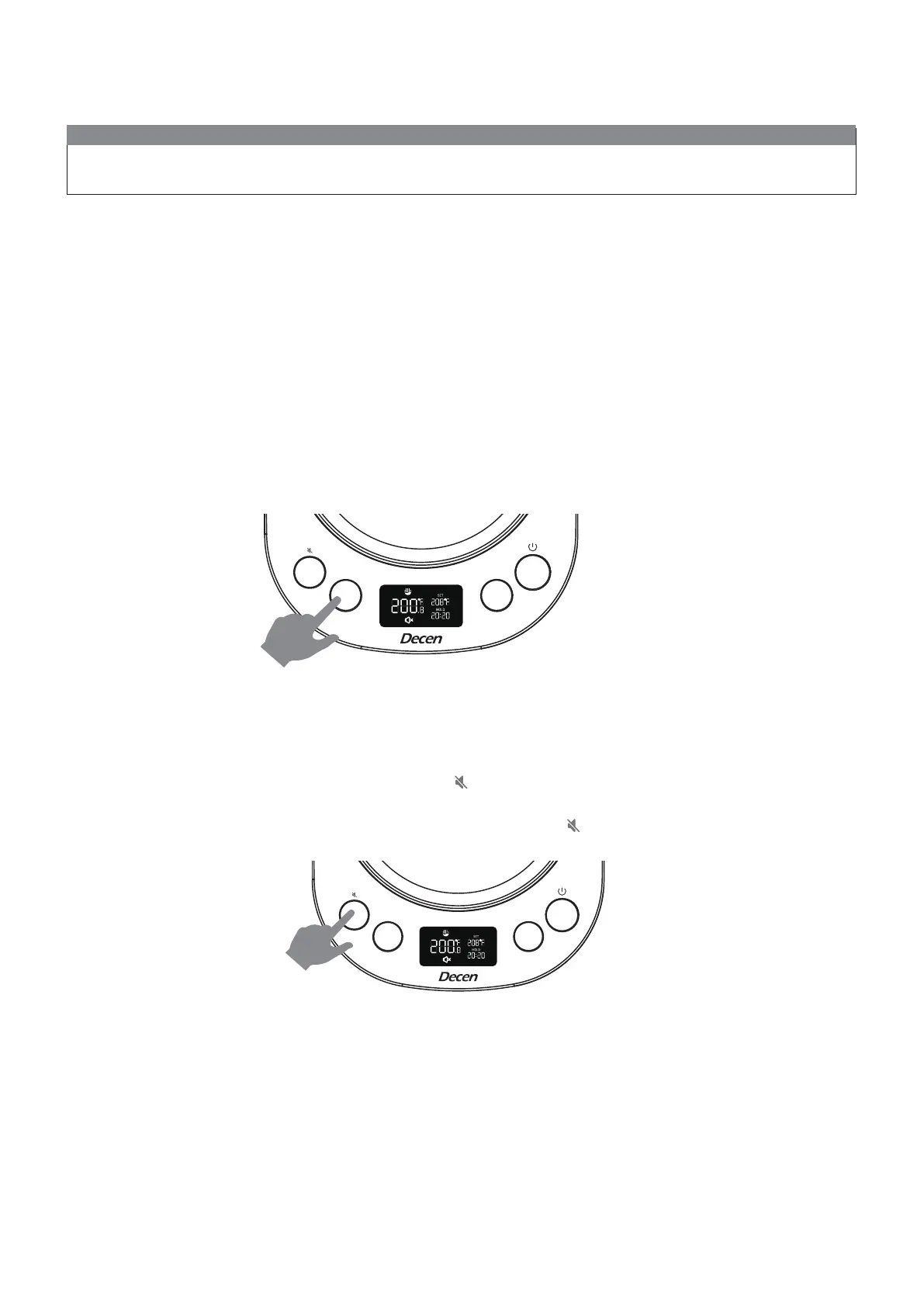
1. Press and hold the“ KEEP WARM”button for 3 seconds, will appear on the display. There won't be beep
sound and key tone anymore while mute mode is on.
2. Press and hold “ KEEP WARM” button for 3 seconds to quit Mute mode . will be disappeared from the display
NOTE:
Press on START CANCEL to turn on the kettle,the indicator lights will be lit from right to left, left to right one time
each and the monitor will be turned. on.the START CANCEL indicator will keep lighting.
Featured function
Turn On HOLD Mode
5
• Press KEEP WARM to turn on hode temperature mode, “HOLD” will appear on the display, it allows the kettle to hit
your desired SET temperature and maintain that SET temperature for 120 minutes. Once in HOLD mode, set your
goal temperature with the steps above (in “Set a Goal Temperature”).
• If you lift your kettle o of the base and then return it to the base within 10mins and it will continue the previous
setting. If you lift your kettle o of the base more than 10mins, the setting will be reset and back to stand by mode.
• Once 120 minutes have passed without lifting the kettle o the base, the kettle will go into standby for 10 minutes,
then turn itself o.
• To turn HOLD mode o, press KEEP WARM buttom and the “HOLD” will be disappeared from the display.
Mute Mode


 To Next Page