24
Automation
Automation allows you to set interactions between your devices by adding triggers and actions. For example, when you get home and your smartphone
is connected to the Deco network (which is a trigger), the living room plug automatically turns on (which is an action). Then the kettle plugged into the
living room plug will start to boil water.
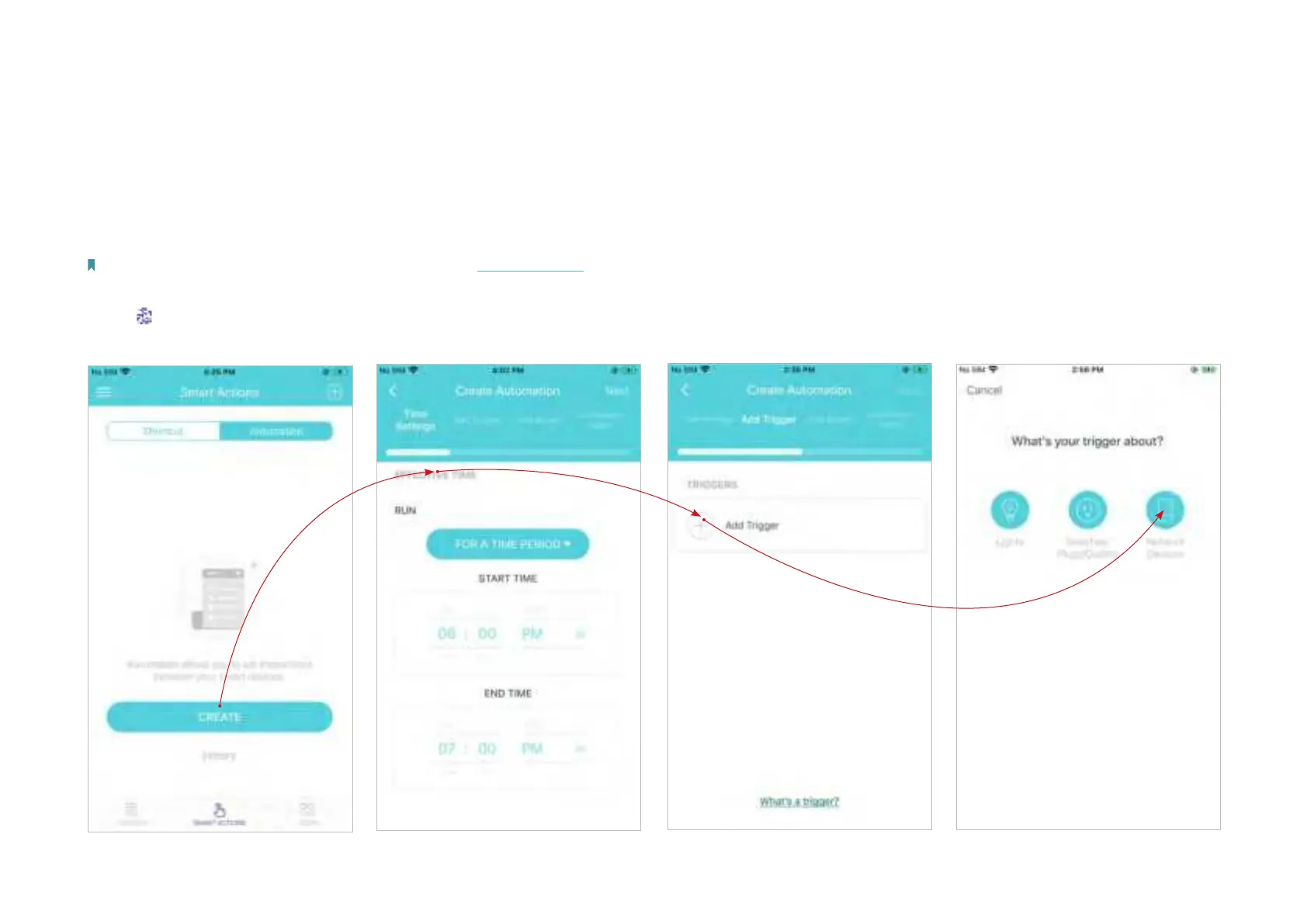
Take this example to show the setup steps as below. Follow the steps to create an automation.
Note: If you want to create automations for your smart devices, follow Add Smart Devices to add the devices to the Deco network rst.
2. Set when the automation takes
eects.
3. Add a trigger. 4. Select the trigger type.
1. Tap > Automation > CREATE.


 To Next Page