23
3
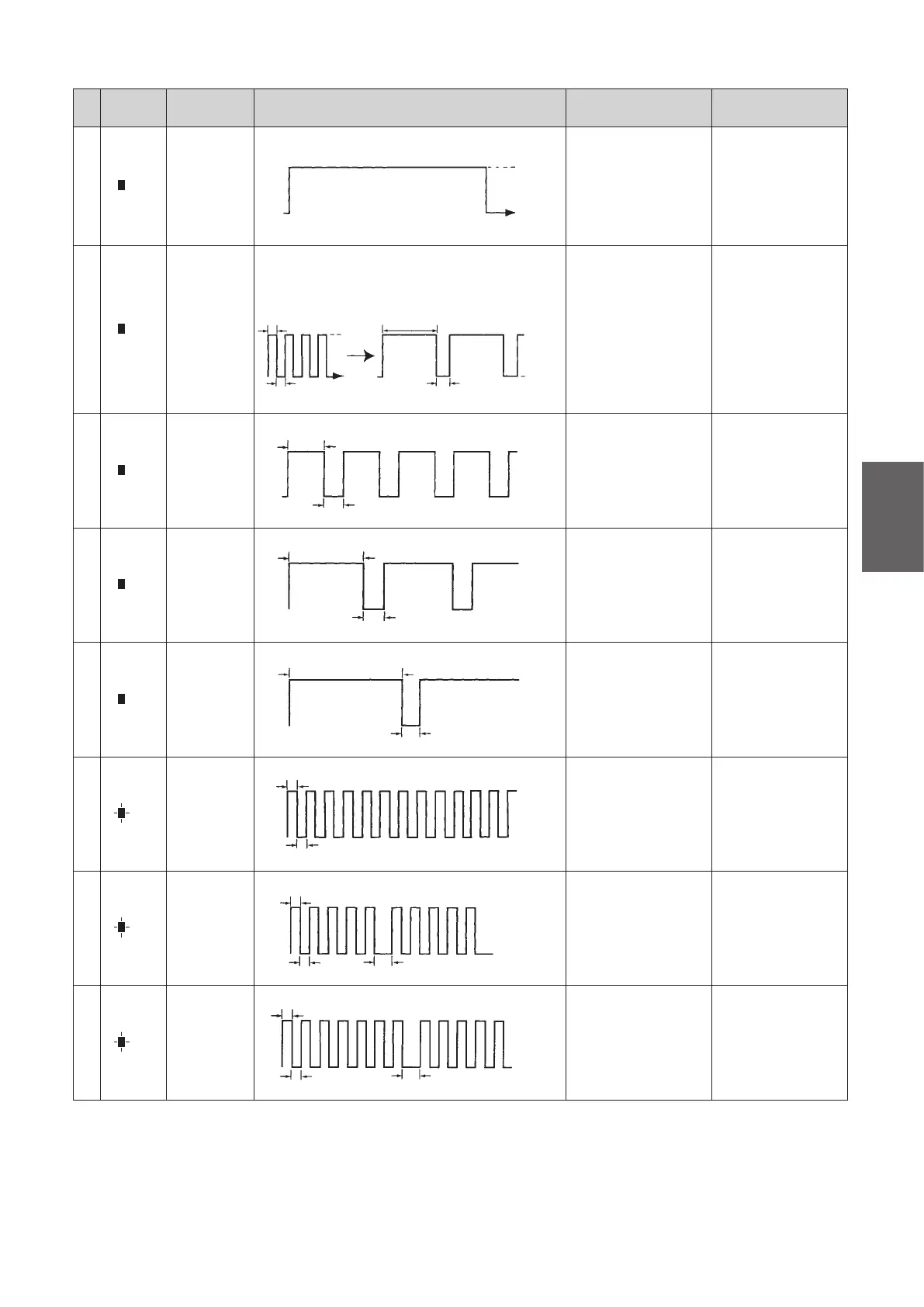
LED Color Indication ON or Blinking Cause of Malfunction
Inspection or
Replacement Location
1
Red
ON
(continuously)
ON
OFF
Battery overheat, BMC
malfunction, thermistor
malfunction, voltage
malfunction, short, or
battery malfunction
(overvoltage protection
board)
Battery
2
Red
Green
Blinking
slowly
(continuously)
+
Red ON
(5 seconds)
+
OFF
(2 seconds)
1 blink per sec
0.5 sec
0.5 sec
Green ON Red ON
Green
OFF
OFF for 2 sec
Red OFF
ON for 5 sec
Battery Malfunction Battery
3
Red
ON
(5 seconds)
+
OFF
(2 seconds)
ON for
5 sec
OFF for 2 sec
Battery Malfunction Battery
4
Red
ON
(10 seconds)
+
OFF
(2 seconds)
ON for 10 sec
OFF for 2 sec
No charging amperage Battery (fuse)
5
Red
ON
(15 seconds)
+
OFF
(2 seconds)
ON for 15 sec
OFF for 2 sec
BMC hardware
malfunction or charger
AC reset operation
Battery or BMC
(slowly disconnect and
reconnect the plug)
6
Red
Blinking
slowly
(continuously)
0.5 sec Slow blinking/1 blink per sec
0.5 sec
Internal temperature of
the charger has risen
Charger (charge in a
cooler location)
7
Red
Blinking
slowly
(10 seconds)
+
OFF
(2 seconds)
0.5 sec
Slow blinking/10 blinks per 10 sec
0.5 sec
OFF for 2 sec
Charging amperage
setting malfunction
or excessive wiring
resistance
Charger or charger
wiring
8
Red
Blinking
slowly
(15 seconds)
+
OFF
(2 seconds)
0.5 sec
0.5 sec
Slow blinking/15 blinks per 15 sec
OFF for 2 sec
Charger output
overvoltage
Charger or cord



 To Next Page