4
Quad sequence Page, Segment
The sequence on a quad display can either be a page at a time, i.e. cameras 1, 2, 3, and 4,
then 5, 6, 7, 8 etc. or a segment sequence, i.e. the bottom right hand segment in the quad
sequences.
Sequence dwell 5 sec, 1 – 99 sec.
The dwell time can be set from between 1 and 99 seconds. The dwell time is the length of time
a camera in the sequence is displayed before switching to the next camera.
Tip: The cameras in the sequence can be edited by pressing and holding the Sequence button
when in Live mode.
System Options (Page 22)
Under Network settings
MTU
The ability to set the MTU (Maximum Transfer Unit) has been added to the Network Settings
page:
MTU 576 - 1500
The MTU is the largest physical packet size, measured in bytes, which a network can transmit.
Any messages larger than the MTU are divided into smaller packets before being sent.
Ideally, the MTU should be the same as the smallest MTU of all the networks between your
machine and the final destination. If the MTU figure is too large packets will be broken up
(fragmented), which slows down transmission speeds, and in some cases cause a ‘Connection to
Unit Timed Out’ message when using DM Network Viewing Software.
MTU sizes can vary for each connection and it may be necessary to use trial and error to find
the optimal MTU, if you are unsure about the MTU size, use the default setting (576) and work
up if necessary. Typical MTU sizes are as follows:
Network Connection MTU size
PPP (ISDN/PSTN routers) 576 (default)
Ethernet 1500
PPPoE (PPP over Ethernet, ADSL, Cable) 1458
PPPoA (PPP over ATM, ADSL, Cable) 1458
VPN 1350
Warning: Changing the MTU size can have an adverse affect on the transmission speed and
operation over the network. Check with your network administrator or service provider for
advice on the correct MTU size for the network.
PPP port
PPP Port Serial 1, Serial 2
DS2A supports a PPP (Point to Point Protocol) connection from the RS-232 serial port 1 or 2.
This port allows a US Robotics modem to be connected directly to the D4 for dial-up.
PPP address
By default the PPP IP address is 172.17.2.2, this can be changed by selecting a different
Network IP address. The PPP address cannot be changed directly, but is changed automatically
when the TCP/IP address is adjusted. The unit can be on a network and be dialled into at the
same time because the PPP address is not on the same subnet as the network. For example, if
the network IP address is 172.16.1.20 and the subnet mask is 255.255.0.0 the PPP address will
be 172.17.1.20 – not on the same subnet.
Serial telemetry type None, [dome manufacturer]
The following domes have been added to the menu:
Mark Mercer, Samsung, Vista PowerDome.
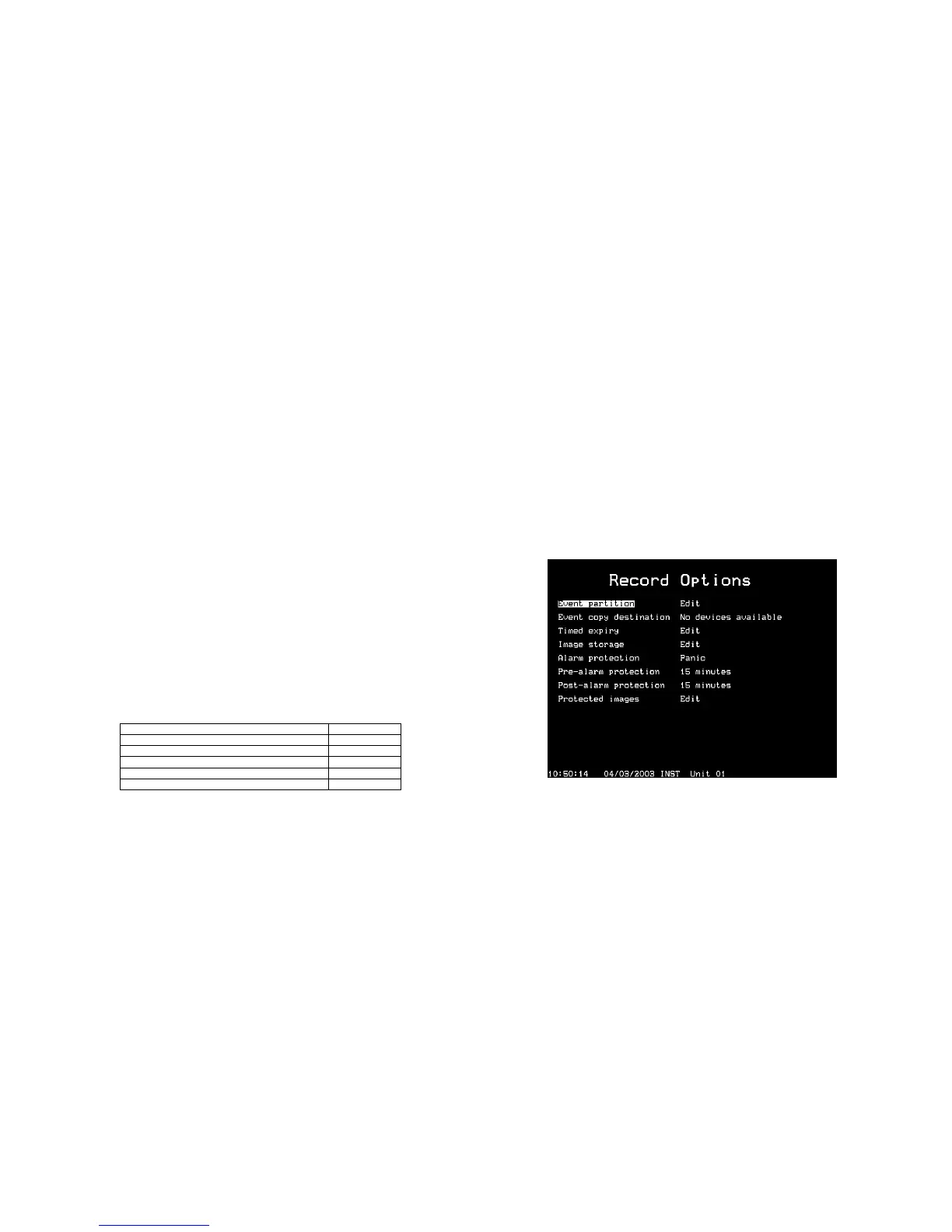
Record Options (new page 24)
A new menu page has been added which is used for setting up how the disk is used to record
images.
Event partition (see page 23 in the Setup Guide)
Event copy destination
The event copy destination is the external device where the images will be sent when events
are copied.
Timed expiry (see page 24 in the Setup Guide)
Event copy destination (see page 23 in the Setup Guide)


 To Next Page
 Loading...



