30
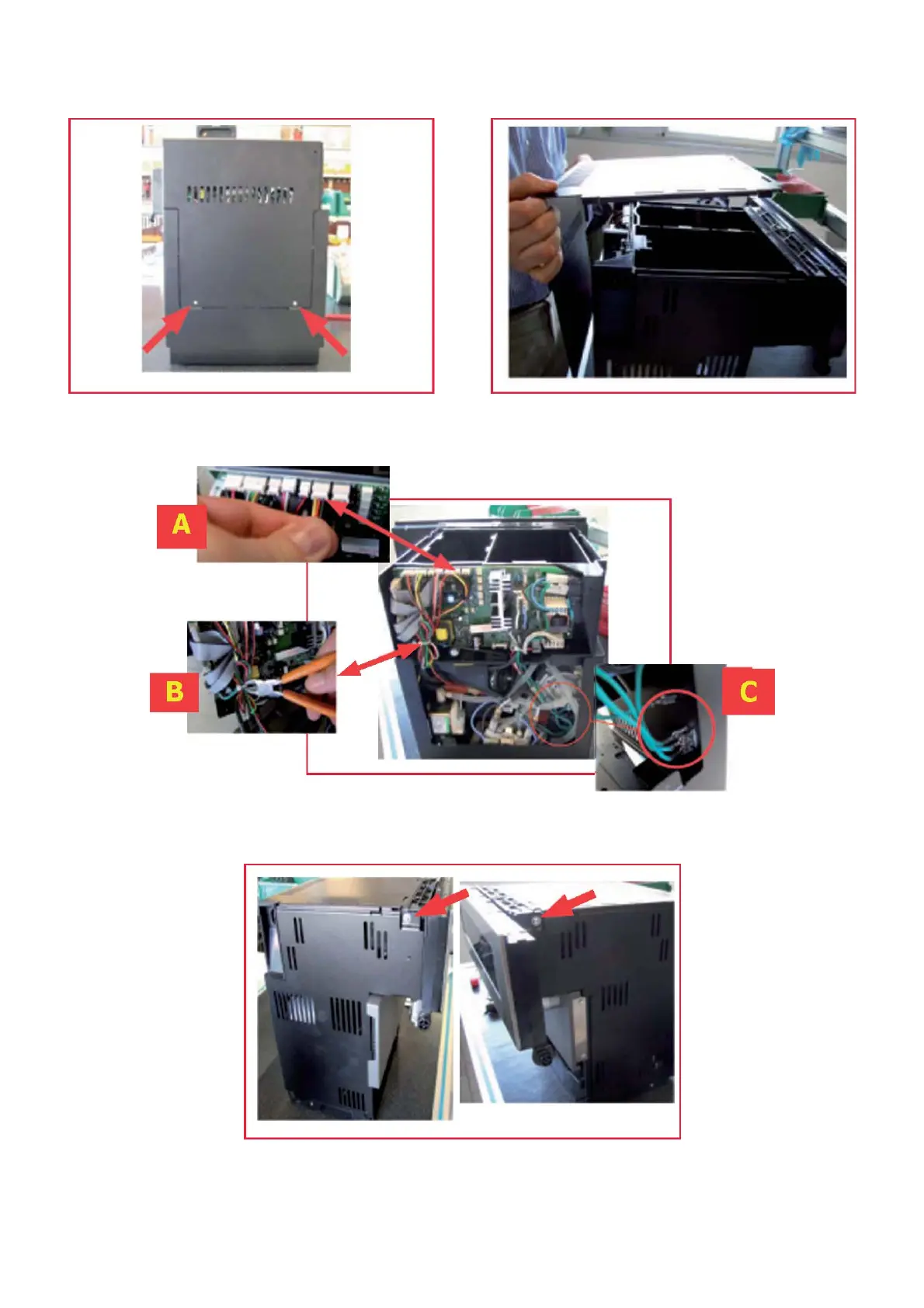
6.1 Removing the upper panel and component support frame
Remove the screws indicated Remove the upper panel as
at the rear of the machine
illustrated
Cut the “B” clamp, remove the “A” connector
and the “C” terminal connectors
Remove the indicated screws on the
LEFT and RIGHT sides


 To Next Page