- 17 -
Calibration procedure
In the displays of S11 and S21 functions, every menu on the right side has “CAL
Select”. It’s for switching among system calibration, user calibration and no calibra-
tion.
If user needs to do the user calibration, choose “RE CAL”.
In FUNC menu, using combined key SHIFT+7 can access system calibration.
Instrument will show the specific operations after entering the calibration inter-
face. If doing S11 calibration, when the instrument notices LOAD, user can choose
Skip.
Calibration’s electric length parameters must be set first in FUNC menu.
3.3 Calibration before S21 Measurement
If the DUT is small and light, one of the DUT’s port can be connected to the in-
strument directly, although it’s not a good practice. In this case, only one RF cable is
needed for a complete testing system. If the DUT is too big and heavy or the type of
adaptor is not matched, two RF cables are needed.
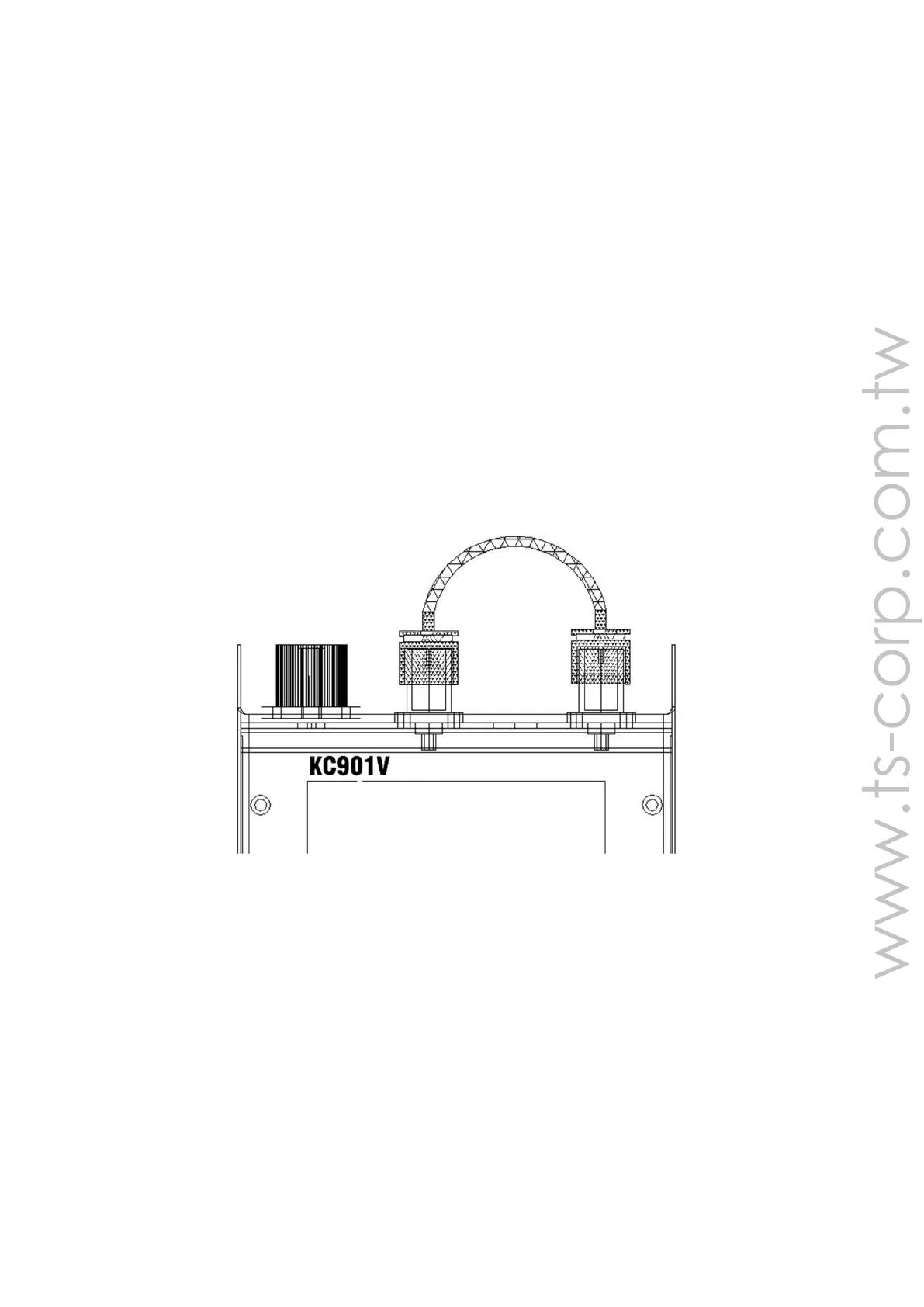
Chart 3-1A: Connect with one cable in calibration
When using only one cable, connect the cable to both ports of the instrument
directly (shown as chart A above) and the user calibration should be used. When us-
ing two cables, connect them with a thru-adaptor whose electric length is known.
Then connect the two ports of the instrument with it (shown as chart B below), and
the user calibration should be used as well.
If there are many cables which are connected in series in different places in one
system, user can connect all of them in series to do the calibration.
When testing power amplifier, the power amplifier’s output should connect in
series with an attenuator to avoid damaging the instrument with excessive RF power.
If the amplifier is a small signal amplifier, connect the attenuator to its input port to


 To Next Page