- 5 -
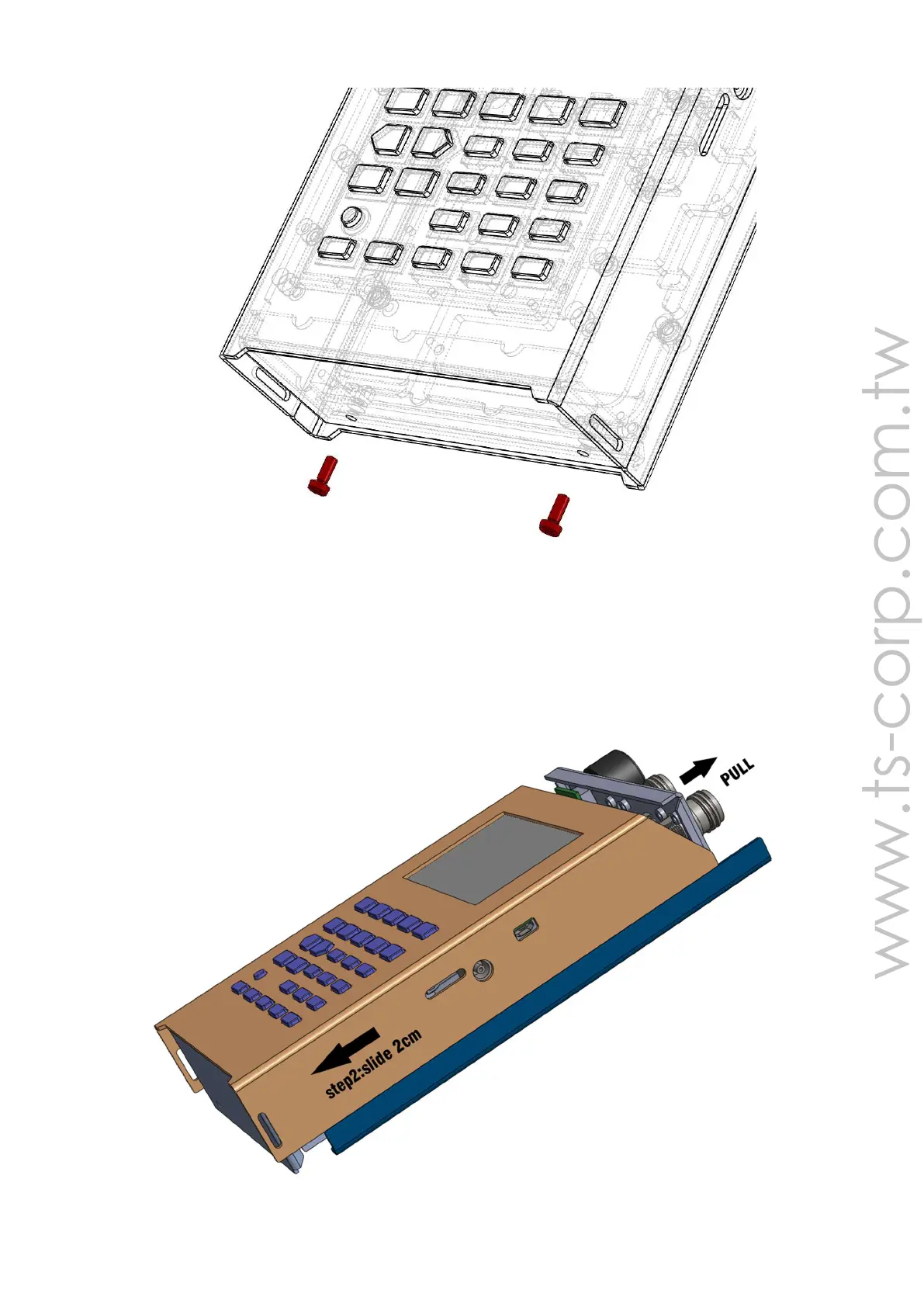
Chart 1-1
Step 2: pull the keyboard side of the shell and slide it 2cm out from the bottom
(Chart 1-2). To do it, your fingers must hold the two sides of the shell hard and put
the RF adapter out at the same time. If it’s really hard to slide it, you can knock the
bottom on the lower shell lightly. DO NOT knock it too hard and the sliding distance
can NOT be over 4cm, otherwise the inner cables will break.
Chart 1-2



 To Next Page