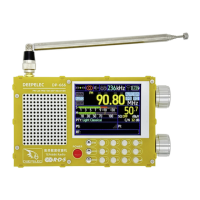
DP-666 High Sensitivity Color Screen Radio Deepelec Store : https://deepelec.aliexpress.com/store/1101363542
www.deepelec.com
Charging Instructions:
This machine is charged via a TYPE-C port, and there is a charging LED above the TYPE-C port.
Please use a charging head with a voltage of 5V and a current of 1A or above to charge the machine.
The maximum charging power is 5W and fast charging is not supported.
It is recommended to charge with the device turned off.
The charging LED turns red when charging and turns green when fully charged.
Packing List:
1. Host *1 (with 3.7V/5000mAh lithium battery installed)
2. High quality telescopic antenna with SMA connector *1
3. USB-A to TYPE-C 1 meter data cable *1
4. Storage bag *1
Packaged weight 450g, packaged size: 20*14*4CM
Firmware Upgrade:
1. Upgrade via the TYPE-C port. Use the included data cable to connect the radio to the computer. A
new COM port will appear on the computer.
2. Press and hold the ESP32 BOOT button, then turn on the radio to enter upgrade mode.
For firmware downloads, please visit: https://deepelec.com/dp-666


 To Previous Page