28
HOW TO ZOOM - OPTION 1
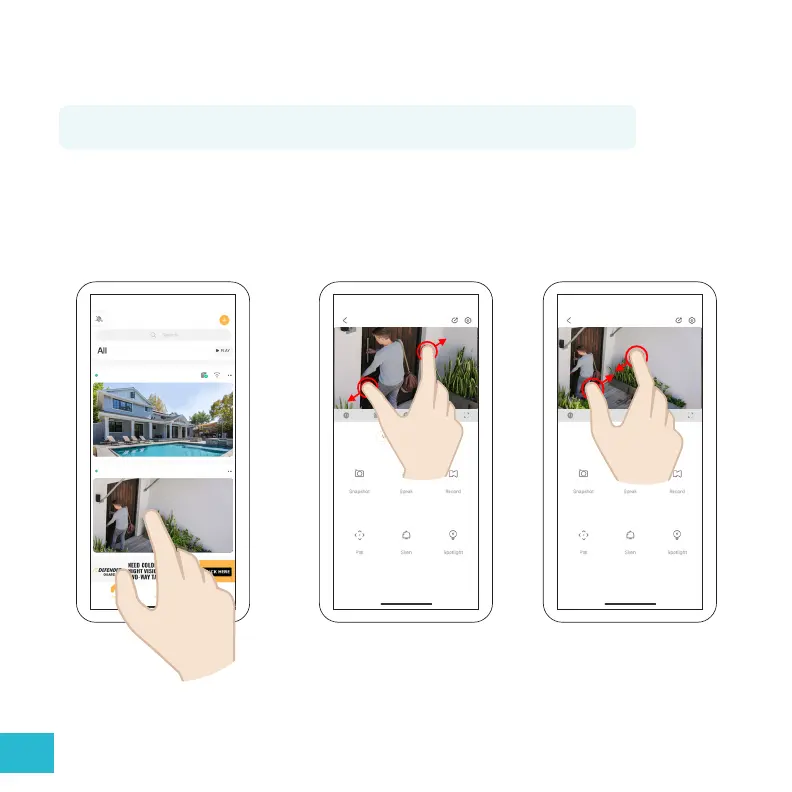
Tip: To use the digital zoom feature, you must be in a single camera viewing mode.
Backyard
Front Door
Front Door Front Door
From the home screen, tap on the camera you wish to view to open single camera viewing mode.
From here, place two ngers on the screen near each other. Spread them apart to zoom in or pinch
them together to zoom out.


 To Next Page