6
LET’S GET STARTED
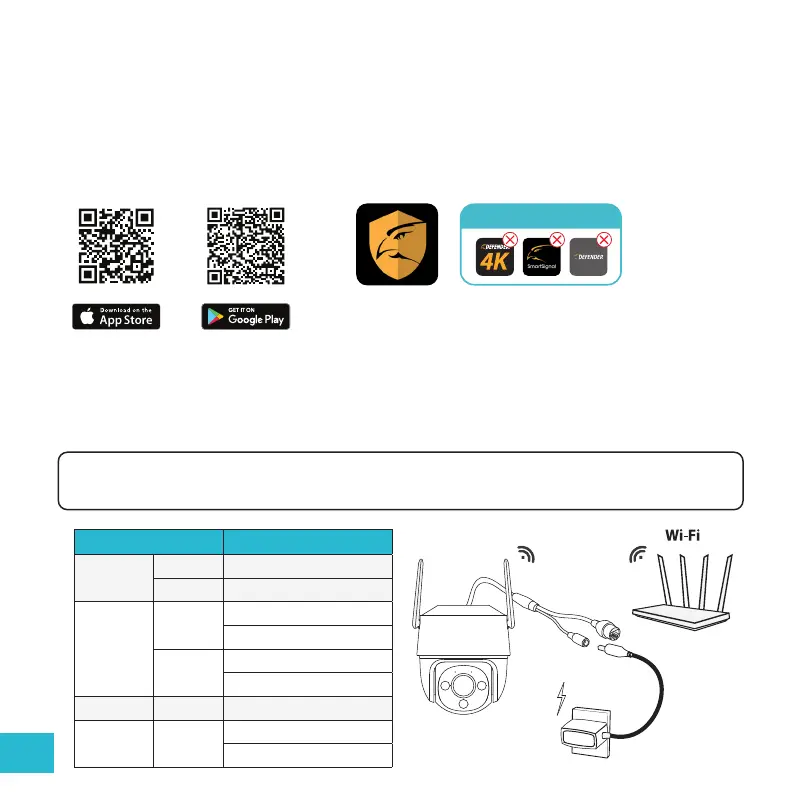
1. Download the App
Download the Defender Guard app and follow the steps to create an account. An email account is
required for verication.
DO NOT DOWNLOAD
2. Plug-In Your Camera to Power On
Your camera will perform a self-range check. Wait up to 60 seconds for the LED indicator light to ash
green before connecting your camera to the App.
LED Status Device Status
Green
Flashing Ready to set up the device
Solid Working properly
Red
Flashing
Network disconnected
Failed to set up the device
Solid
Booting
Device malfunction
Green & Red Alternating Updating rmware
O
/
Power o
LED turned o
Note: If you do not connect your camera immediately, your LED indicator light will ash red and you can
still connect your camera to the App.


 To Next Page