8
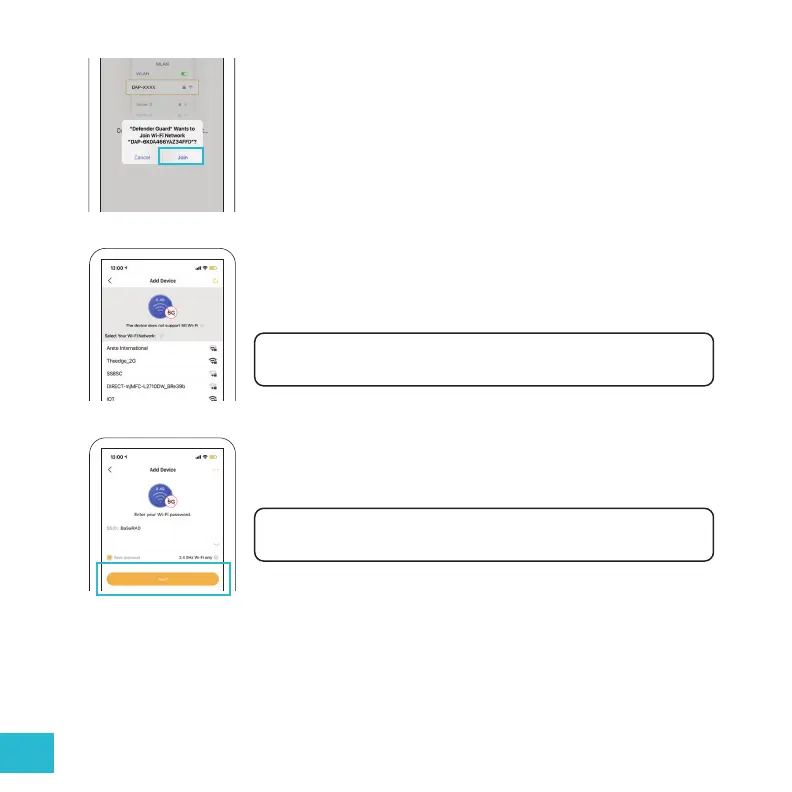
Join the camera’s local network to start the pairing. Tap “Join” to
enable the direct communication between your phone and camera.
Select the Wi-Fi network you want to connect your camera with. Only
available 2.4 GHz Wi-Fi networks show here.
Note: If your Wi-Fi network is not listed here, please refresh the page.
Enter your Wi-Fi Network password then tap “Next”.
Note: Make sure your phone is connected to the same network.


 To Next Page