EasyManua.ls Logo

Defiant DFI-0760-WH - User Manual

Defiant DFI-0760-WH
2 pages
Print Icon
To Next Page IconTo Next Page
Loading...
HOMEDEPOT.com
Please contact 1-866-308-3976 for further assistance.
Quick Reference Guide
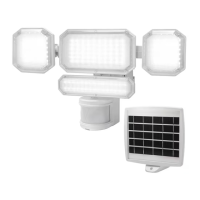
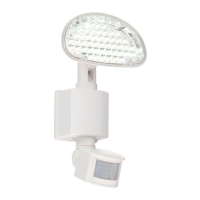
Motion Security Light
Item #1009 183 370
Model #DFI-0760-WH
Physical Adjustment Options
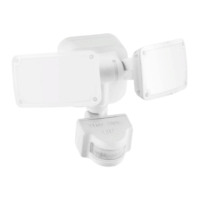
ADJUSTING THE LAMP HEADS
If needed, gently grasp the lamp heads (A) and tilt
them up or down or side-to-side to adjust the light
coverage area.
A
SETTING THE SENSOR FOR WALL OR EAVE
MOUNTING
NOTE: Adjust the sensor angle to the coverage
desired.
For wall mounting, tilt the sensor (C) down to an
almost 90º angle, and turned side-to-side to cover
a general area.
For eave mounting, turn the sensor (C) outward or
side-to-side.
C
C
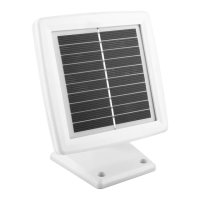
ADJUSTING THE SOLAR PANEL
IMPORTANT: The solar panel (E) must receive
as much direct sunlight over the course of the
day as possible. Keep in mind that shadows may
block the sunlight form reaching the solar panel
(E) during the day.
Rotate the solar panel (E) to the desired angle.
E
Settings Adjustments and Indicators
POWER BUTTON (D)
Turns the unit ON/OFF. Keep the unit
ON for continuous operation.
D
B
INDICATOR LIGHT (1)
Flashing Red Twice: Motion Detected
Solid Green: Battery Charging
MOTION TEST
Switches between the regular operation
(MOTION) mode, and TEST mode.
TIME ADJUSTMENT
Sets how many minutes after motion is
detected that the light stays on
(30, 60, 90 seconds).
SENS ADJUSTMENT
Adjusts sensitivity of motion
sensor. Set to H for long range
or summer months or L for less
coverage or winter months.
LUX ADJUSTMENT
Set to moon to turn the light on
at night or in a very dark area.
Set to sun to turn the light on at
dusk, or in bright areas.
Troubleshooting
Problem Possible Cause Solution
The light will not turn
ON at night.
The Power button is OFF. Make sure the Power button is in the ON position.
The batteries may be depleted. Check the connections between light and solar panel. Ensure the panel receives ample sunlight.
The extension cord between the solar panel and
light xture is longer than 60 ft.
Connect to a shorter extension cord, or reposition the solar panel closer to the light xture.
The solar panel is not positioned correctly. The solar panel should face the southern sky, and have clear exposure to the sun.
The motion sensor is not detecting motion. Increase SENS, and turn LUX towards the moon icon.
Light from other sources (light poles, headlights)
acts similar to daylight to the light sensor.
Turn the LUX setting towards the sun icon to compensate for the additional light, or move the
light to another area.
The air temperature is too hot or too cold. The light will operate normally when temperatures return within operational range.
IMPORTANT: This guide is a quick reference only for common features of the product and
troubleshooting tips. Please read and reference the full instruction manual for installation, safety,
and additional information.
This light operates with three (3) AA Ni-MH batteries charged from the solar panel.
The batteries are included and installed in the light. If the voltage of the nickel-metal hydride
batteries run down to 3V, the light will not activate when the motion sensor is triggered. When
the solar panel has recharged the Ni-MH batteries, and voltage is above 3V, the light will return to
normal operation.
INSTALLATION OPTIONS
Wall Mount Eave Mount
Incorrect
A

Question and Answer IconNeed help?

Do you have a question about the Defiant DFI-0760-WH and is the answer not in the manual?

Overview

This document describes the DEFIANT Motion Security Light, Model #DFI-0760-WH.

Function Description

The DEFIANT Motion Security Light is designed to provide illumination and security by detecting motion and activating its lights. It features adjustable lamp heads and a motion sensor to cover a specific area. The device is suitable for wall mounting and can be adjusted to direct light where needed.

Important Technical Specifications

  • Model Number: DFI-0760-WH
  • Item Number: 1009 183 370
  • Power Source: This light operates with three (3) AA Ni-MH batteries charged from the solar panel.
  • Battery Type: Includes and installed are three (3) AA Ni-MH batteries.
  • Battery Voltage: If the voltage of the nickel-metal hydride batteries drops down to 3V, the light will not activate when the motion sensor is triggered.
  • Battery Maintenance: When the solar panel has recharged the Ni-MH batteries, and voltage is above 3V, the light will return to normal operation.
  • Motion Sensor Coverage: The motion sensor has an adjustable sensitivity.
  • Time Adjustment: The light can be set to stay on for a duration after motion is detected, with typical steps of 30, 60, and 90 seconds.
  • Lux Adjustment: The light can be set to turn on at night or in a bright area.

Usage Features

Adjusting the Lamp Heads

The device features two adjustable lamp heads. To adjust them, grasp the lamp heads (A) and tilt them up or down or side-to-side to adjust the light coverage area.

Setting the Sensor for Wall or Eave Mounting

  • Wall Mounting: For wall mounting, tilt the sensor (C) down to an almost 90° angle, turn the sensor side-to-side to cover a general area.
  • Eave Mounting: For eave mounting, turn the sensor (C) outward or side-to-side.

Adjusting the Solar Panel

  • Important: The solar panel (E) must receive as much direct sunlight over the course of the day as possible. Trees, overhangs, or shade may block the sunlight form reaching the solar panel (E) during the day.
  • Rotate the solar panel (E) to the desired angle.

Settings Adjustments and Indicators

Power Button (D)
  • Function: Turns the unit ON/OFF.
  • Usage: Keep the unit ON for continuous operation.
Indicator Light (I)
  • Flashing Red Twice: Motion Detected
  • Solid Green: Battery Charging
Motion Test
  • Function: Switches between the regular operation (MOTION) mode, and TEST mode.
  • Usage: Test mode allows for quick verification of sensor and light function.
Time Adjustment
  • Function: Sets how many minutes after motion is detected that the light stays on.
  • Usage: Typical steps are 30, 60, 90 seconds.
Sens Adjustment (Sensitivity)
  • Function: Adjusts sensitivity of motion sensor.
  • Usage: Set to H for long range or summer months or L for less coverage or winter months.
Lux Adjustment
  • Function: Adjusts when the light turns on based on ambient light levels.
  • Usage: Set to moon to turn the light on at night or in a very dark area. Set to sun to turn the light on at dusk, or in bright areas.

Maintenance Features

Troubleshooting

| Problem | Possible Cause

Defiant DFI-0760-WH Specifications

General IconGeneral
BrandDefiant
ModelDFI-0760-WH
CategoryLighting Equipment
LanguageEnglish

Related product manuals