EasyManua.ls Logo

Defiant HPPA51CWB - User Manual

Defiant HPPA51CWB
10 pages
Print Icon
To Next Page IconTo Next Page
Loading...
THANK YOU
USER GUIDE
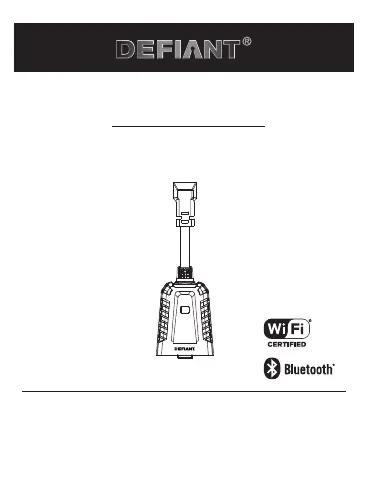
Outdoor Smart Plug
Item #1006 355 005
Model #HPPA51CWB
We appreciate the trust and confidence you have placed in Defiant through the
purchase of this Smart Plug. We strive to continually create quality products
designed to enhance your home. Visit us online to see our full line of products
available for your home improvement needs. Thank you for choosing Defiant!

Questions and Answers

Summary

Safety Information

FCC Regulation

Suppliers Declaration of Conformity

Provides FCC compliance information, responsible party, and unique identifier details.

Wireless Protocol

Explains Wi-Fi CERTIFIED, Apple, and Google trademarks related to the product.

Warranty Information

1 Year Limited Warranty

Details the product's guarantee against defects in materials and workmanship for one year.

Package Contents

Installation Guide

Product Operation

Using Your Smart Plug

Instructions for operating the smart plug via the Hubspace app, including schedules and timers.

Voice Assistant Setup

Guidance on connecting the smart plug to Google Home and Alexa through the Hubspace app.

Specifications

LED Indicator Status

Table detailing LED states, their meanings, and recommended actions for connectivity.

Troubleshooting

Overview

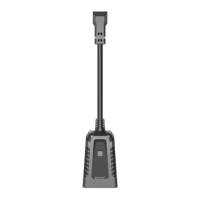
This document describes the Defiant Outdoor Smart Plug, model #HPPA51CWB (SKU # 1006 355 005), a Wi-Fi and Bluetooth-enabled device designed to control small appliances outdoors.

Function Description:

The Defiant Outdoor Smart Plug allows users to remotely control outdoor appliances via the Hubspace™ app on a smartphone or tablet. It connects to a 2.4GHz Wi-Fi network and utilizes Bluetooth for initial device setup. Users can turn the plug on or off, set schedules, and create auto-off timers through the app. The smart plug can also be integrated with voice assistants like Google Home and Alexa for hands-free control.

Important Technical Specifications:

  • Input: 120VAC, 60Hz
  • Output: 120VAC, 60Hz, 15A Maximum load, Resistive. The total current limit of the device is 15 Amp. Exceeding this limit can cause damage.
  • Network Wireless Type: 2.4GHz, IEEE 802.11b/g/n. A 2.4GHz Wi-Fi channel is required for Hubspace device operation.
  • Operating Temperature: -22°F - 113°F (-30°C - 45°C)
  • Operating Humidity: 5-85% RH, Non-condensing
  • Certifications: FCC, ETL
  • FCC ID: 2AB2Q-LA02301
  • Radiation Exposure Limits: Complies with FCC radiation exposure limits set forth for an uncontrolled environment. It should be installed and operated with a minimum distance of 20 cm between the radiator and any part of the user's body.
  • Safety Warning: Suitable for outdoor and damp locations. Do not immerse in water. Install above ground level at a minimum of 4.7ft/1.4m with the receptacle pointed down when outdoors.
  • Circuit Breaker: Must be used with a 15A circuit breaker in the upstream.
  • Warranty: 1 Year Limited Warranty, covering defects in materials and workmanship. Does not include normal wear and tear.

Usage Features:

  • Installation: Insert the smart plug into a standard outdoor socket. Ensure the receptacle is pointed down when outdoors and installed at least 4.7ft/1.4m above ground level. Do not insert multiple plugs in a row.
  • App Control: Download the Hubspace™ app from the App Store or Google Play Store. Create an account or log in.
  • Device Connection: Connect the plug to power. In the Hubspace app, tap the '+' button to add a new device. Bluetooth access is required for setup.
  • QR Code Scanning: Scan the QR code located on the plug housing or in the Quick Start Guide for easy device pairing. If the QR code is unreadable, the code numbers can be entered manually.
  • Manual Device Addition: If the QR code is lost or damaged, ensure the device is connected to power, then in the Hubspace app, tap '+', then "Add Device." On the Scan Device screen, tap the "Search" button in the lower right corner and follow the on-screen instructions.
  • Remote Operation: Turn the smart plug on or off from the Home page of the Hubspace app.
  • Scheduling and Timers: Tap the name of the smart plug on the Home page to access options for setting schedules and auto-off timers.
  • Voice Assistant Integration: Connect the smart plug to Google Home and Alexa through the Hubspace app or by linking Hubspace devices within the Alexa or Google Home apps.
  • LED Indicator Status:
    • Orange Quick Blink (Off): Wi-Fi is not connected. Set up Wi-Fi for the product. If already set up, wait for it to connect and check the Hubspace app for connectivity status.
    • Orange/Green Quick Blink (On): Wi-Fi is not connected. Same actions as above.
    • Off (Off): The plug is off. No action required.
    • Green (On): The plug is on. No action required.
    • Red (Off): There is a Wi-Fi error. Go to device settings in the app and set up Wi-Fi again. Check that your Wi-Fi Access Point is allowing the device to join the network.
    • Orange (On): Set up Wi-Fi for the product. If already set up, wait for it to connect and check the Hubspace app for connectivity status.

Maintenance Features:

  • Troubleshooting: The manual provides solutions for common issues such as:
    • Device not connecting to Wi-Fi: Check power source, internet connection, Wi-Fi network (must be 2.4GHz and within range).
    • Device cannot find Wi-Fi networks: Ensure a 2.4GHz Wi-Fi network is within range.
    • Using without Wi-Fi: The device can be used with the Hubspace app via Bluetooth if the phone has an internet connection (e.g., LTE) and is within Bluetooth range.
    • QR code issues: The QR code is on the housing and in documentation. Manual entry of the code numbers is possible.
    • Device on another account: Scanning the QR code will transfer the device to the current account.
    • Device offline for long periods: Check Wi-Fi signal strength; consider moving the router or using mesh Wi-Fi/extenders.
    • App cannot connect despite scanning QR code: Turn Bluetooth off and on, rescan the QR code. If issues persist, restart the phone.
    • Multiple products: Each product has a unique QR code.
  • Customer Support: For questions, problems, or missing parts, contact Hubspace Customer Service at 1-877-592-5233 (8 a.m. - 7 p.m. EST, Monday-Friday; 9 a.m. - 6 p.m. EST, Saturday) or visit HOMEDEPOT.COM/Hubspace.
  • Self-Repair Warning: Do not disassemble the product or attempt repairs yourself, as this risks electric shock and voids the limited warranty. Contact Customer Support for service.

Defiant HPPA51CWB Specifications

General IconGeneral
BrandDefiant
ModelHPPA51CWB
CategoryAccessories
LanguageEnglish

Related product manuals