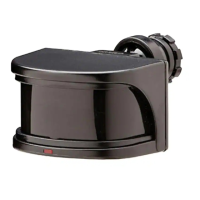
EasyManua.ls Logo

Defiant DF-5717-BK - User Manual

Defiant DF-5717-BK
24 pages
Print Icon
To Next Page IconTo Next Page
Loading...
THANK YOU
We appreciate the trust and condence you have placed in Deant through the purchase of this motion sensor. We
strive to continually create quality products designed to enhance your home. Visit us online to see our full line of
products available for your home improvement needs. Thank you for choosing Deant!
USE AND CARE GUIDE
REPLACEMENT MOTION SENSOR
Questions, problems, missing parts?
Before returning to the store, call Deant Customer Service
8 a.m.-7 p.m., EST, Monday-Friday, 9 a.m. - 6 p.m., EST, Saturday
1-866-308-3976
HOMEDEPOT.COM
Item #1002694759
1002694761
Model #DF-5717-BK
DF-5717-WH

Questions and Answers

  • A
    Alicia ClarkAug 3, 2025
    How to fix Defiant DF-5717-BK light that will not come on?
    • L
      Linda HaneyAug 3, 2025
      If your Defiant Accessories light isn't turning on, several factors could be at play. First, ensure the light switch is in the 'on' position. Next, check the bulb to see if it's loose or burned out, replacing it if necessary. Also, verify that the fuse hasn't blown or the circuit breaker hasn't tripped, and replace the fuse or reset the breaker if needed. If it's daytime, the photocell might be in effect, so recheck after dark. For new installations, double-check the circuit wiring for accuracy. Adjust the motion sensor's aim to cover the desired area. Finally, if the outside air temperature is similar to body heat, increase the 'RANGE' setting.
  • J
    jaredgentryAug 7, 2025
    Why does my Defiant DF-5717-BK Accessories light come on for no apparent reason?
    • M
      Meghan KellyAug 7, 2025
      Your Defiant Accessories light might activate unexpectedly due to several reasons. The motion sensor could be detecting small animals or automobile traffic; try re-aiming the sensor. If the 'RANGE' dial is set too high, decrease it. If the 'DUALBRITE' switch is in the 3-hour, 6-hour, or dusk-to-dawn setting, the sensor is operating as designed. Temperature fluctuations can also be a factor; if the outside temperature is significantly warmer or cooler than body heat, decrease the 'RANGE' setting. Lastly, ensure the motion sensor isn't wired through a dimmer or timer, replacing them with a standard on/off switch if necessary.
  • E
    Eugene GlennAug 11, 2025
    What to do if Defiant Accessories lights stay on continuously?
    • L
      langtanyaAug 11, 2025
      If your Defiant Accessories lights remain on constantly, consider these potential causes. A bulb positioned too close to the motion sensor or pointed at nearby objects might trigger it; reposition the bulb. The sensor could be detecting a heat source like an air vent; decrease the 'RANGE' setting or reposition the sensor. Ensure the motion sensor is not in manual mode by switching it to auto. Avoid using a dimmer or timer with the motion sensor; replace them with a standard on/off wall switch. Also, ensure the sensor isn't on the same circuit as a motor, transformer, or fluorescent bulb; if it is, install it on a separate circuit.
  • J
    Jason PetersAug 15, 2025
    How to stop Defiant Accessories light from coming on during the day?
    • C
      Courtney MeadowsAug 15, 2025
      If your Defiant Accessories light is activating during the day, it could be because the motion sensor is installed in a relatively dark location; in this case, the sensor is operating normally. Also, check the 'ON-TIME' switch; if it's in the 'TEST' position, set it to the 1, 5, or 20 minute setting.
  • S
    Sherry HenryAug 19, 2025
    Why are my Defiant Accessories lights flashing on and off?
    • J
      Jeffrey WilliamsAug 20, 2025
      If your Defiant Accessories lights are flashing, it could be due to several reasons. Heat or light from the bulbs might be turning the motion sensor on and off; try repositioning the bulbs. Reflected heat from other objects could also be a trigger; reposition the motion sensor. If the motion sensor is in 'TEST' mode and warming up, flashing is normal. Lastly, light may be leaking through the bulb reflectors; replace the bulbs with new, high-quality PAR 38 bulbs.
  • R
    Robert WardAug 25, 2025
    What to do if Defiant DF-5717-BK lights turn off too late in Dusk-to-Dawn setting?
    • S
      Sharon GriffinAug 25, 2025
      If your Defiant Accessories lights are turning off too late in the Dusk-to-Dawn setting, it might be because the motion sensor is installed in a relatively dark location. Consider relocating the motion sensor or using the 3-hour or 6-hour setting instead.
  • E
    Ethan WalkerAug 28, 2025
    Why do Defiant DF-5717-BK Accessories lights flash once then stay off in manual mode?
    • N
      Nicholas OsborneAug 28, 2025
      If your Defiant Accessories lights flash once and then stay off in manual mode, it's likely because the motion sensor is detecting light from the bulbs. Reposition the bulbs to ensure the area below the motion sensor remains relatively dark.

Summary

Defiant Motion Sensor Safety Information

Safety Precautions

Read manual before use, ensure proper voltage, grounding, and outdoor installation.

Important Warnings and Cautions

Advisories on power, clearances from bulbs, water exposure, and avoiding dimmer switches.

Defiant Motion Sensor Warranty Details

Two-Year Limited Warranty Coverage

Covers factory defects for two years; requires proof of purchase.

Defiant Motion Sensor Pre-Installation Guide

Planning and Installation Overview

Verify all parts are present and estimate installation time of 30 minutes.

Technical Specifications

Details range, sensing angle, electrical load, power, operating modes, and time delay.

Required Tools for Installation

Lists essential tools like screwdrivers, wire strippers, pliers, and safety gear.

Included Hardware Components

Lists included hardware such as wire connectors.

Package Contents Manifest

Identifies the main components included in the product package.

Recommended Mounting Locations

Guidance on selecting wall or eave locations and proper sensor orientation.

Defiant Motion Sensor Installation Steps

Physical Installation of the Sensor

Instructions for removing existing fixtures and mounting the new motion sensor.

Wiring the Motion Sensor Correctly

Detailed steps for connecting sensor wires to fixture and junction box wiring.

Defiant Motion Sensor Operation and Adjustment

Adjusting Sensor Position and Distance

How to position the sensor for optimal coverage and adjust detection distance.

Setting Sensor for Testing Mode

Instructions to set the 'ON-TIME' switch to 'TEST' for initial verification.

Advanced Motion Sensor Operation Settings

Fine-Tuning the Detection Zone

Performing a walk test to establish and adjust the sensor's detection area.

Modifying the Range (Sensitivity)

Adjusting the 'RANGE' dial to increase or decrease detection sensitivity.

Setting the ON-TIME Duration

Configuring how long the light stays on after motion is detected.

Configuring the DUALBRITE Feature

Setting the reduced light level duration after sundown.

Manual Mode and Sensor Maintenance

Activating and Deactivating Manual Mode

Instructions for overriding motion sensing using a wall switch.

Care and Cleaning Procedures

Guidance on cleaning the sensor with water and a soft cloth.

Defiant Motion Sensor Troubleshooting Guide

Troubleshooting: Light Not Turning On

Solutions for issues where the light fails to activate.

Troubleshooting: Light Activates During Day

Addressing false activations during daylight hours.

Troubleshooting: Unexpected Light Activation

Resolving issues causing the light to turn on without apparent motion.

Troubleshooting: Late Light Turn-Off

Solutions for the light staying on longer than expected in dusk-to-dawn settings.

Advanced Motion Sensor Troubleshooting

Troubleshooting: Lights Stay On Continuously

Resolving issues where the light remains constantly illuminated.

Troubleshooting: Lights Flash On and Off

Addressing flickering lights and common causes.

Troubleshooting: Manual Mode Flash Behavior

Explaining flash behavior in manual mode and potential fixes.

Defiant DF-5717-BK Specifications

General IconGeneral
BrandDefiant
ModelDF-5717-BK
CategoryAccessories
LanguageEnglish

Related product manuals