PAGE 10 OF15
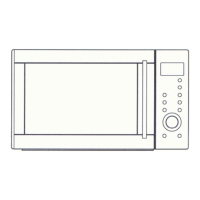
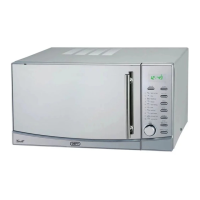
CONTROL PANEL
DISPLAY.
Cooking time, power, action indicators and present time are
displayed.
POWER BUTTON.
Press this button a number of times to set the desired
microwave cooking power level
CLOCK BUTTON.
Press this button to commence setting the clock and again to
complete the setting.
WEI. ADJ. (Weight adjust) BUTTON.
Press this button a number of times to set the weight of the
food to be cooked.
GRILL BUTTON.
Press this button to set a grilling programme.
COMBI 1 AND 2 BUTTONS.
Press these buttons to set one of two combination cooking
programmes.
START / QUICK START BUTTON.
Press this button to start a cooking programme.
Repeatedly pressing the button starts microwave cooking at full
power for a pre-determined period.
STOP / CANCEL BUTTON.
Press this button to stop or cancel a cooking programme.
Press once to temporarily stop cooking.
Press twice to stop cooking or cancel the current programme
altogether.
TIME MENU KNOB.
Turn the knob to set cooking time or to select the type of food
you wish to cook.


 To Next Page