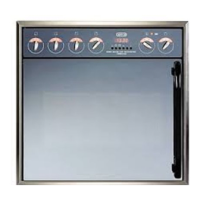
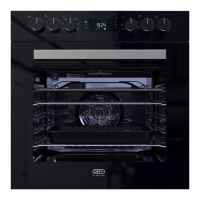
THE CONTROL PANEL
OVEN THERMOSTAT
AND INDICATOR
LIGHT
AU TOM ATIC
OVEN TIMER
AND CLOCK
LEFT
BACK
PLATE
CONTROL
RIGHT
BACK
PLATE
CONTROL
RIGHT
FRONT
PLATE
CONTROL
THE OVEN THERMOSTAT IS MARKED DOWN TO 70 C.
WHEN SET TO THIS POSITION, THE OVEN MAY BE USED AS A WARMER
VARIABLE
GRILL
LEFT
FRONT
PLATE
CONTROL
1
0
8
STOP
+
-
S
GEMINI PETIT CHEF II
12:45
1
0
8
1
0
8
1
0
8
1
0
8
1
0
8
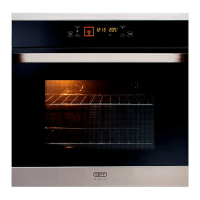
AUTOMATIC OVEN TIMER / CLOCK
BUTTON FUNCTIONS
1 = MINUTE MINDER
2 = COOKING PERIOD
3 = STOP TIME
4 = MANUAL CONTROL
5 = SUBTRACT
6 = ADD
+
-
6 5 4321
SETTING THE TIME OF DAY
• When the power is first connected ( or after a power failure), the clock display will
flash 00.00.
• To set the clock, press buttons 1 and 2 and hold them down.
• Press button 5 or 6 until the correct time of day is displayed.
• Release the buttons. The clock is now set.
• Please note that the clock has a 24 hour display.
• For example 3.00 PM will be displayed as 15.00.
MINUTE MINDER
• Suppose that you wish to time the boiling of a 5 minute egg.
• First boil the water
• Press and hold button 1. The display will show 00.00
• Press button 6 until the display shows 00.05
• Release the buttons and place the egg in the boiling water. The display will again
show the time of day.
• After 5 minutes the timer will emit an electronic tone which lasts for about one
minute (2 beeps every 2 seconds). To cancel the tone, press any of the buttons.




 To Next Page