Dejavoo Systems Instruction Manual V525.15 70
Keyboard Beep On/Off
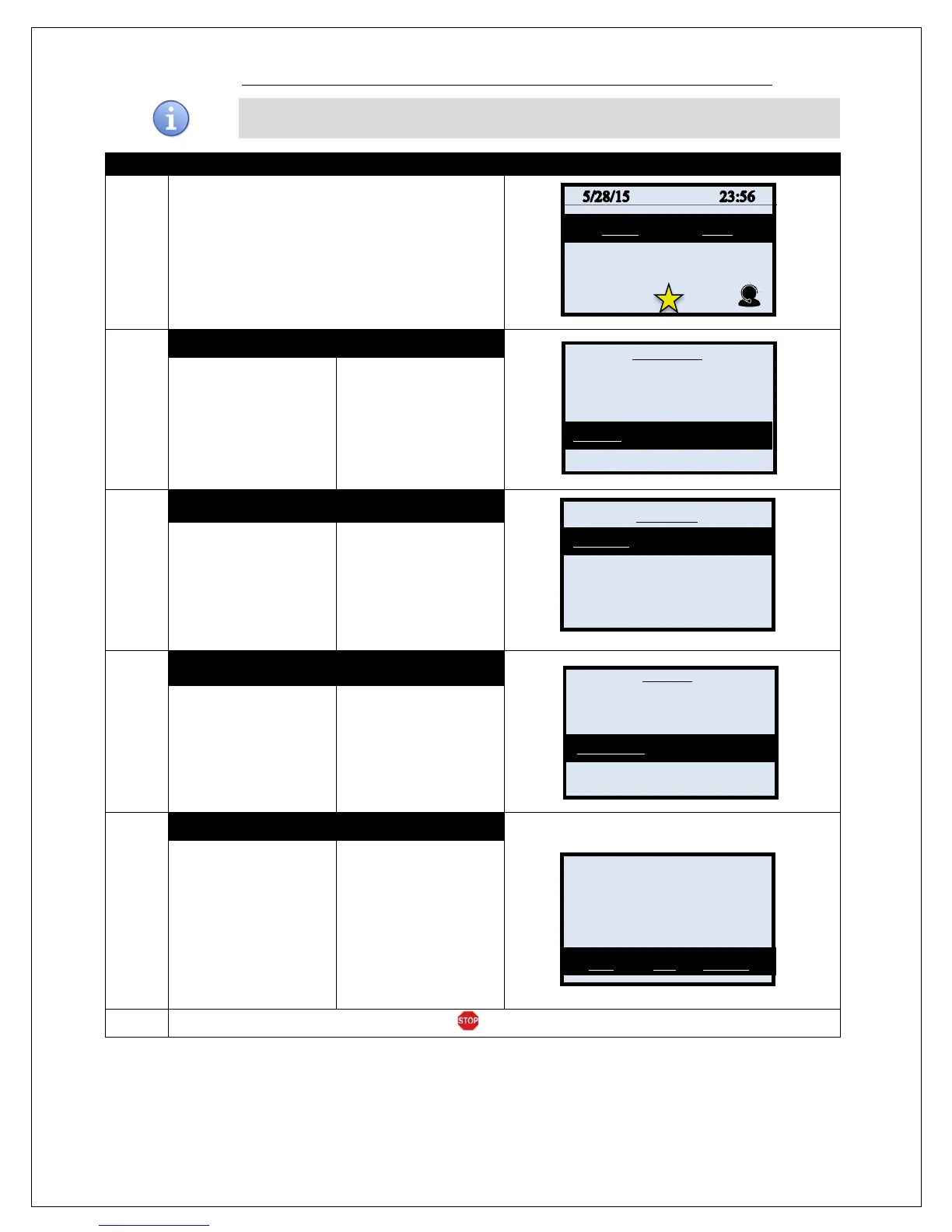
Use the steps below to turn the terminal’s keyboard beep on or off.
1.
From the idle prompt press the OK key to access
the Core Menu.
2.
NON TOUCH SCREEN
TOUCH SCREEN
Using the down arrow
key highlight the word
UTILITY and press OK
* If prompted input
password, default is 1234
Using your fingertip
TAP the word UTILITY
* If prompted input
password, default is 1234
3.
NON TOUCH SCREEN TOUCH SCREEN
Using the down arrow
key highlight the word
SETTINGS and press
OK
Using your fingertip
TAP the word
SETTINGS
4.
NON TOUCH SCREEN
TOUCH SCREEN
Using the down arrow
key highlight the word
KEYBOARD and press
OK
Using your fingertip
TAP the word
KEYBOARD
5.
NON TOUCH SCREEN TOUCH SCREEN
Use the F2 and F4
keys to
desired selection.
Using your fingertip
Tap the desired
selection.
.
6.
Terminal returns to the Settings main menu.
Settlement ->
Reports ->
Favorites ->
Utility ->
Retrieve Password ->
Settlement ->
Software Downalod ->
Communications ->
Favorites ->
Date and Time ->
Display ->
Printer ->
Keyboard Beep?



 To Next Page