PRODUCT MANUAL MINI REPEATER DEKO2408-09 DEKOLINK WIRELESS LTD.
Page 24 Proprietary Data Pub. 308-2005 Rev. 2.00S
5. Press the Connect button at the bottom of Controls and Parameters
screen
6. The Deko-RMS software initiates a communication session with the
Mini-Repeater
7. Watch the unit connection procedure. When the connection is reached
the upper window rectangle in the main screen is colored green (see
Figure 13).
8. The Controls and Parameters screen of the Mini-Repeater is displayed.
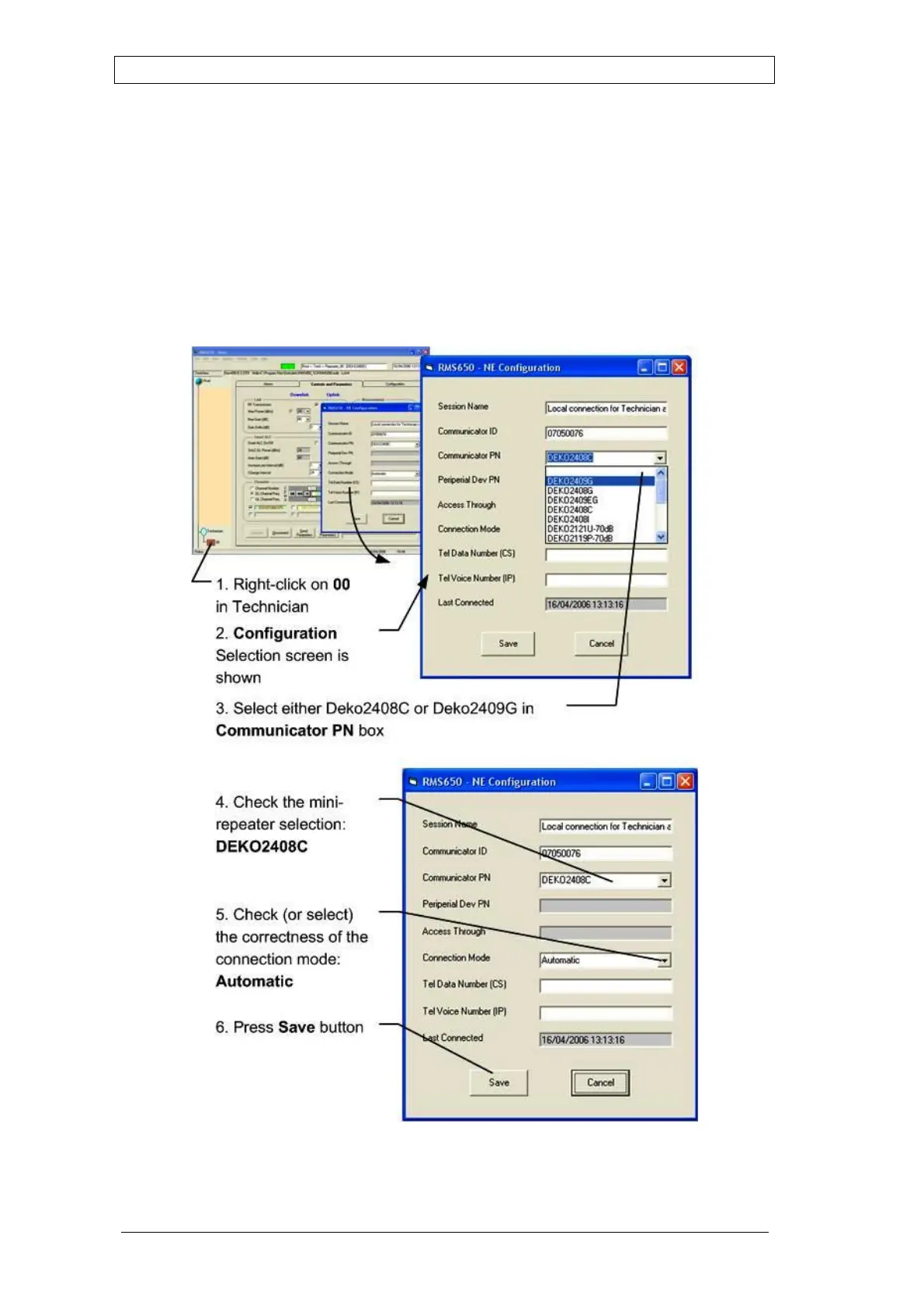
Figure 14: Deko2118 Mini-Repeater – Selection Procedures



 To Next Page