DEKOLINK WIRELESS LTD. MINI REPEATER DEKO2408-09 PRODUCT MANUAL
Pub. 308-2005 Rev. 2.00S Proprietary Data Page 33
6.9 ALARMS SCREEN
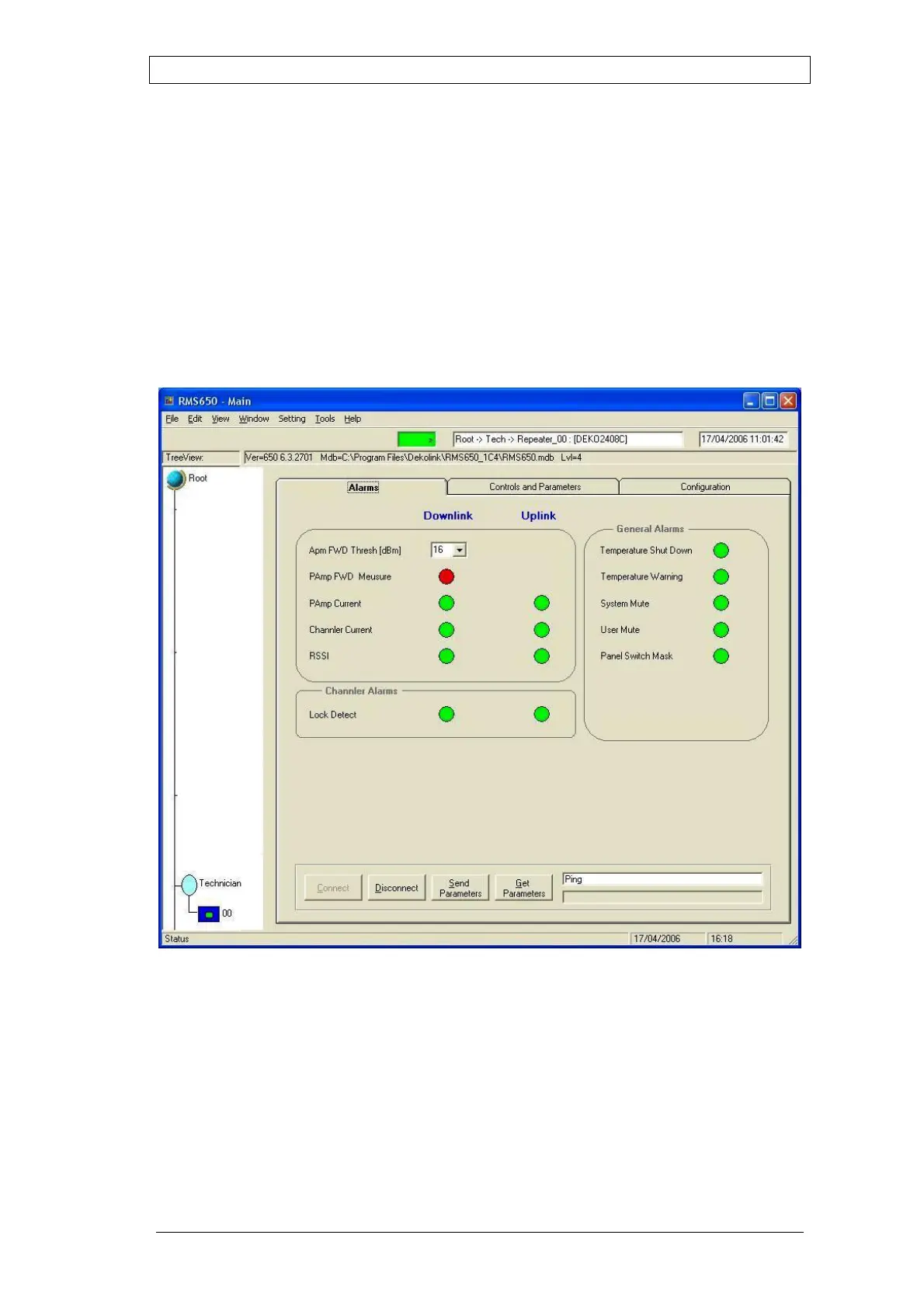
The RMS650 software includes an Alarms page that displays the most probable
cause of failure whenever the Mini-Repeater fails. The software outputs an
alarm warning signal by turning the relevant LED to red.
The Alarms pane enables fast troubleshooting by showing the failed function.
To view the Alarms status, click on the Alarms tab.
The screen shows a green Led for proper operation of a major function/module.
It turns red when the function/module fails.
Figure 24: RMS Software – Alarms Selection Screen



 To Next Page