Delem
V1101, 9.1
9 Part support
9.1 Introduction
The part support system
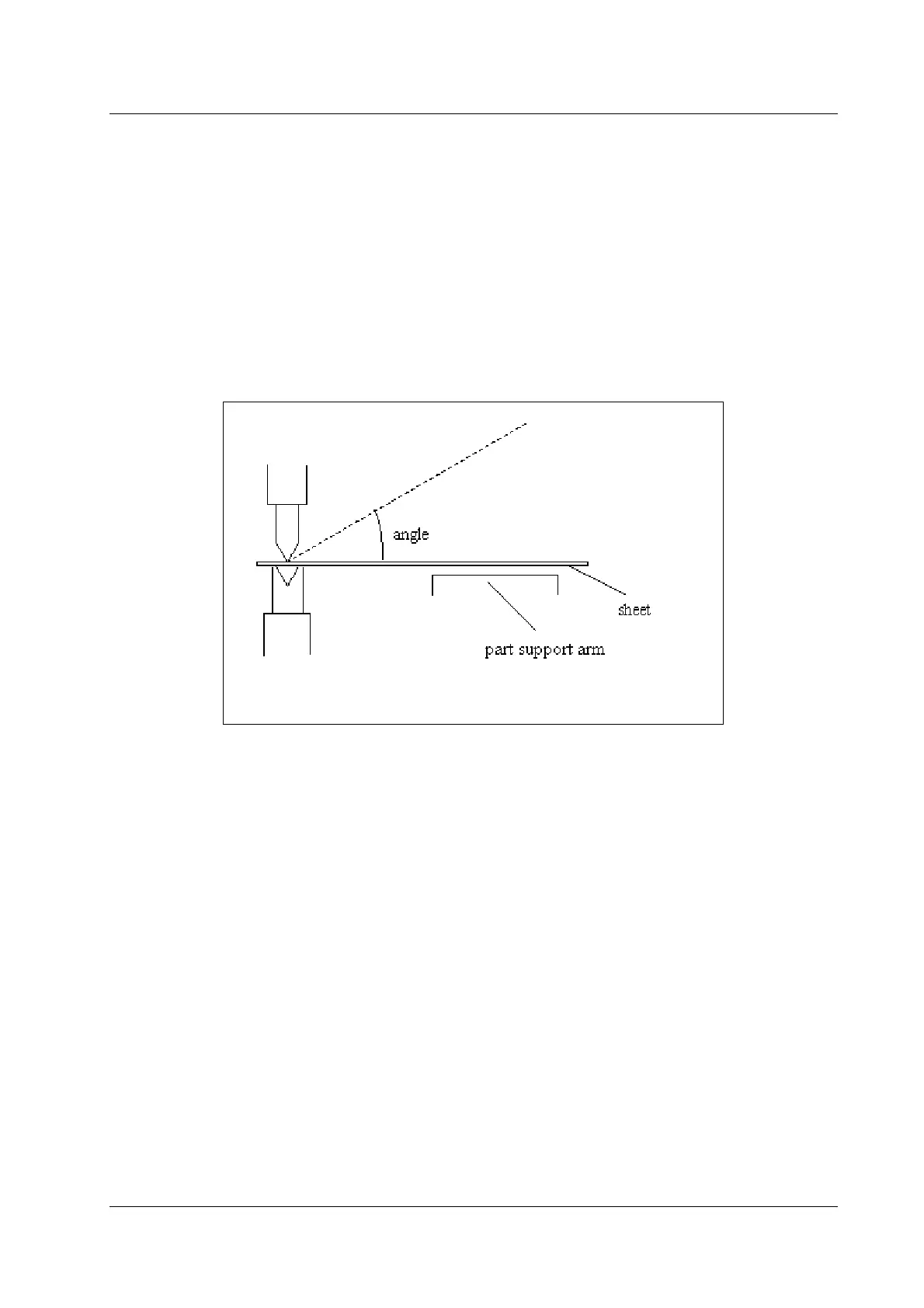
The system has been designed to control the angle at which the sheet must be supported by the
part support arm. Figure 9.1 shows how the angle is defined: when the sheet has been clamped
by the punch, at the clamping point, the angle of the part support arm is zero. When the sheet is
moved upwards as result of a bending action, a positive angle is obtained.
Figure 9.1.a
In the auxiliary axes menu you can program the required axes. The part support option can be
programmed by selecting axis 'PS'.
There are two axis types that can be selected:
• 'Dig. part support' to select the digital part support.
• 'Servo' to select a classic part support control system with the DBT-01 control card.
Press the softkey ‘change parameters’ to program the parameters of the selected axis.
The digital part support control is integrated in a standard DM01 module, no additional hardware
is necessary. The digital part support is described in section 9.2.
If a part support unit is installed which can be moved along the machine, additional axes can be
progammed to control the part support movement. See section 9.3.
For a part support control system with the DBT-01 control card we refer to section 9.4.


 To Next Page
 Loading...
