Delem
V0802, 4.2
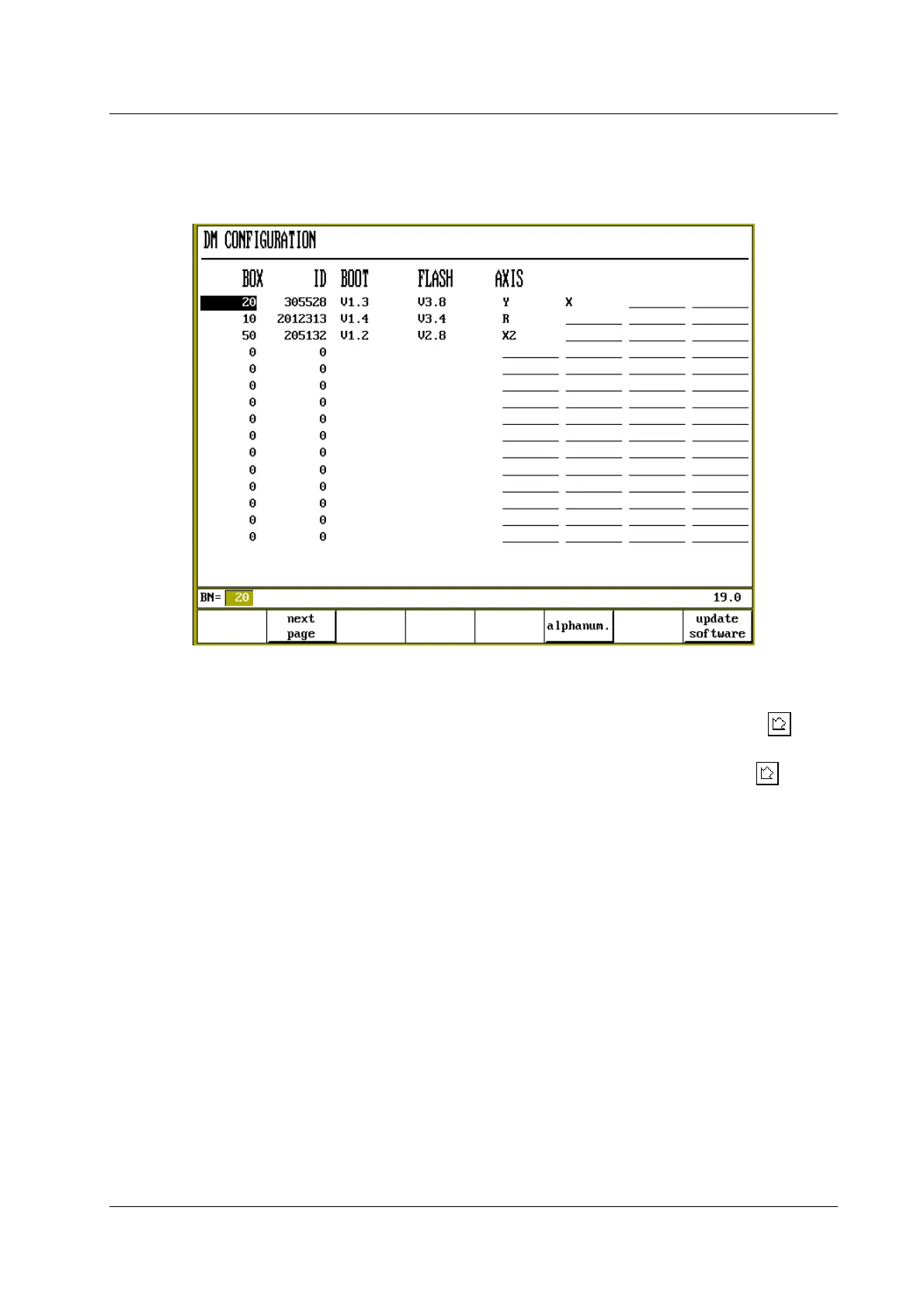
Step 1 is done with option 3 of the parameter menu: Module configuration. The following screen
appears:
Figure 4.2.a
• In the first column, the box number of the module must be entered.
• In the second column, the DM-identifier of the module must be chosen with the key .
Select the correct DM-identifier from the list of numbers.
• From the fifth up to the eighth column, the axis types can be chosen. Press the key
to
select the required setting.
• Any mistake in assignments can be corrected by moving the cursor to the relevant field and
press softkey S5: ‘clear entry’.
• When all assignments are carried out, press ‘END’ to leave this menu. If any errors are
detected in the assignments, a warning is given. Press ‘1’ to leave the menu or ‘0’ to return to
the menu and correct the error.



 To Next Page