EasyManua.ls Logo

Deli D311 Series - User Manual

Deli D311 Series
63 pages
Print Icon
To Next Page IconTo Next Page
Loading...
©
2020 Ningbo Deli Group Co., Ltd.
Thank you for selecting Deli products.
We would like to express our heartfelt thanks to you for using the Deli series products!
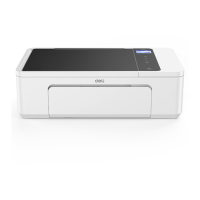
Please refer to the actual product appearance.
(The appearance of D311 series products varies from model to model.)
In order to protect your own rights and interests, please read following statement carefully.
For further assistance, please log in the official website of Deli printer in Thailand: www.th.deliprinter.com
Version: 1.0
·
·
·
·
·
·
Color Inkjet MFP
User Manual
D311 Series

Table of Contents

Questions and Answers

Summary

Important Guidance

Precautions and Safety

Essential safety instructions for operating the equipment safely.

General Safety Information

General safety advice and warnings for product usage and handling.

About the User Manual

Guidance on how to use the user manual effectively and understand its symbols.

Important Guidance Continued

Placement Guidelines

Recommended conditions and locations for placing the printer to ensure optimal performance and safety.

Electrical Safety Precautions

Guidelines for safe connection and use of the power supply to prevent hazards.

Warranty and Handling Information

Details on product warranty, printhead/ink bottle handling, and basic maintenance.

Radio Interference Guidelines

Information on radio frequency usage and potential interference issues.

Hazardous Substances Warning

Information on the presence and management of toxic and harmful substances in the product.

Main Parts and Use Methods

Printer Components Overview

Identifies and illustrates key physical components of the printer.

Operation Panel and Indicators

Describes the printer's control panel buttons and icons.

LED Status and Key Functions

Explains LED indicators and the functions of control panel keys.

LED Working Status and Errors

Details the meaning of various LED light-up modes and working statuses.

First Use of the Printer

Product Installation Steps

Guides users through unpacking and initial component installation.

Ink Bottle and Paper Loading

Instructions for installing ink bottles and loading paper into the printer.

Starting and Home Screen Setup

Steps for powering on the printer and setting up the initial language interface.

Initial Setup and Connection

Install Printer Driver

Instructions for downloading and installing the necessary printer drivers.

Connect Equipment

Details on connecting the printer via USB or network.

Network Connection Options

Explains wired, wireless, and mobile connection methods for the printer.

Printer Helper Utility

Device Management

Manages printer connections, including adding and deleting devices.

Software Settings

Configures general software settings like language and update prompts.

Printing Queue

Allows viewing documents currently being processed by the printer.

Printer Maintenance Functions

Accesses printer maintenance features like cleaning and calibration.

Purchase and Support Resources

Provides links for purchasing consumables and accessing user support.

Scanning Operations

Scanning Configuration

Sets scanning parameters like file type, paper source, color, and resolution.

Advanced Scanning Features

Customizes scan size, background removal, rotation, brightness, and contrast.

Print Media Handling

Print Media Specifications

Details supported paper types, capacities, sizes, and weights.

Loading and Printing Media

Instructions for loading and printing plain paper, photo paper, and envelopes.

Print Settings and Preferences

Layout and Page Setup

Configures page orientation, duplex printing, and page order.

Paper and Quality Settings

Selects paper source, media type, and print quality.

Extended Functions

Adjusts advanced printing features like image optimization and custom paper sizes.

Menu Navigation

Accessing Printer Menus

Navigating the printer's main menu to access different functions.

Key Menu Functions

Lists key menu items including Copy, System Settings, and Reports.

Copying Procedures

Copy Paper Placement

Instructions for placing documents correctly on the scanner for copying.

Copy Settings Overview

Details on adjusting color, quality, and density for copying.

Advanced Copy Settings

Adjusts size, pages per sheet, density, and resets copy settings.

Ticket Copying Options

Specific instructions for copying ID cards and invoices.

System Settings and Configuration

Paper and Size Configuration

Configures paper type and size for printing operations.

Power and Cleaning Settings

Manages sleep time, power saving, and printer cleaning modes.

Airprint and Supplies

Manages Airprint functionality and replacing ink or printhead.

Alignment, Language, and Reset

Adjusts print alignment, language, and performs factory resets.

Network and Connectivity

Printing Configuration Report

How to print the printer's current configuration settings.

Network Status and Wi-Fi Setup

Checks network connection and configures Wi-Fi settings.

Advanced Network Configuration

Covers searching Wi-Fi, IP settings, and Ethernet configuration.

WPS, Wi-Fi Direct, and Proxy

Configures WPS, Wi-Fi Direct, and proxy server settings.

TCP;IP and Wireless LAN Settings

Configures TCP/IP (IPv4, IPv6) and Wireless LAN settings.

Web Interface Operations

Accessing the Web Interface

Verifies the printer's IP address and how to access the web interface.

Device Status and Configuration

Manages device status and general settings via web interface.

Network and Maintenance Settings

Configures network and maintenance options through the web interface.

Protocol and Wireless Settings

Configures TCP/IP and Wireless LAN settings through the web interface.

Proxy and Password Management

Sets up proxy servers and changes the web interface login password.

Printer Maintenance

Replacing Ink Bottles

Step-by-step guide for replacing the ink bottles.

Replacing the Printhead

Instructions for removing and installing a new printhead.

Printhead and Desk Cleaning

Procedures for cleaning the printhead and the scanner's manuscript desk.

Troubleshooting Guide

Common Printer Issues

Addresses common problems like LED status, driver, network, and paper jams.

Error Messages and Status

Explains LCD messages, LED status, and possible causes/solutions for errors.

Paper Jam Treatment

Provides guidance on how to resolve paper jam issues safely and effectively.

Print Quality Improvement

Offers solutions for poor image quality issues like dinginess and faded colors.

Printer Transportation

Moving the Printer Locally

Steps for safely moving the printer to a nearby location.

Transporting for Maintenance

Procedures for preparing the printer for transport to a service center.

Appendix and Specifications

Material Safety Data Sheet (MSDS)

Information on safety data sheets for consumables containing chemicals.

Product Specification Table

Comprehensive technical specifications and dimensions of the printer.

Deli D311 Series Specifications

General IconGeneral
BrandDeli
ModelD311 Series
CategoryAll in One Printer
LanguageEnglish

Related product manuals