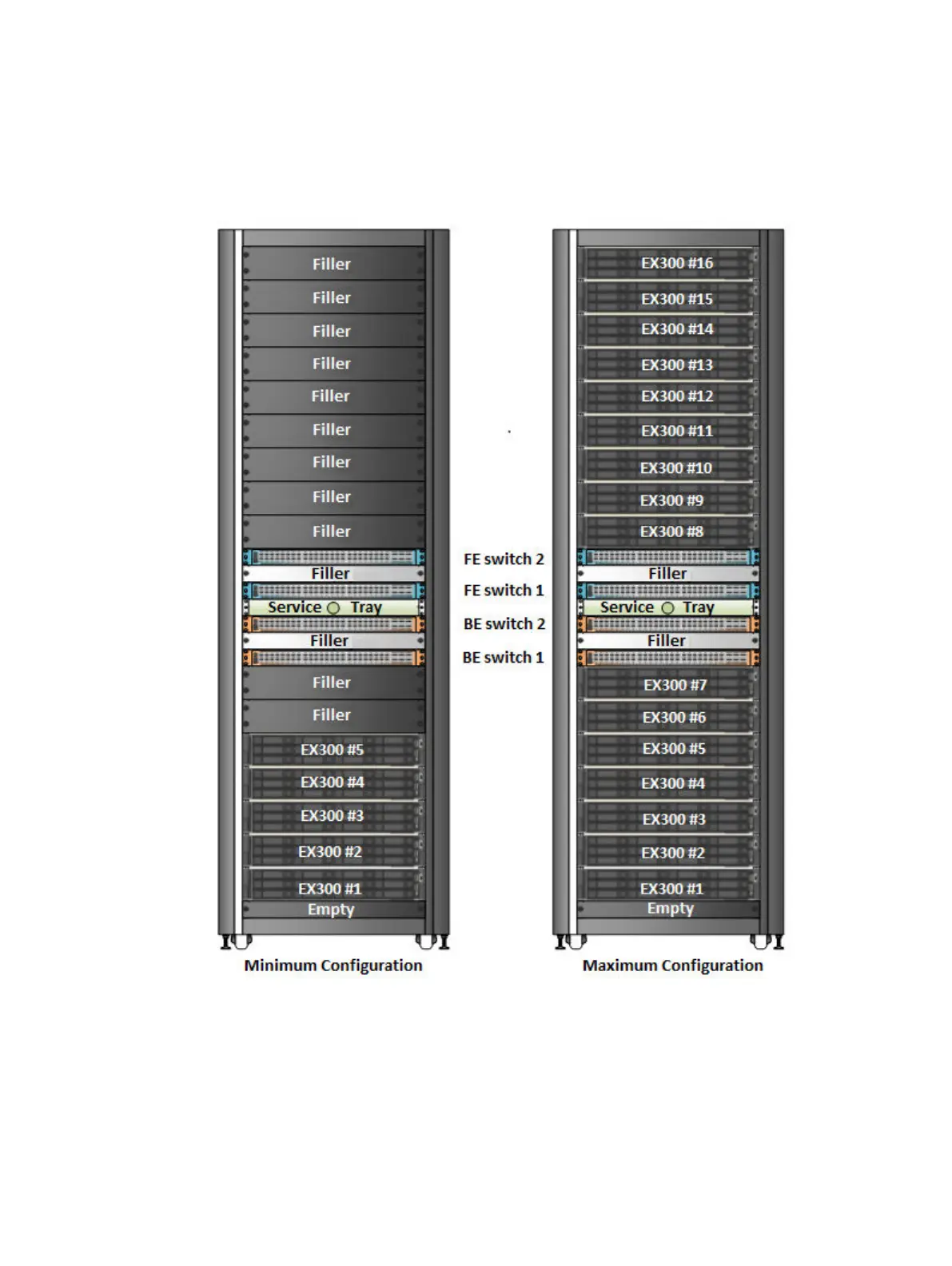
The front view of an EX300 rack with the minimum node configuration and an EX300 rack with the
maximum node configuration is shown in the following diagram. The rear view requires a brace
wherever there is empty space above or below an EX300 server.
Figure 35 EX300 minimum and maximum configurations
The EX300 appliance is available in the following configurations within a Dell EMC rack or a
customer-provided rack.
Lists the nodes, disks in each node, disk size, and RAW storage capacity.
EX300 Platform
58 ECS EXSeries Hardware Guide



 To Next Page