7
Installation and Startup
|
Connecting the Equipment
9
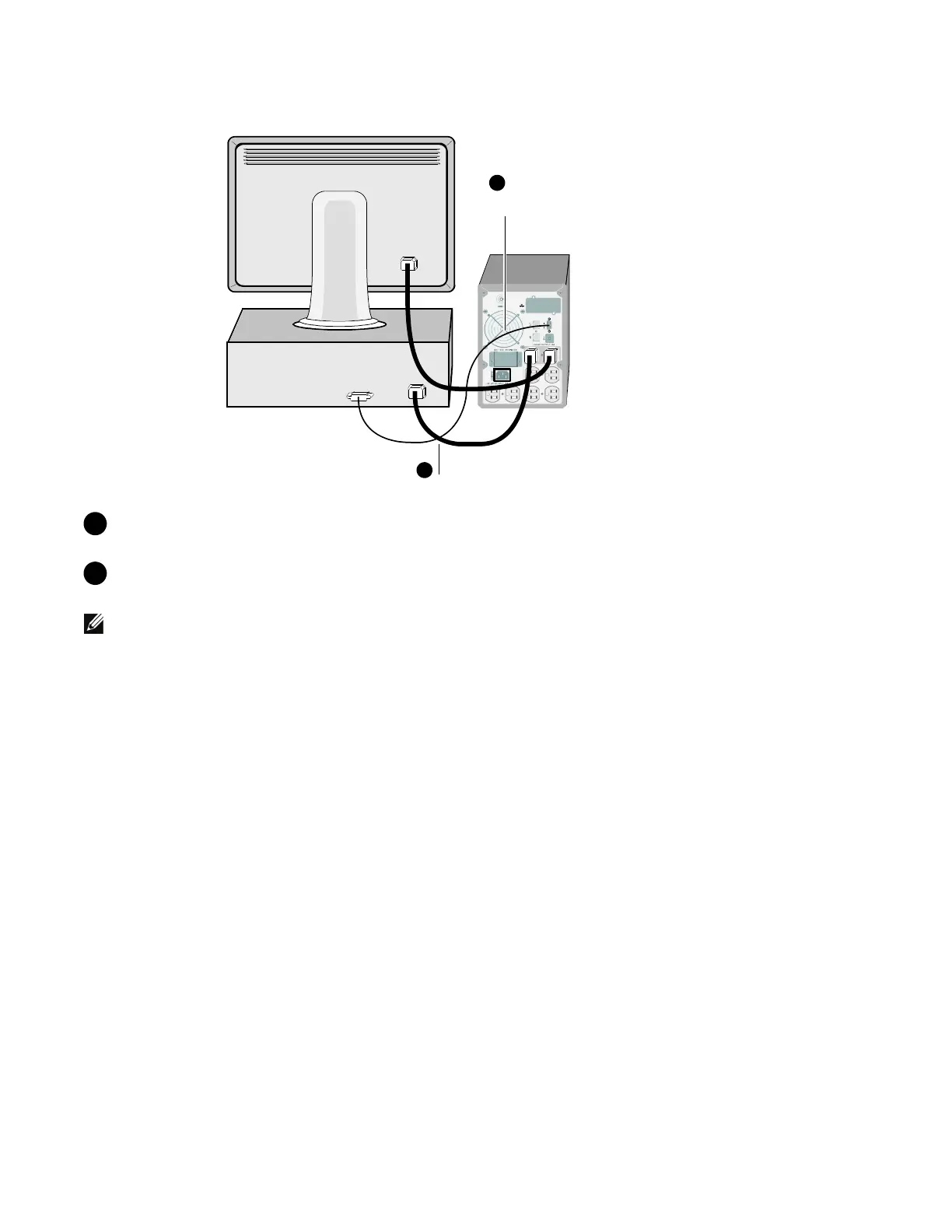
Connect equipment to UPS
Connect communication cable from
computer to UPS (optional)
8
8 If you plan to use Dell UPS Management Software, connect your computer to the USB port or
RS-232 port using the supplied cable.
9 Plug the equipment to be protected into the UPS output receptacles, but do not t urn on the
protected equipment.
NOTE:
Verify that the total equipment ratings do not exceed the UPS capacity to prevent an overload alarm.


 To Next Page
 Loading...




