9
Installation and Startup
|
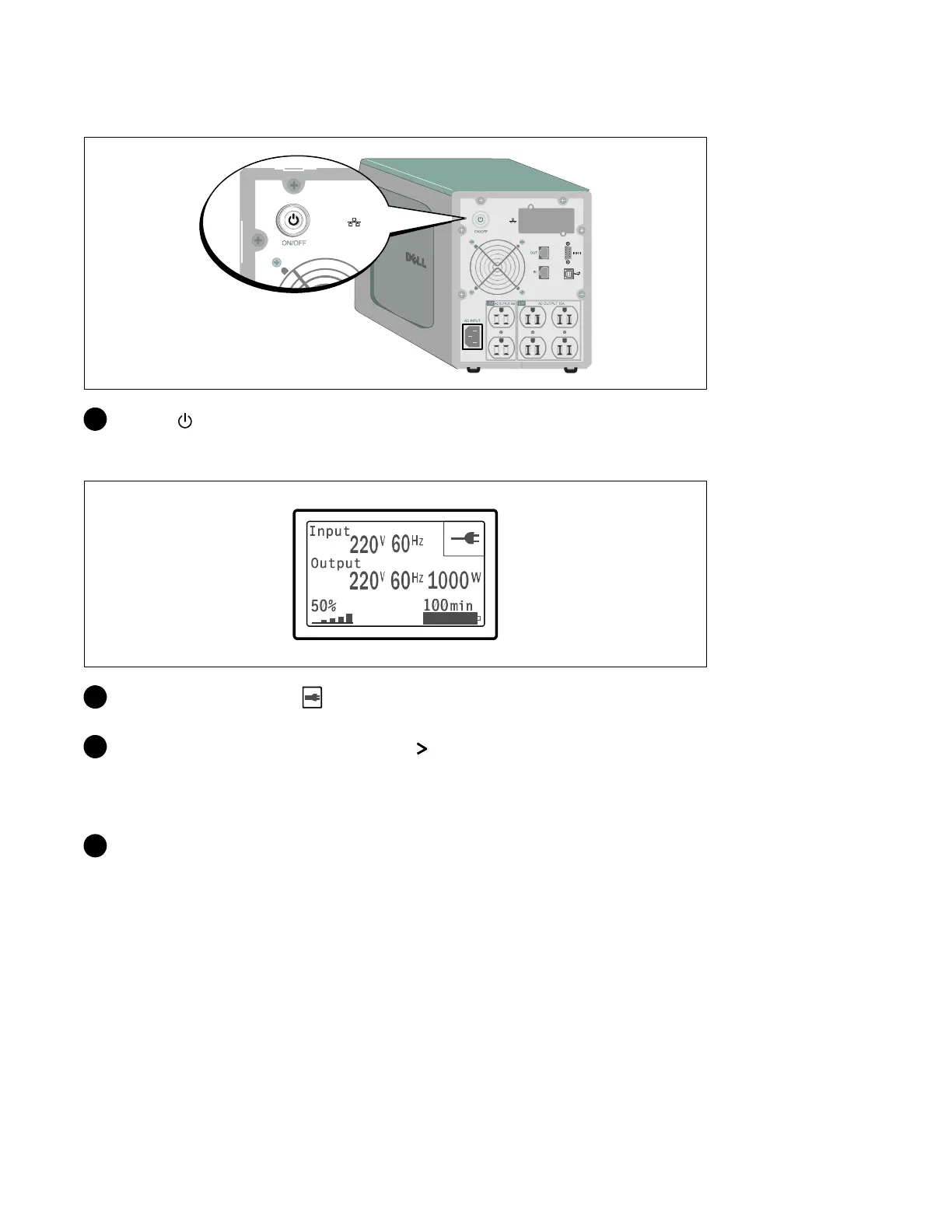
Starting the UPS
12 Press the buttonontheUPSrearpanel.
Completing the Startup
13 Verify that the Normal icon appears on the UPS status summary screen, indicating that the
UPS is o perating normally and any loads are powered.
14 On the UPS status summary screen, press the button to check for active alarms or notices.
Resolve any active alarms before continuing. See “Troubleshooting” in the Dell Line-Interactive
Tower UPS 500W, 1000W, and 1920/1500W User's Guide.
If there are no active alarms, a “No Active Alarms” message appears.
15 To change other factory-set defaults, see “Operation” in the Dell Line-Interactive Tower UPS
500W, 1000W, and 1920/1500W User's Guide.



 To Next Page