Using Your Projector 35
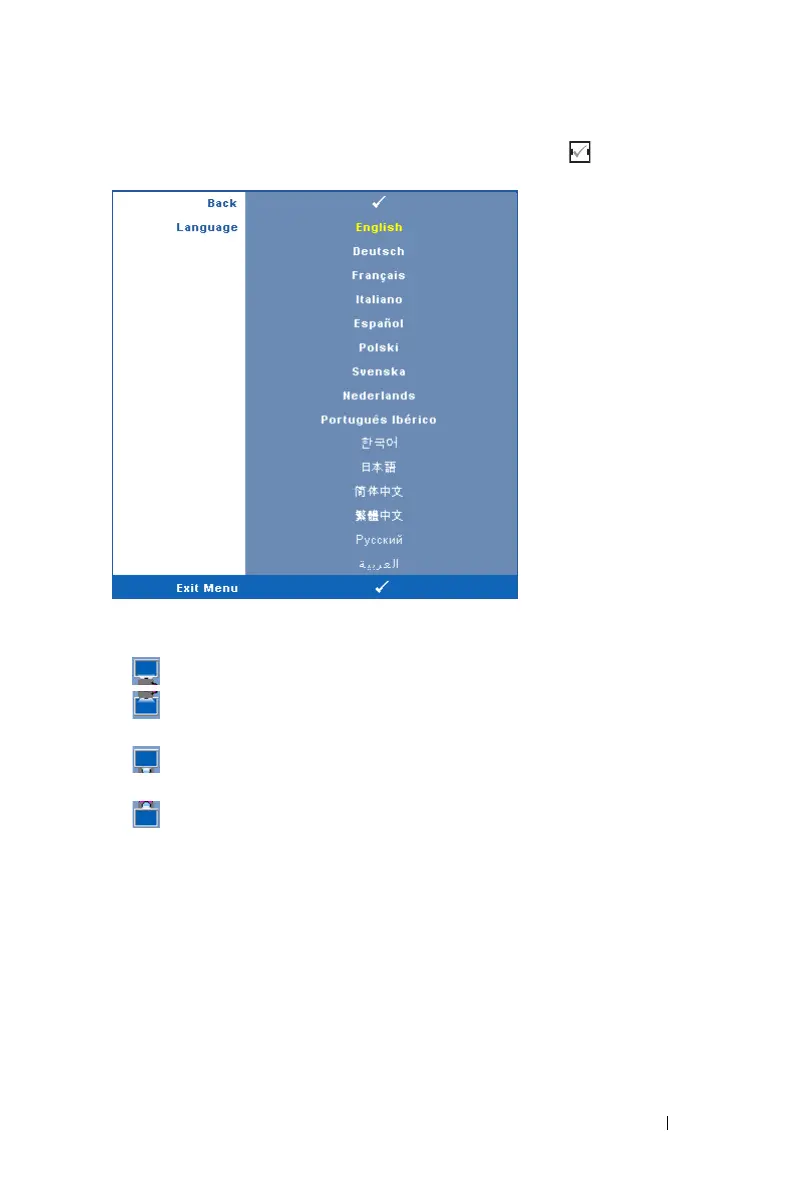
LANGUAGE—Allows you to set the language for the OSD. Press to activate the
Language menu.
P
ROJECTOR MODE—Allows you to select the projector mode, depending upon how
the projector is mounted.
• Front Projection-Desktop — This is the default option.
• Front Projection-Ceiling Mount — The projector turns the image upside
down for ceiling-mounted projection.
• Rear Projection-Desktop — The projector reverses the image so that you can
project from behind a translucent screen.
• Rear Projection-Ceiling Mount — The projector reverses and turns the image
upside down. You can project from behind a translucent screen with a ceiling-
mounted projection.
V. KEYSTONE—Manually adjust the vertical image distortion caused by tilting the
projector.
H
IGH ALTITUDE—Select On to turn on high altitude mode. Operates the fans at full
speed continuously to allow for proper high altitude cooling of the projector.
S
TANDBY VGA OUTPUT—Select On or Off the VGA output function at projector
standby status. Default is Off.


 To Next Page