NOTE: It is recommended that you turn on and shut down your computer at least once before
you install any cards or connect the computer to a docking device or other external device,
such as a printer.
Specifications
NOTE: Offerings may vary by region. For more information regarding the configuration of
your computer, click Start→ Help and Support and select the option to view information
about your computer.
5
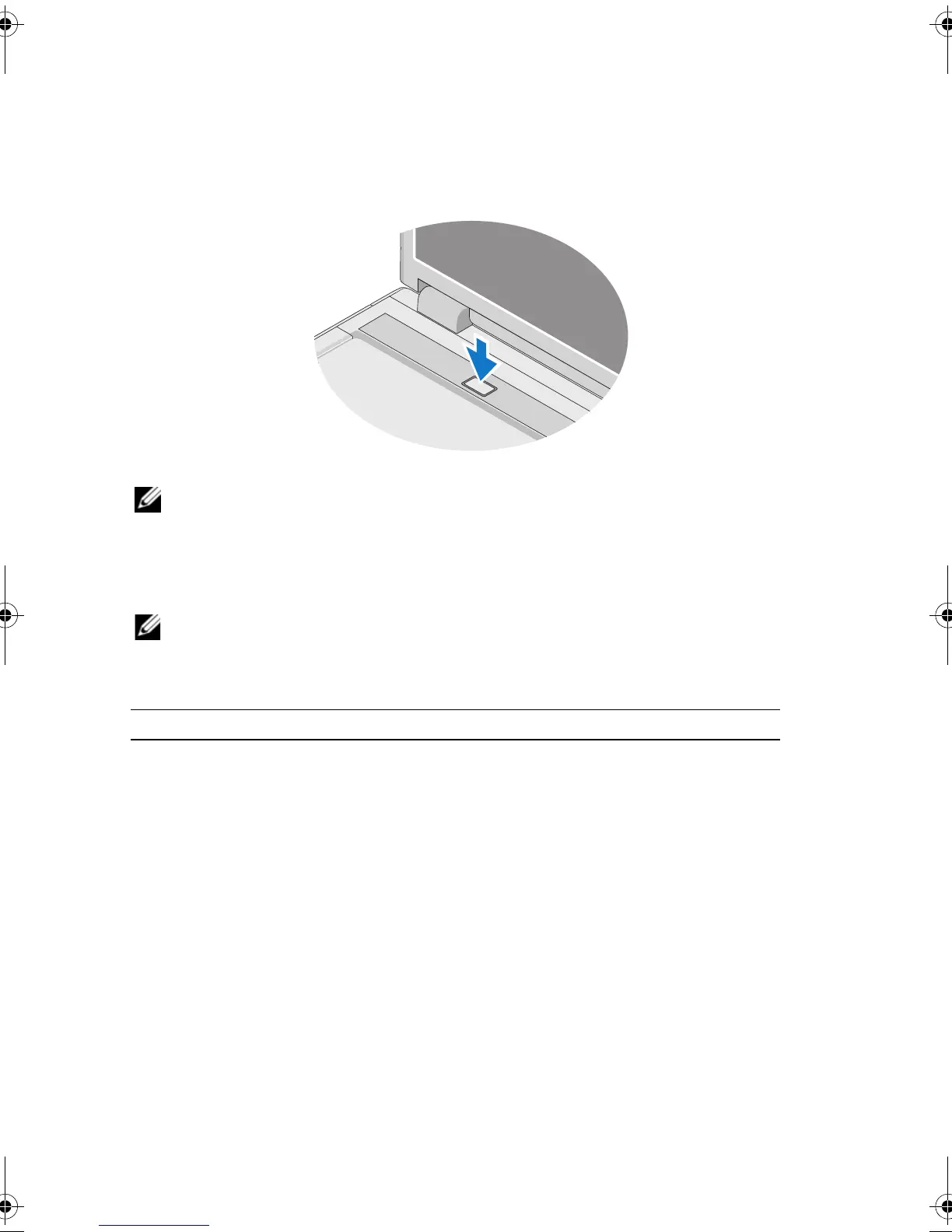
Open the computer display and press the power button to turn on the computer.
System Information
Processor type Intel
®
Core™ 2 Duo (1.4–2.6 GHz)
Intel Celeron
®
(1.8–2.0 GHz)
Intel Celeron Dual Core
(1.66 GHz–1.86 GHz)
Chipset Integrated Intel Cantiga GM45
Integrated Intel
PM45 chipset
X951Mam0.fm Page 8 Tuesday, March 24, 2009 11:19 AM



 To Next Page