EasyManua.ls Logo

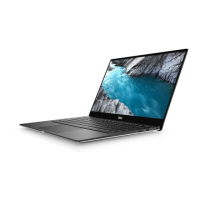
Dell XPS 13 9315 - User Manual

Dell XPS 13 9315
66 pages
Print Icon
To Next Page IconTo Next Page
Loading...
XPS 13 9315 / XPS 9315
Service Manual
Regulatory Model: P153G
Regulatory Type: P153G001
May 2022
Rev. A01

Table of Contents

Other manuals for Dell XPS 13 9315

Questions and Answers

  • A
    Alison GardnerAug 20, 2025
    How to fix BIOS or ROM failure (LED code 2,2) on Dell XPS 13 9315 Laptop?
    • S
      Sabrina WilliamsAug 20, 2025
      To resolve a System board: BIOS or ROM (Read-Only Memory) failure (LED code 2,2) on your Dell Laptop, replace the system board.
  • C
    Calvin RodriguezAug 21, 2025
    What to do if Dell XPS 13 9315 Laptop battery is swollen?
    • J
      Jennifer WoodsAug 22, 2025
      If you notice a swollen battery in your Dell Laptop, immediately stop using the laptop. Disconnect the AC adapter and allow the battery to fully discharge. It is recommended to replace the swollen battery and dispose of it properly. You may also contact Dell product support to explore options for replacing the battery under your warranty or service contract, which may include replacement by a Dell authorized service technician.
  • Z
    Zachary WilliamsAug 25, 2025
    How to fix processor failure (LED code 2,1) on Dell Laptop?
    • M
      Mrs. Catherine PearsonAug 25, 2025
      To fix a processor failure (LED code 2,1) on your Dell Laptop, replace the system board.
  • R
    Robert WaltonAug 26, 2025
    What to do if Dell Laptop has no RAM detected (LED code 2,3)?
    • D
      dthompsonAug 26, 2025
      If your Dell Laptop is showing 'No memory or RAM (Random-Access Memory) detected' (LED code 2,3), replace the RAM.
  • E
    Eric DavidAug 28, 2025
    How to fix RAM failure (LED code 2,4) on Dell XPS 13 9315 Laptop?
    • R
      Robert SmithAug 28, 2025
      If your Dell Laptop experiences a Memory or RAM (Random-Access Memory) failure (LED code 2,4), replace the RAM.
  • D
    Danielle ElliottAug 29, 2025
    How to fix system-board or chipset error (LED code 2,6) on Dell XPS 13 9315 Laptop?
    • P
      Phillip Moore DDSAug 30, 2025
      To resolve a system-board or chipset error (LED code 2,6) on your Dell Laptop, replace the system board.
  • M
    Mrs. Laura GomezSep 1, 2025
    What to do if Dell XPS 13 9315 has invalid memory installed (LED code 2,5)?
    • S
      Shannon DavisSep 1, 2025
      If your Dell Laptop indicates that invalid memory is installed (LED code 2,5), install valid memory.
  • A
    Alison MartinezSep 2, 2025
    How to fix display failure (LED code 2,7) on Dell Laptop?
    • T
      Timothy WrightSep 3, 2025
      To fix a display failure (LED code 2,7) on your Dell Laptop, replace the display.
  • B
    Barry RhodesSep 5, 2025
    How to fix display power failure (LED code 2,8) on Dell Laptop?
    • A
      Anthony SpencerSep 5, 2025
      To resolve a display power failure (LED code 2,8) on your Dell Laptop, replace the display.
  • M
    Michael FarleySep 7, 2025
    How to fix power-rail failure (LED code 3,5) on Dell Laptop?
    • K
      Kenneth VegaSep 7, 2025
      To fix a power-rail failure (LED code 3,5) on your Dell Laptop, replace the system board.

Summary

Computer Service Fundamentals

Safety and Preparation Guidelines

Essential safety rules and preparation steps before performing computer service.

Electrostatic Discharge (ESD) Protection

Detailed guidelines for preventing Electrostatic Discharge damage.

Component Removal and Installation

Service Tools and Component Identification

Lists necessary tools, screws, and identifies major computer components.

Base Cover Service

Procedure for removing and installing the base cover.

Battery Service

Procedure for removing and installing the battery.

System Board Service

Procedure for removing and installing the system board.

Palm-Rest and Keyboard Assembly Service

Procedure for removing and installing the palm-rest and keyboard assembly.

Drivers and Downloads

System Driver Management

Information on obtaining and installing system drivers.

System Setup and BIOS Configuration

Entering BIOS Setup Utility

Steps to access and navigate the BIOS setup utility.

System Setup Options Overview

Overview of various system configuration settings available in BIOS.

Troubleshooting and Diagnostics

Battery Health and Diagnostic Lights

Safety for swollen batteries and diagnostic lights interpretation.

Built-in System Self-Tests (BIST)

Performing system board and display panel self-tests.

System Recovery and Reset Procedures

Procedures for operating system recovery and draining residual power.

Dell Support and Contact Information

Accessing Dell Support Resources

Information on Dell support websites, tools, and contact methods.

Dell XPS 13 9315 Specifications

General IconGeneral
HD type3K
Panel typeWVA
Pixel density267 ppi
Display diagonal13 \
Display brightness500 cd/m²
Display resolution2880 x 1920 pixels
Native aspect ratio3:2
Anti-reflective coatingYes
Internal memory16 GB
Memory clock speed2133 MHz
Internal memory typeLPDDR4x-SDRAM
Ethernet LANNo
Wi-Fi standards802.11a, Wi-Fi 5 (802.11ac), 802.11b, Wi-Fi 6 (802.11ax), 802.11g, Wi-Fi 4 (802.11n)
Top Wi-Fi standardWi-Fi 6 (802.11ax)
WLAN controller modelIntel Wi-Fi 6E AX211
Wi-Fi data rate (max)2400 Mbit/s
WLAN controller manufacturerIntel
AC adapter power45 W
AC adapter frequency50 - 60 Hz
AC adapter input voltage100 - 240 V
AC adapter output current2.25 A
AC adapter output voltage20 V
Battery voltage11.4 V
Battery capacity- mAh
Battery recharge time3 h
Number of battery cells3
Operating altitude-15.2 - 3048 m
Non-operating altitude-15.2 - 10668 m
Storage temperature (T-T)-40 - 65 °C
Operating temperature (T-T)0 - 35 °C
Storage relative humidity (H-H)0 - 95 %
Operating relative humidity (H-H)10 - 90 %
Rear camera typeSingle camera
Video capturing speed30 fps
Rear camera resolution3840 x 2160 pixels
Rear camera resolution (numeric)10 MP
Front camera resolution (numeric)5 MP
Position location-
Audio systemWaves MaxxAudio
Speaker power2 W
Device typeTablet PC
Form factorSlate
Product colorBlue
Cables includedAC
Pixel pitch0.095 x 0.095 mm
Display response rise/fall35 ms
Processor cache12 MB
Processor cores10
Processor familyIntel® Core™ i7
Processor frequency- GHz
Processor boost frequency4.7 GHz
SSD interfaceM.2, PCI Express
Storage mediaSSD
Internal storage capacity512 GB
PlatformWindows
Trial softwareMcAFee Livesafe 12 months, No Microsoft Office Included
Operating system languageENG, ESP, FRE
Operating system installedWindows 11 Home
Operating system architecture64-bit
Graphics cardIris Xe Graphics
Weight and Dimensions IconWeight and Dimensions
Depth201.2 mm
Width292.5 mm
Height7.4 mm
Weight740 g

Related product manuals