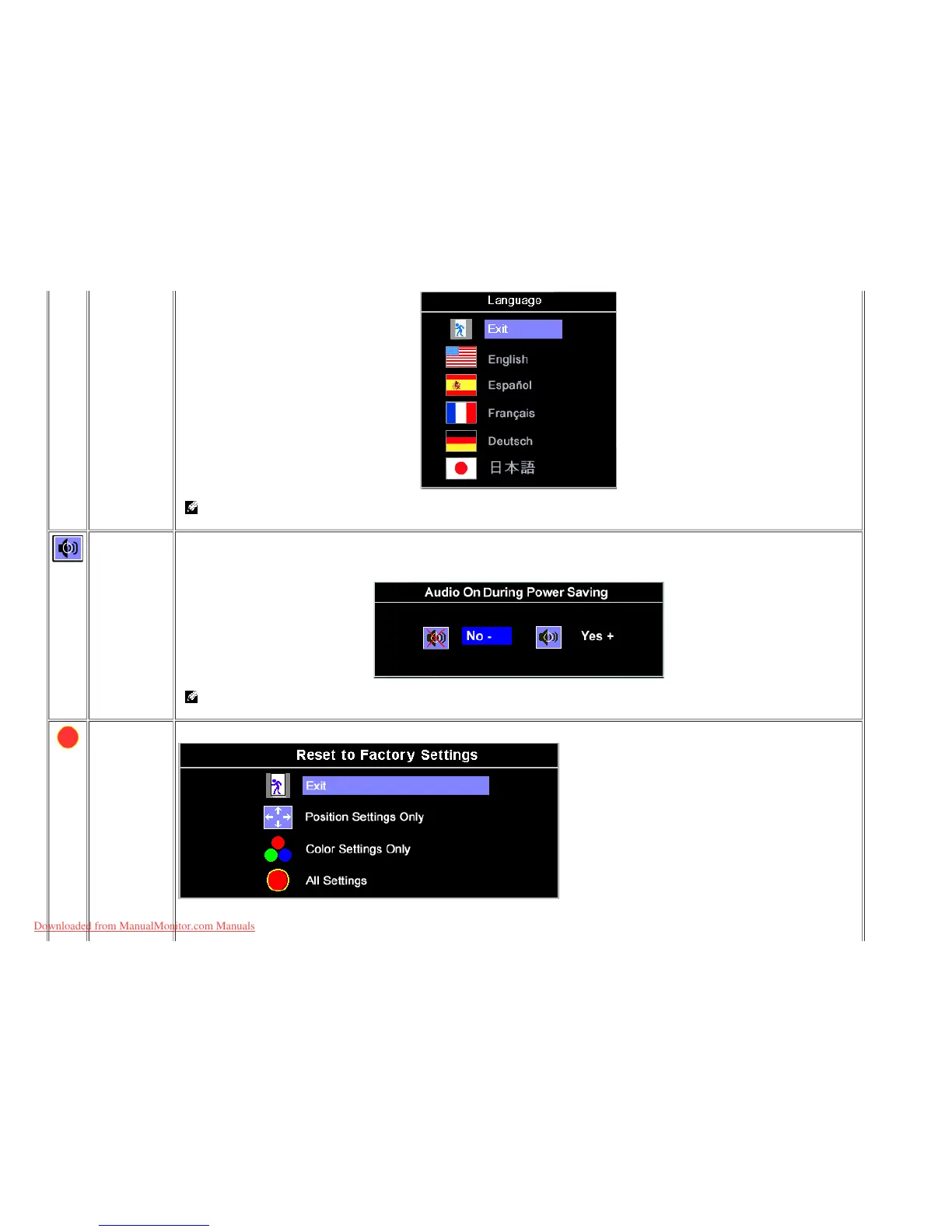
NOTE: The change only affects the OSD, it has no effect on any software running on the computer.
Audio
(optional)
You can select to have the audio on or off when the monitor is power saving mode.
Yes — enables audio
No — disables audio (default)
NOTE: When the Dell Soundbar is not properly connected to the monitor, the audio menu is not available.
Factory Reset: Reset the OSD menu options to the factory preset values.
Exit — Select to exit out of Factory Reset menu without resetting any OSD options.
Position settings only — Change the settings for Image Position back to original factory settings.
Downloaded from ManualMonitor.com Manuals










 To Next Page