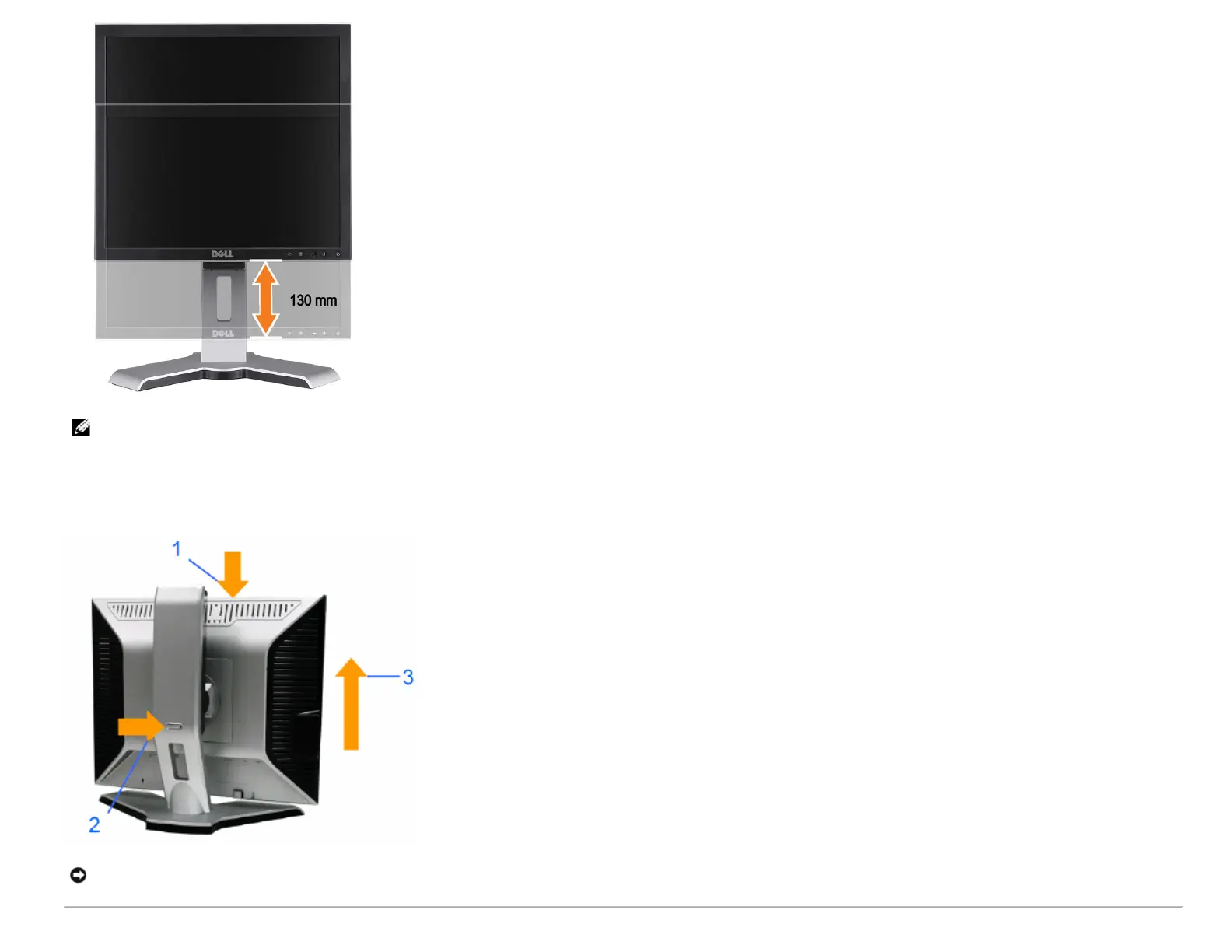
NOTE: If locked in the down position,
1. Push the monitor down,
2. Press the Lock down / release button on the bottom rear of stand to unlock the monitor.
3. Lift the monitor up and extend the stand to the desired height.
NOTICE: Before relocating or moving the monitor to a different location, make sure that the stand is LOCKED DOWN. To lock it down, lower the height of the panel until it clicks
and is locked into place.










 To Next Page